

Shared or dedicated infrastructure? Which one would you prefer? If you want to manage deliverability, dedicated infrastructure is best for you. But Mailforge doesn’t offer dedicated infrastructure, and domains are hosted on a shared IP pool. You can buy domains and inbox slots from Mailforge, and start sending from day 1.
Purely from a deliverability POV, you’re renting an IP where you have no clue who else will be on the same IP. One G2 buyer flagged that he watched all of his 45 inboxes go down in a single day on shared IP infra.
But that’s not the whole story! In this Mailforge review, I’ll cover what Mailforge is, its pricing, pros, and where the shared pool quietly charges you.
Key Takeaways
At its simplest, Mailforge is shared cold email infrastructure. Cheap per inbox, ready in minutes, and sent from a shared IP pool. Mailforge is honest about being an entry tier. It’s a good starting stack for a beginner. But if your business depends on where those emails land, you might want to look at other options that provide built-in warm-up and monitoring.
- Setup: Shared-IP Infrastructure
- USP: Domain purchase, DNS, SSL, and inbox provisioning in one continuous flow
- Deliverability: Mixed
- Risk: Shared-IP pool
- Price: $3/inbox/mo
- Support: Live chat with 2-min average response time

About Mailforge
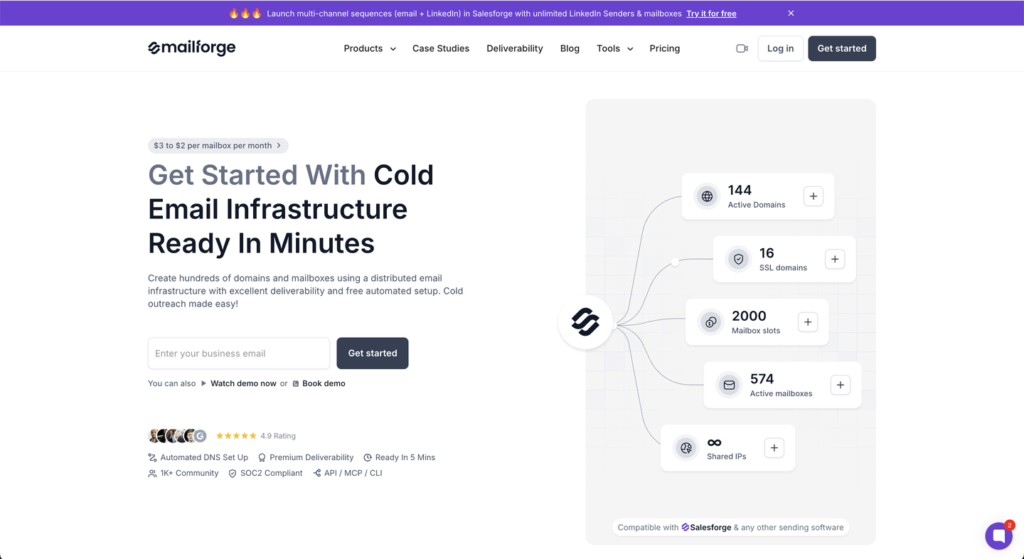
Mailforge is a shared cold email infrastructure. It offers “Affordable Cold Email Infrastructure With Shared IP Setup.”
It’s cheap, with each inbox costing $3. The setup is quick and automated. Your inboxes are ready for cold outreach in just 5 minutes.
You can also buy pre-warmed inboxes and domains.
It also offers SSL & domain masking for $2/domain/mo. It allows you to display your website without revealing your primary domain.
On the downside, there’s no warmup or built-in monitoring.
How Mailforge Works
Mailforge Features
Shared IP Pool
Mailforge offers shared infrastructure where your domains and inboxes are hosted on Mailforge’s own shared IP pool.
Automated DNS setup
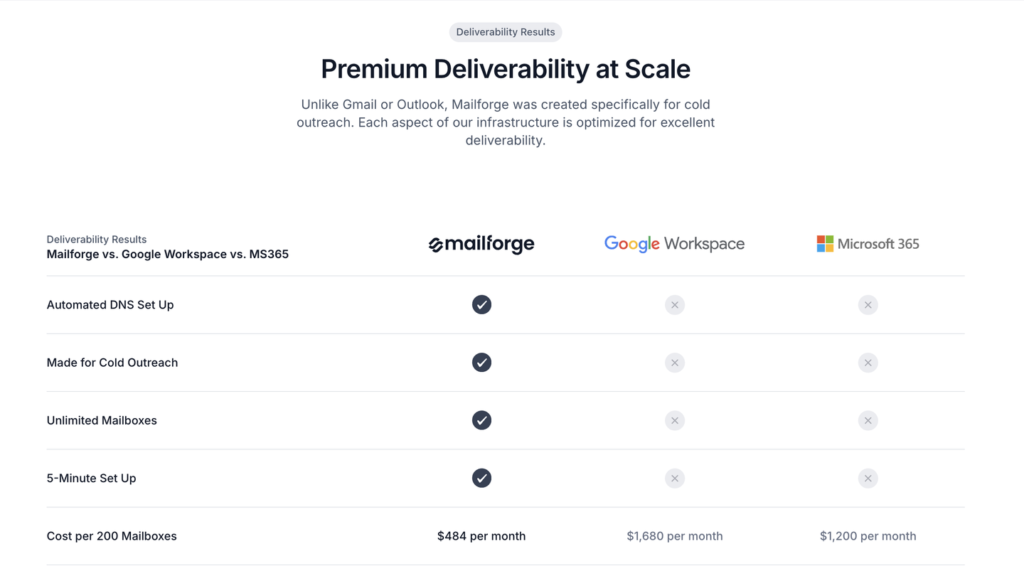
Like most ESPs, Mailforge auto-configures DMARC, SPF, and DKIM, and your inboxes are ready in 5 minutes.
Domain Purchase and Transfer
You can buy .com domains on the platform for $14/yr, or bring your own and transfer them later.
SSL and Domain Masking
You can mask your primary domain for $2/domain/mo. It is an add-on that is rarely offered by ESPs.
Pros
Fast Setup
Your domains and inboxes spin up in 5 minutes with DNS auto-configured.
Portable Domains
You can buy domains for $14/domain or bring your domains, keep full DNS control, and they transfer out cleanly if you leave.
Cheap At Scale
The Mailforge inbox is priced at $3/inbox/mo, dropping toward $2 at high volume.
Cons
You Own Deliverability, Not Mailforge
Mailforge hands you the inboxes and the infrastructure. Managing deliverability is your problem. Mailforge doesn’t monitor your sender reputation or inbox placement.
Shared IP Pool
Your sending runs on shared, rotating IPs that Mailforge reuses across senders. So their reputation is partly yours. When one of them gets flagged, the whole pool is affected. Your emails can start hitting spam because of what a stranger sent, and you cannot isolate yourself from it.
No Deliverability Monitoring
Once setup is done, Mailforge stops watching. No burn alerts, no monitoring of signals to view if a domain’s inbox placement is declining. The only way you’ll know that your deliverability is affected is after your replies dry up.
All our 45 mailbox got blocked in 1 day. Disaster for the business. Our volume fell by 95%. It will take weeks to warm up other inboxes.
Peter F., G2
Warmup Sold Separately
Mailforge doesn’t run ongoing warmup. You have to warm up using Warmforge. So the price on the inbox is not the price to send safely.
Standard Support Only
Support is available via email and chat. There is no senior escalation or fast-response commitment when a campaign is actively burning.
Mailforge Pricing
| Inbox Slots | Billed | Price/Inbox | Price | Domains Required | Price/Domain/yr | SSL and Domain Masking | Total Cost |
|---|---|---|---|---|---|---|---|
| 10 | Monthly | $3.00 | $30/mo | 4 | $14 | $2/domain/mo | $94 |
Aerosend: Best Mailforge Alternative
Mailforge and Aerosend both provide cold email inbox infrastructure. The real difference isn’t at price or setup speed; it’s the architecture.
Mailforge puts you on a shared IP pool.
Aerosend runs dedicated, isolated infrastructure that’s never shared. That single fact drives most of the table below.
| Compare | Mailforge | AerosendPrivate infrastructure |
|---|---|---|
| Inbox Available | Shared infraPre-warmedInboxes and domains hosted on a shared IP pool | Private infrastructureBuilt for cold email, so no Google or Outlook bans |
| Isolation | ✕Shared IP poolShared, rotating IPs reused across senders | ✓DedicatedNew isolation every 10 domains / 30 inboxes, never shared |
| Warmup | ✕Sold separatelyWarmup requires Warmforge, a separate purchase | ✓Included, ongoingComplimentary premium warmup, matched to who you email |
| Monitoring | ✕Not offeredNo monitoring once setup is done | ✓Six metricsEvery domain scored daily and surfaced to you |
| Deliverability | ✕You own itNo reputation or inbox placement monitoring | ✓Our responsibilityBiweekly inbox placement tests, included |
| Domain Burn Alerts | ✕Not offeredNo burn alerts; you learn when replies dry up | ✓IncludedBurnt domains flagged within 5 minutes, replaced in one click |
| Pricing | From $3/inboxDrops toward $2 at high volume; domains $14/yr | $4 / inbox$2 per inbox past 150 · 30 inboxes = $120/mo |
| Ready To Test? | Visit Mailforge Website ↗ | Try Aerosend For Free |
Price/Mailbox Breakdown (~5,000 emails/day)
| Requirements | Mailforge | Aerosend |
|---|---|---|
| Inbox Required | ~167 (round to ~170 slots) | 200 |
| Sending Frequency/Inbox | ~30/day (site-recommended) | 20-25/day |
| Plan | $3/inbox | Starter $4 first 150 + Growth $2 beyond |
| Per-Inbox Price | $3.00 | $3.50 (blended) |
| Total Cost | ~$510 (Warmup and Monitoring are not included) | ~$700 |
Mailforge Support
Mailforge is present on live chat with a 2-min average response time.
Fast live chat with real people, 1-on-1 onboarding calls; most of the escalations are closed on the same day.
The Verdict
Is Mailforge worth it? It offers fast setup, and it is cheap per inbox. Even support is good. But the shared IP pool is not the best infrastructure for cold email outreach. You’ve to manage deliverability, run warmups, and constantly monitor your inboxes. Aerosend offers a dedicated infrastructure designed for high deliverability success. Therefore, the warmup is complimentary, and the team constantly runs inbox placement tests. If you’re looking for high deliverability and reply rate success, then Aerosend is built for it.
