

Most cold email tools sell you “your own dedicated IP”. But infact they are clubbing your dedicated IPs under one server. If one IP gets flagged, it affects the whole server.
Infraforge is not doing that. They’re offering dedicated IP but you’ve to pay $99 per IP per month.
In this Infraforge review, we will be deep-diving into Infraforge infrastructure.
Key Takeaways
If you want private, genuinely dedicated IPs for cold outreach, you can buy the complete setup from Infraforge. The dedicated IP costs $99 per IP Address/month, billed quarterly. You can buy domains and inboxes billed at $14/year and $4/month per inbox.
- Inbox: SMTP
- USP: Dedicated IP
- Deliverability: Isolation
- Risk: Self-managed and Unmonitored
- Starting Plan: $4 per inbox slot, billed quarterly or yearly
- Support: Mixed reviews

About Infraforge
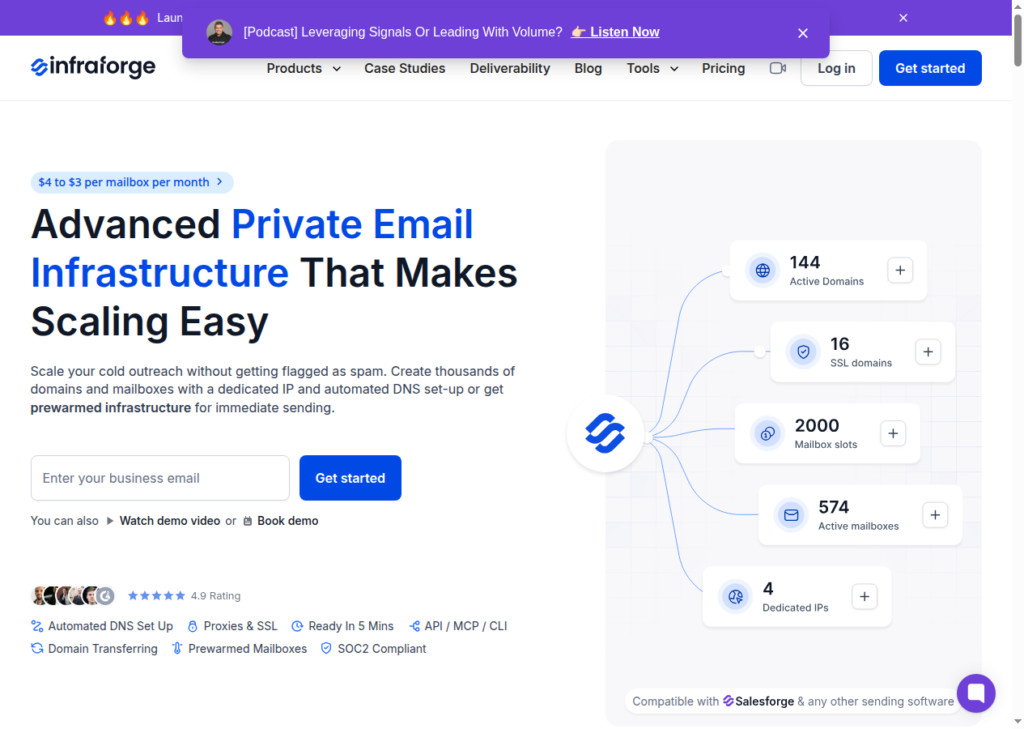
Infraforge offers a dedicated-IP cold email infrastructure. It is the private-server tier of the Salesforge, launched in July 2024.
It sells its own private-server SMTP inboxes with dedicated IPs. The inboxes are billed at $4/inbox per month.
However, the $4 inboxes do not include a dedicated IP. If you want dedicated setup for your cold outreach, you have to pay $99/month per IP Address
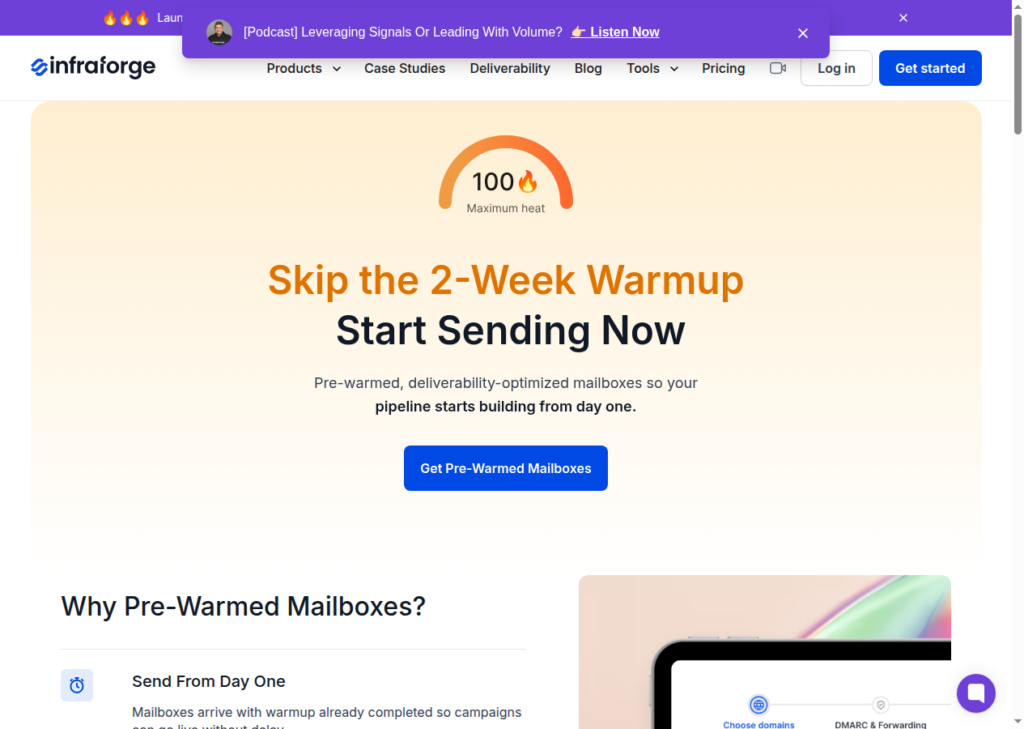
Infraforge does not run ongoing warmup for you. You can either buy pre-warmed inboxes or run your warmup on Warmforge or your own sequencer.
How Infraforge Works

Infraforge Features
Dedicated IPs on Private Servers
The IPs are hosted on dedicated, private servers. You can also buy more IPs for $99 to spread risk across your sending frequency.
Automated Bulk DNS setup (SPF, DKIM, DMARC)
Infraforge configures SPF, DKIM, and DMARC automatically at setup. It pushes DNS updates across all your domains at once.
Slot-based Inbox Management
You buy inbox slots, meaning capacity, not active inboxes. Within your slot count you can delete and recreate inboxes freely at no extra cost. It is a genuine advantage when you need to rotate one out.
Infraforge API and Any-Sequencer Portability
Infraforge ships a full API for programmatic domain and inbox management into Salesforge, Smartlead, Instantly, Reply.io, etc.
Pre-Warmed Inboxes and Warmup Handoff
Infraforge does not run ongoing warmup for your live campaigns. You can either buy pre-warmed inboxes, and export to Warmforge for warmup or run the warmup on your own sequencer.
The warmup in Infraforge is routed out, not built in.
Masterbox Inbox and SSL Domain Masking
Masterbox is a real-time unified inbox that pulls every inbox from a workspace into one place. As a result, you don’t have to hop through the replies between different accounts. It is billed at $7 to $9 per workspace.
SSL and domain masking hides your primary domain behind a branded redirect domain. It is billed at $2/domain per month or $6 a year.
Pros
Dedicated IPs
The IPs are hosted on dedicated private servers. Using dedicated IP for your cold outreach is amongst best practice. Unlike a shared setup, a neighbour’s spam cannot blacklist your sending.
Fast Setup
The five-minute setup promised by infraforge is real. It automates SPF, DKIM, and DMARC, bulk DNS across every domain.
API Integration
You can connect your inboxes using API into Salesforge, Smartlead, Instantly, or any sequencer you already run.
Flexible Inbox Slots
The slot model lets you delete and recreate inboxes freely within your slot count at no extra charge. When you want to pause or replace an inbox, you can add a fresh inbox for free instead of paying again.
Cons
The Dedicated IP is a $99 Add-On
The advertised $4 slot is not the isolated product. A dedicated IP is a separate $99 per IP per month add-on.
Self Monitoring
Infraforge offers an infrastructure and sets up your inboxes. Managing your inboxes is entirely on you. There is no disclosed burn detection, placement alert, or IP-reputation monitoring.
Even a satisfied G2 reviewer flagged this gap –
Lack of a positioning alert system in inbox.
G2 reviewer
Self-Managed
One thing the buyers underestimate is that a dedicated IP is not automatically safer. Even if you run it at a low volume, it can still get penalized.
It only works if you possess real expertise and know how to manage your inboxes.
If you do not know how to properly maintain this IP, this can be catastrophic to your campaigns, because not only will you be penalized, you’ll be penalized even harsher because you don’t have other accounts sharing an IP to pull up the average of your rotation.
Michael Gardiner, B2B Strategies
Infraforge Pricing
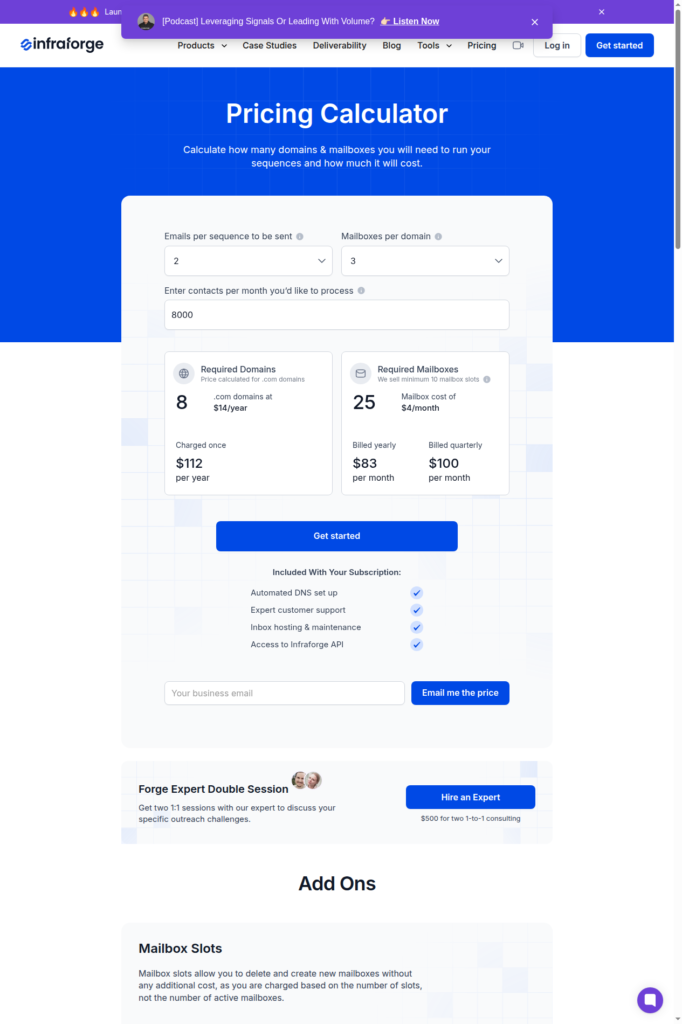
Infraforge prices on mailbox slots, not on plans. You pick how many slots you want (minimum 10), you’ll be billed accordingly. Everything else is an add-on.
| Category | Billed | Mailboxes | Price | Price / Mailbox |
|---|---|---|---|---|
| Mailbox slots | Yearly | 10 (minimum) | ~$33/mo | ~$3.33 |
| Mailbox slots | Quarterly | 10 (minimum) | ~$40/mo | ~$4.00 |
| Mailbox slots | Yearly | 25 (calculator example) | ~$83/mo | ~$3.33 |
| Mailbox slots | Quarterly | 25 (calculator example) | ~$100/mo | ~$4.00 |
Add ons –
- Dedicated IP – $99/IP/mo
- SSL and domain masking – $2/domain/mo or $6/domain/yr
- Masterbox (unified inbox) – $7-9/workspace
Best Alternative for Infraforge: Aerosend
Infraforge offers dedicated infrastructure where you can host inboxes. You’ve to buy slots for inboxes to host on the dedicated IP. It configures DNS setup, and integrates it to your sequencer.
Once the integration is complete the user has to run and manage the cold email campaign. You’ve to employ external tools to monitor IP reputation, check inbox placement and detect domain burn.
Whereas, Aerosend also offers the dedicated infrastructure, but alongside it also takes full responsibility of your deliverability. Like Infraforge, it also offers dedicated SMTP, but manages and monitors each campaign for you.
On Infraforge, you have to buy isolation as an add-on and then manage the campaign yourself. The dedicated IP is $99 per IP per month. Once inboxes are live, there is no burn detection or placement monitoring watching your domains on Infraforge.
On Aerosend, the isolation is a part of the setup, which comes with $4/inbox. Then each inbox when live is tracked and monitored on 6-metric burn detection and biweekly inbox placement tests.
Additionally, Aerosend offers complimentary premium warmup services. It warms up each inbox with Warmup Inbox, a premium warmup with a standalone value around $40 per inbox a month.
| Compare | Infraforge | AerosendPrivate infrastructure |
|---|---|---|
| Inbox Available | Private SMTPDedicated IPPre-warmedSalesforge private-server tier; dedicated IP is an add-on | Private infrastructureBuilt for cold email, so no Google or Outlook bans |
| Isolation | ~$99/IP add-on$4 slot excludes dedicated IP; no published isolation ratio | ✓DedicatedNew isolation every 10 domains / 30 inboxes, never shared |
| Warmup | ~Pre-warmed or externalNo ongoing warmup; use Warmforge or your sequencer | ✓Included, ongoingComplimentary premium warmup, matched to who you email |
| Monitoring | ✕Self-monitoredNo disclosed IP-reputation or placement monitoring | ✓Six metricsEvery domain scored daily and surfaced to you |
| Deliverability | ✕Self-managedYou check inbox placement with external tools | ✓Our responsibilityBiweekly inbox placement tests, included |
| Domain Burn Alerts | ✕Not offeredNo burn detection once inboxes are live | ✓IncludedBurnt domains flagged within 5 minutes, replaced in one click |
| Pricing | From $3.33/mailboxYearly slots, 10 minimum; $4 quarterly; dedicated IP $99/mo | $4 / inbox$2 per inbox past 150 · 30 inboxes = $120/mo |
| Ready To Test? | Visit Infraforge Website ↗ | Try Aerosend For Free |
Price/Mailbox Breakdown (~5,000 emails/day)
| Requirements | Infraforge | Aerosend |
|---|---|---|
| Inbox needed | ~200 (at ~25 emails/mailbox/day) | 200 |
| Send rate per inbox | 20-30/day | 20-25/day |
| Plan | ~$651/mo slots only, +$495-693/mo for 5-7 dedicated IPs | Starter + Growth blend |
| Per-inbox rate | ~$3.33 slot, ~$5.73-6.72 fully isolated | $3.50 (blended) |
| Monthly total | ~$1,146-1,344/mo isolated (~$651 slots only) | ~$700 |
| Service model | Self-managed | Managed |
Infraforge Support
Support includes –
- Expert customer support
- Live chat
- Help desk
- Salesforge HQ community
- Book-a-demo path, with a paid $500 “Forge Expert Double Session” consulting upsell available on top.
Support has been responsive and knowledgeable.
G2 reviewer
Tabita from support said that they cannot migrate the existing mailboxes, I’d need to buy NEW ones and they wouldn’t offer a refund.
Zed, Trustpilot
The Verdict
Is Infraforge worth it? For the right buyer who knows how to run and manage the cold email campaign.
Although dedicated-IP infrastructure with a fast automated setup is good, but the isolation is paywalled.
The inboxes are unmonitored, and it is self-managed, with warmup sold separately.
