

This is by far the complete cold outreach setup I’ve come across.
Pay $40 every month, and everything will be done for you. All you have to do is connect your domains; Mailerr will create inboxes, handle DNS configuration, run warmup, clean your lead lists, and integrate the inboxes straight into your sequencer.
In this Mailerr review, I’ll cover everything this cold outreach tool offers and how good it actually is.
Key Takeaways
If you want your cold email infrastructure handled in one place, Mailerr sets up domains, inboxes, warmup, and DNS for you and hands them to your sequencer. It is a self-serve, all-in-one setup starting from $40 a month.
- Inbox: Private Infrastructure
- USP: All-in-one setup
- Deliverability: Mixed reviews
- Risk: Mailerr never discloses isolation or what the infrastructure actually is.
- Starting Plan: $40 for 10 inboxes, billed monthly
- Support: Customer support on every plan

About Mailerr
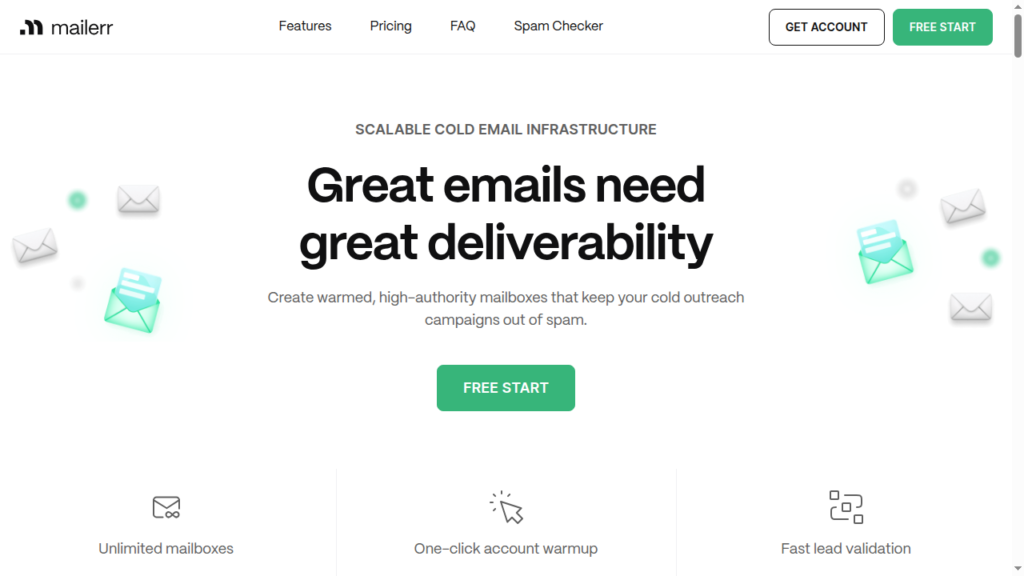
Mailerr is a cold email infrastructure platform offering end-to-end deliverability solutions.
On Mailerr dashboard, you can buy domains and inboxes, automate DNS setup, run warmup, validate leads, and integrate with Sequencer. It creates separate workspaces for each client and customizes AI personas for your cold outreach campaign.
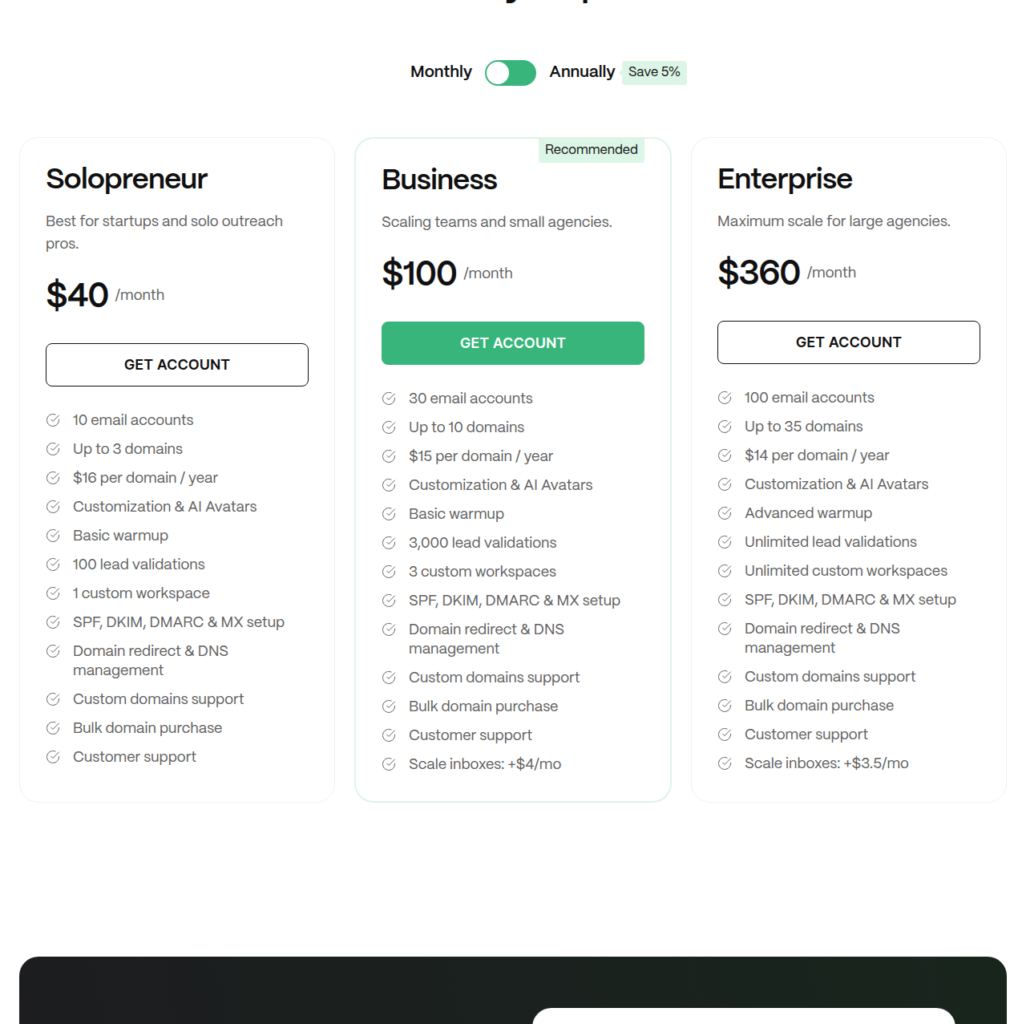
It is billed monthly, and the starting plan, “Solopreneur,” includes 10 email accounts in a single workspace and 100 lead validations.
How Mailerr Works
Mailerr Features
Automated Infrastructure Setup
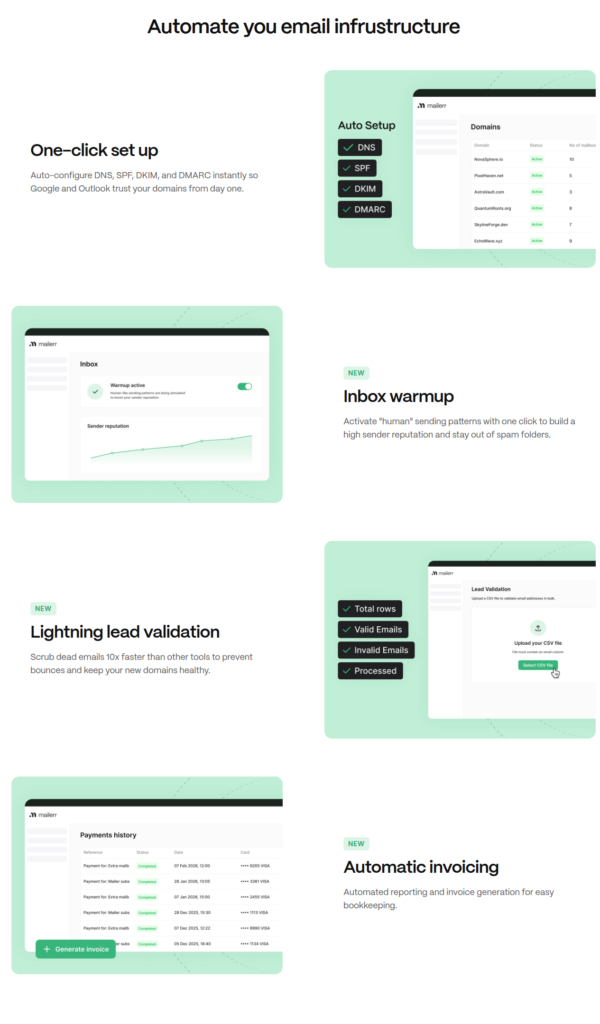
Mailerr offers done-for-you setup! All you have to do is add a domain, and Mailerr configures DNS records – SPF, DKIM, DMARC, and MX. For a non-technical cold emailer, this is a blessing.
Inbox Warmup
Every plan includes built-in warmup—basic warmup on Solopreneur and Business plans, and advanced warmup on Enterprise plan. The differentiation between basic and advanced warmup is not disclosed or shared on Mailerr website.
Lead Validation
Mailerr offers lead validation to scrub off dead emails before they bounce. It is included in every plan, starting from 100 checks on the entry plan to unlimited on Enterprise.
AI personas and Multi-Workspace Management
On Mailerr dashboard, you can customize sender names and profile pictures and generate AI avatars and personas. You can also create separate workspaces for different clients or teams.
Pros
All-In-One Cold Email Infrastructure
On Mailerr dashboard, connect your domains and everything else will be set up for you – inboxes, DNS, lead filter, AI sender profiles.
Built for Beginners
If you have little experience setting up campaigns, Mailerr is perfect for you. For $40/mo, you’ll have ready-to-send infrastructure.
Built-in Warmup
Mailerr offers built-in warmups, which is rare in other cold email infrastructures. You can activate “human” sending patterns with one click and build a high sender reputation for better deliverability.
Cons
No Information on the Sending Pool
It is not known whether Mailerr sends from a shared or dedicated pool of US-based IPs. On a shared pool, your deliverability is only as good as your neighbor. If their IPs get flagged for spam or the pool lands on a blacklist, your inboxes will follow the same route.
No Deliverability Monitoring
Mailerr doesn’t offer burn monitoring. So there is no way to know how your domains are performing. You’ll only know that your domains are burnt when the reply rate dries up.
No Warmup Methodology Defined
Although Mailerr offers built-in warmup, but the methodology is not defined. Without a proper methodology, there’s no way to assess the credibility of the warmup.
Mailerr Pricing
Mailerr offers three plans, with monthly and yearly subscriptions available.
| Plan | Inboxes | Price/Inbox/mo | Monthly Cost | Yearly Cost | Price/domain/yr |
|---|---|---|---|---|---|
| Solopreneur | 10 | $4 | $40 | $38 | $16 |
| Business | 30 | $3.33 | $100 | $95 | $15 |
| Enterprise | 100 | $3.6 | $360 | $342 | $14 |
Aerosend: Best Mailerr Alternative
Both Mailerr and Aerosend are similar in setup, but there are two key differentiators –
Warmup: Both cold email infrastructures offer warmup, but Mailerr didn’t disclose the warmup methodology, and there’s also no information about whether the warmup is one-time or ongoing. Aerosend offers ongoing warmup using WarmupInbox.
Monitoring: On Mailerr, the only way to know that your domains are burnt is when your reply rates dry up. Aerosend proactively monitors the domains and diagnoses it early so that corrective measures can be taken.
Here’s a brief comparison between Mailerr and Aerosend –
| Compare | Mailerr | AerosendPrivate infrastructure |
|---|---|---|
| Inbox Available | Own infraInbox provider not named; IP pool type unclear | Private infrastructureBuilt for cold email, so no Google or Outlook bans |
| Isolation | ✕Likely shared poolReview says shared pool; cons say pool type unknown | ✓DedicatedNew isolation every 10 domains / 30 inboxes, never shared |
| Warmup | ~Built-in, method undisclosedIncluded on every plan; unclear if one-time or ongoing | ✓Included, ongoingComplimentary premium warmup, matched to who you email |
| Monitoring | ✕Not offeredNo burn or domain monitoring | ✓Six metricsEvery domain scored daily and surfaced to you |
| Deliverability | ✕Self-managedNo placement tests; you watch your own deliverability | ✓Our responsibilityBiweekly inbox placement tests, included |
| Domain Burn Alerts | ✕Not offeredYou learn of burns when replies dry up | ✓IncludedBurnt domains flagged within 5 minutes, replaced in one click |
| Pricing | From $4/inboxSolopreneur plan, $40/mo for 10 inboxes, billed monthly | $4 / inbox$2 per inbox past 150 · 30 inboxes = $120/mo |
| Ready To Test? | Visit Mailerr Website ↗ | Try Aerosend For Free |
Price/Mailbox Breakdown (~5,000 emails/day)
| Requirements | Mailerr | Aerosend |
|---|---|---|
| Mailboxes needed | ~200 | 200 |
| Send rate per mailbox | 30 to 50/day | 20 to 25/day |
| Plan | Enterprise – 100 inboxes | Starter to Growth banded |
| Per-mailbox rate | ~$3.60 | $3.50 (blended) |
| Monthly total | ~$720 | ~$700 |
| Service model | Shared infrastructure | Dedicated, isolated infrastructure |
Mailerr Support
The support is thin, as it is accessible via the platform and a customer support channel, both of which come with every plan. Mailerr also offers a custom setup option that promises you will be up and running within one business day.
The Verdict
Is Mailerr worth it? For someone new who wants to understand how everything works, Mailerr is the best starting point. It is an all-in-one cold email infrastructure platform that manages domains, inboxes, DNS, warmup, and validation from a single dashboard. Your role is limited to only watching over your own deliverability.
If you want infrastructure built around high deliverability, you should opt for Aerosend. It offers dedicated servers and IPs, and runs inboxes through proper warmup, conducts biweekly placement tests, and monitors domain burns.
