

Among many cold email inbox providers, how do you know which has the best infrastructure? You often go through their reviews to check their features, pricing, support, etc.
I’ve done my research, and in this Hypertide review, I’ve covered everything there is to know about this cold email inbox provider. My goal is pretty simple – to help you pick the best cold email inbox provider.
Key Takeaways
Hypertide offers Azure inboxes, which, compared to Google Inboxes, have low deliverability success. Tenant isolation per order of 100 inboxes billed at $50 a month. These are fresh inboxes. You cannot start sending high volumes immediately. You have to employ external tools for warmup and monitoring.
- Inbox: Azure
- USP: Dedicated IP per domain
- Deliverability: Thin
- Risk: Each domain hosts 50 Azure inboxes
- Starting Plan: $50 a month for 100 inboxes
- Support: Email and direct founder access

About Hypertide
Hypertide is a cold email inbox provider offering Azure inboxes. The offer is simple: 100 inboxes for $50 a month, two domains and a separate Azure tenant for each domain.
Each inbox sends around two cold emails a day. So you need to buy a lot of inboxes to run a cold email campaign at scale.
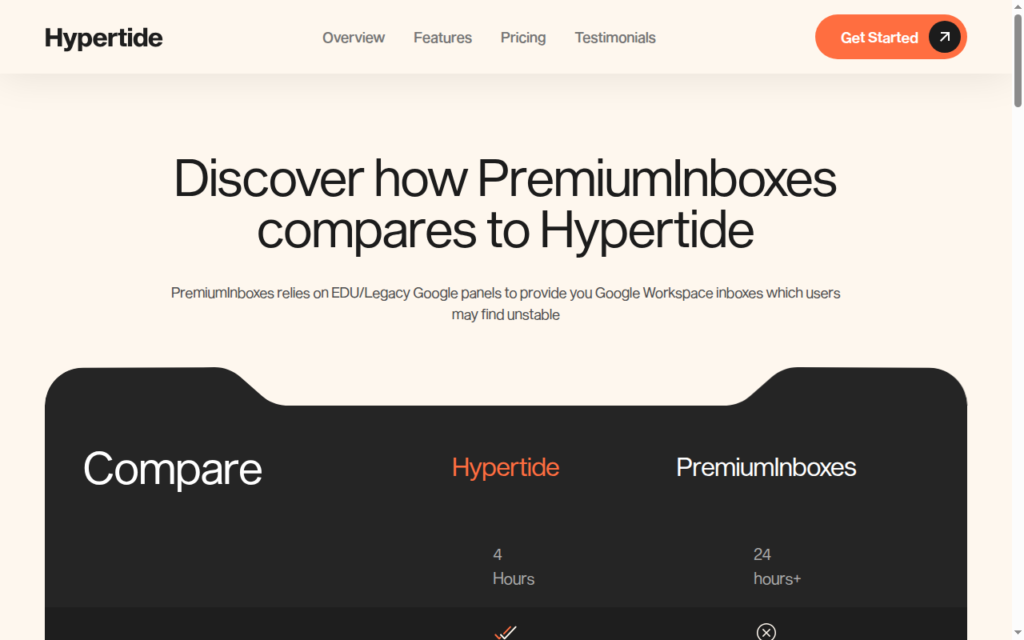
It configures DNS setup, and your inboxes are ready within 4-6 hours.
It offers fresh inboxes, for which they offer optimized inbox warmups, or you have the option to run warmups through your sequencer. Since no domain monitoring is available, you will probably need to monitor and manage your domains.
How Hypertide Works

Hypertide Features
Native Outlook UI on Azure and Entra Inboxes
Hypertide provides Azure and Entra mailboxes that open inside Outlook. Hypertide claims that these inboxes provide 8% better performance.
Per-Order Tenant Isolation
Each order gets a separate Azure tenant setup. It includes 100 inboxes across two domains (50 inboxes per domain. It is pre-set up.
Quick Setup
Hypertide configures SPF, DKIM, and DMARC within 4-6 hours. It also connects the inboxes with SmartLead, Instantly, or Bison.
Sequencer Integrations
Hypertide works with SmartLead, Instantly, and Bison. It can connect 50 inboxes during setup, which reduces manual work. However, Hypertide does not provide public API documentation.
Warmup Tooling
Hypertide provides the initial sending ramp and warmup controls. However, for their optimized inbox warmups, the methodology is not defined.
Pros
Genuine Isolation
Hypertide provides a separate Azure tenant setup for each order. This keeps customer environments separated inside Microsoft infrastructure.
Cheap Per Inbox
Hypertide’s Azure inboxes cost around $0.50 per inbox. The inbox price is low. However, each inbox has a lower sending limit. Each inbox sends around two cold emails per day.
Fast Hands-Off Setup
Hypertide handles DNS configuration and provides fully set-up inboxes within 4-6 hours.
Cons
Azure Deliverability Issues
Many competitors flagged that Azure inbox deliverability has dipped recently. Since 50 inboxes are hosted on one domain, the chances of domains getting burned are relatively high.
No Deliverability Monitoring
Hypertide does not include domain burn alerts, inbox placement, and blacklist checks. Users need to track inbox placement, bounce rates, and domain health separately using external tools.
IP Details Are Not Known
Hypertide states that orders receive Microsoft IPs. However, IP history, location, and reputation data are not disclosed. Therefore, you’ll never be able to verify IP reputation signals.
No Warmup Methodology
Hypertide provides a two-week ramp and bulk warmup controls. However, the warmup pool or criteria is not disclosed. Therefore, the credibility of its warmup process is unknown.
Hypertide Pricing
| Category | Billed | Azure Inboxes | Price/Month | Price per Mailbox | Domains |
|---|---|---|---|---|---|
| Standard Order | Monthly | 100 | $50 | $0.50 | 2 included, 50 inboxes each |
Each plan includes:
- 100 Azure inboxes
- Two domains with 50 inboxes each
- Azure tenant setup
- SPF, DKIM and DMARC configuration
- SmartLead, Instantly or Bison integration
- Cancel anytime from the web app
- Bring your own domains option
Aerosend: Best Hypertide Alternative
Hypertide and Aerosend are both cold email inbox providers. The only difference is the quality of setup.
Hypertide provides Microsoft-based Azure and Entra inboxes. Users access them through Outlook and connect them to their sequencer. The start plan is billed at $50/month, and it includes 100 Azure inboxes. It configures DNS, runs optimized inbox warmup, and integrates with Sequencer.
The downside: There’s no way to monitor and manage domain burn, inbox placement, and blacklist. Once your domain is burnt, it will have an impact on your 50 Azure inboxes hosted on the same domain.
Aerosend offers a dedicated server designed for the best deliverability success. Each server is hosted on a dedicated, aged IP that has never been used. It includes warmup, inbox placement tests, burn monitoring, and inbox replacement.
| Compare | Hypertide | AerosendPrivate infrastructure |
|---|---|---|
| Inbox Available | AzureEntraOpens in Outlook; 50 inboxes per domain | Private infrastructureBuilt for cold email, so no Google or Outlook bans |
| Isolation | ✓Tenant per orderSeparate Azure tenant per order; IP history undisclosed | ✓DedicatedNew isolation every 10 domains / 30 inboxes, never shared |
| Warmup | ~Initial ramp onlyTwo-week ramp; pool and criteria not disclosed | ✓Included, ongoingComplimentary premium warmup, matched to who you email |
| Monitoring | ✕Not includedNo burn alerts, placement or blacklist checks | ✓Six metricsEvery domain scored daily and surfaced to you |
| Deliverability | ✕Self-managedYou track placement and domain health with external tools | ✓Our responsibilityBiweekly inbox placement tests, included |
| Domain Burn Alerts | ✕Not offeredOne burnt domain affects its 50 inboxes | ✓IncludedBurnt domains flagged within 5 minutes, replaced in one click |
| Pricing | $50 per 100About $0.50/inbox; one-time setup fee not public | $4 / inbox$2 per inbox past 150 · 30 inboxes = $120/mo |
| Ready To Test? | Visit Hypertide Website ↗ | Try Aerosend For Free |
Price/Mailbox Breakdown (~5,000 emails/day)
| Requirement | Hypertide | Aerosend |
|---|---|---|
| Inboxes required | 2,500 | 200 |
| Recommended send rate | About 2 per inbox daily | About 20 to 25 per inbox daily |
| Per-inbox rate | About $0.50 | About $3.50 blended |
| Estimated monthly total | About $1,250 | About $700 |
| Service model | Self-managed | Managed |
Hypertide Support
Hypertide provides support through email. Users can contact a general support email or a founder email at omer {at} hypertide {dot} io. The company also provides a Loom onboarding video.
Plan cancellation is available through the web app. However, at Hypertide there are no support hours or a response-time target.
The Verdict
If you’re looking to test the best Azure setup, you can opt for Hypertide. It is a low-cost option + setup is quick. But you need to rely on their warm-up and wait 2-3 weeks before sending the cold email.
But you have to use external tools for monitoring and managing your domains.
Aerosend offers complete cold email infrastructure – inboxes, warmup, manages and monitors your domains.
