

There are many cold email infrastructure platforms that offer complete cold outreach setups. But one thing they can’t commit to is 98% inbox placement.
Hatchearly guarantees 98% inbox placement. It designs and builds customized outreach campaigns and monitors 24/7 to offer the best deliverability. It offers domains, provision inboxes, warmup, monitor and replaces burned domains for free.
But what’s the cost of this complete setup? It is gated behind the “Strategy Call”.
This Hatchearly review explains the complete setup and whether it’s worth hopping on a quick “Strategy Call” for cold outreach.
Key Takeaways
Hatchearly offers complete DFY setup! It includes domains, inboxes, warmup, a 98% inbox placement guarantee, monitoring, and free domain replacement. The cost? You have to book a strategy call to know the cost of the complete setup.
- Inbox: Private Infrastructure
- USP: Burn Insurance
- Deliverability: 98% inbox placement guarantee
- Risk: No reviews on G2, Trustpilot, and Reddit communities
- Starting Plan: Gated behind strategy call
- Support: Unknown
About Hatchearly
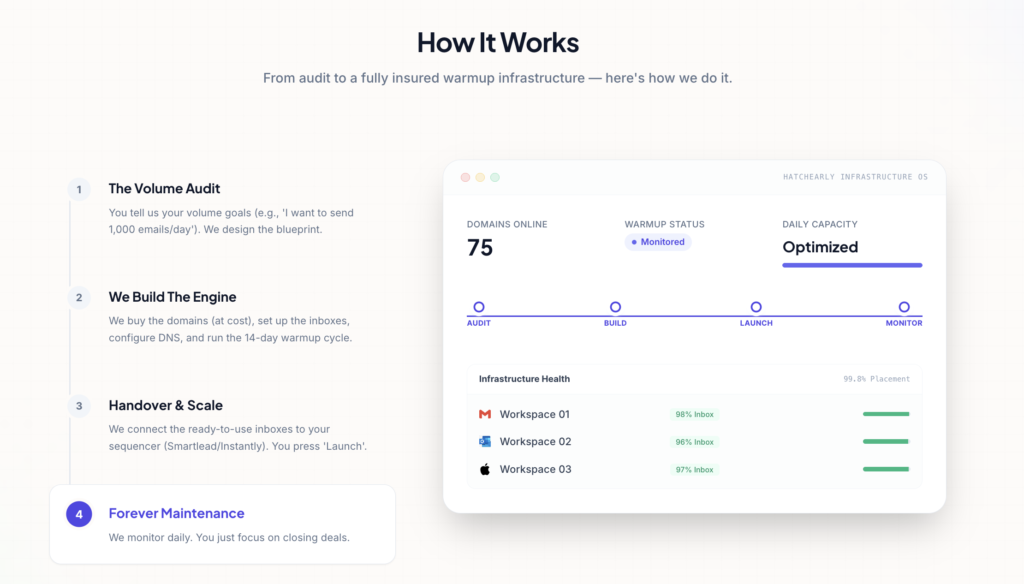
Hatchearly offers a complete cold email outreach infrastructure. It includes literally everything required for a ‘Gold-Standard’ cold outreach infra. Domains, inboxes, warmup, 24/7 monitoring, burn insurance, and 98% inbox placement guarantee.
How Hatchearly Works

Hatchearly Features
Burn Insurance
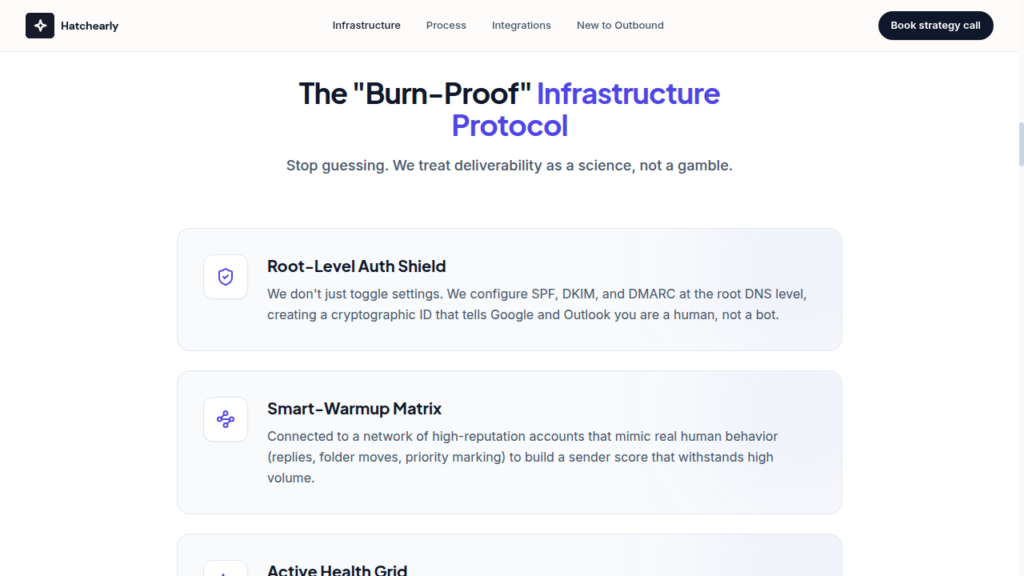
Unlike other cold email service providers, Hatchearly offers free domain and inbox replacement with no downtime.
Warmup Network
Hatchearly uses its Smart-Warmup Matrix to warm up new inboxes. It warmup the inboxes for 14 days by mimicking real human behavior to build a sender score.
Done-For-You Setup
Hatchearly offers complete cold outreach setup for your campaigns. But it takes about 72 hours to set up everything, which is comparatively slower than other tools.
24/7 Monitoring and Deliverability Checks
To maintain 98% inbox placement, Hatchearly constantly monitors your domains 24/7, pauses sending if any domain/inbox flags, and replaces them for free with no downtime.

Pros
Burn Insurance
If any of your sending domains or inboxes get flagged or ‘burned’, Hatchearly instantly replaces them for free with no downtime.
Controlled Warmup Methodology
Hatchearly provides a 14-day warmup by mimicking human behavior such as (replying, moving to different folders, marking as priority). It is done to build sender reputation.
24/7 Monitoring
Hatchearly monitors your domains 24/7. It proactively diagnoses the domains if placement dips and immediately pauses sending, while replacing the domain/inbox.
Cons
Pricing Gated Behind Strategy Call
The cost of the cold outreach infrastructure is gated behind the strategy call.
No Ongoing Warmup
Hatchearly provides a one-time 14-day warmup. When the inboxes are live and are used for cold outreach, there’s no ongoing warmup.
Hatchearly Pricing
Since there’s no receipt of Hatchearly and the pricing is gated behind a strategy call, there’s no way to know the latest pricing for the complete outreach setup.
Aerosend: Hatchearly Best Alternative
Hatchearly offers complete cold outreach setup. It includes DNS configuration, 14-day warmup, 24/7 monitoring, free burn replacement, and 98% inbox placement promise.
The pricing and support quality are unknown, as there are no receipts on G2, Trustpilot, Reddit communities, Twitter, etc.
On the other hand, Aerosend offers dedicated infrastructure and is rated 4.4 on G2. The cold outreach setup includes –
- Geo-matched dedicated IPs for domains
- Premium warmup using WarmupInbox,
- Inbox placement tests,
- Domain burn alerts, and
- 1v1 strategy call with Smartlead Hall of Famer and Aerosend Co-Founder, Namit
The price/inbox is $4 for the first 150 and $2 after that.
Here’s the brief comparison between Hatchearly and Aerosend –
| Compare | Hatchearly | AerosendPrivate infrastructure |
|---|---|---|
| Isolation | ✕Not disclosedIsolation and IP quality not disclosed | ✓DedicatedNew isolation every 10 domains / 30 inboxes, never shared |
| Warmup | ~One-time 14-day rampNo ongoing warmup once inboxes are live | ✓Included, ongoingComplimentary premium warmup, matched to who you email |
| Monitoring | ~Claimed 24/7, unverifiedPauses sending on flags; no independent receipts | ✓Six metricsEvery domain scored daily and surfaced to you |
| Deliverability | ~Claimed, unverified98% inbox placement guarantee; no receipts found | ✓Our responsibilityBiweekly inbox placement tests, included |
| Domain Burn Alerts | ~Burn insurance, unverifiedFree domain and inbox replacement after a burn | ✓IncludedBurnt domains flagged within 5 minutes, replaced in one click |
| Pricing | Not disclosedGated behind a strategy call | $4 / inbox$2 per inbox past 150 · 30 inboxes = $120/mo |
| Ready To Test? | Visit Hatchearly Website ↗ | Try Aerosend For Free |
Price/Mailbox Breakdown (~5,000 emails/day)
| Requirements | Hatchearly | Aerosend |
|---|---|---|
| Inboxes needed | NA | 200 |
| Send rate per inbox | Not disclosed | ~20 to 25/day |
| Price/inbox | Not disclosed | $3.50 (blended) |
| Monthly Cost | Unknown | ~$700 |
Hatchearly Support
The support quality is unknown, as there are no receipts on credible websites.
The Verdict (Rating – 2.5)
The only way to know whether Hatchearly is really worth it is if you know the cost incurred. Without knowing the cost, you can’t make a conscious call. But you can hop on a strategy call and bargain hard for the setup, which includes everything – domains, inboxes, warmup, monitoring, etc.
