

ColdInfra is one of the coolest names for someone providing cold email infrastructure. Apart from my love for the name, in this article I am going to break down what they sell and if the features they provide are enough to create a solid infrastructure.
Key Takeaways
ColdInfra offers Google and Microsoft inboxes. The starting price it $3/inboxes. It gets cheaper if you purchase at scale. It offers a done-for-you setup and connects to your sequencer in 48 hours. However, there are additional one-time setup charges depending on the number of inboxes.
- Inboxes: Google and Microsoft
- USP: 98.7% inbox rate (self-proclaimed)
- Deliverability: Mixed reviews
- Risk: No ongoing warmup or burn monitoring
- Starting Plan: $3/inbox/mo
- Support: Included in every plan and Email ID
About ColdInfra
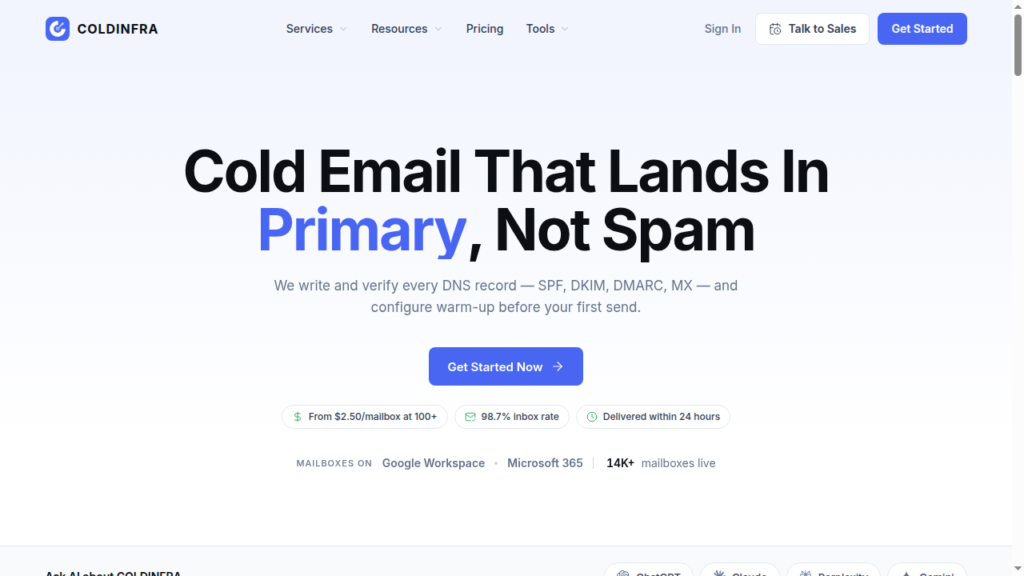
ColdInfra is a cold-email inbox provider offering Google and Microsoft inboxes for $3. It offers a done-for-you setup, but it takes 48 hours to complete everything.
Then it hands over credentials you can import directly into your sequencer.
They claim that they provide domain monitoring, but there is no verified resource or information available on the website.
How ColdInfra Works
ColdInfra Features
Multi Inbox Provider
If you buy inboxes from ColdInfra, you can diversify your campaigns in Google and Microsoft.
Done-For-You Setup
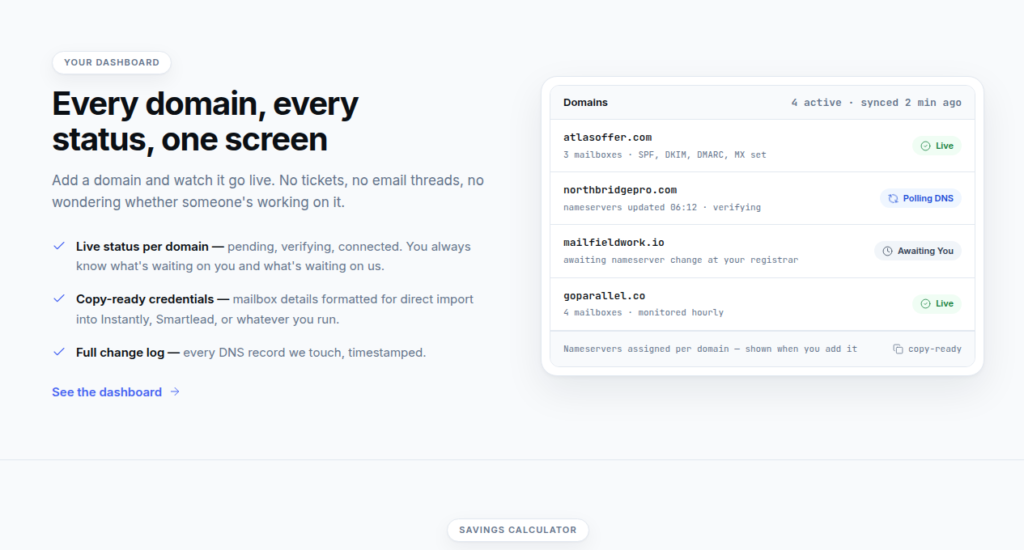
The setup is done for you. You connect your domains, and CodInfra sets up your DNS records and provides copy-ready credentials to connect to your sequencer. But it takes 48 hours to complete the process, which is slower than with other tools.
Domain Ownership
You keep ownership of your domains. ColdInfra only gets DNS access. You can also revoke its access at any time.
Live Dashboard
The dashboard shows your domain status and the DNS changes it made. This makes the setup easier to track. However, it does not show you domain burn alerts.
Warm-Up Configuration
ColdInfra claims to help customers with the warmup settings in the sequencer. But, that means that your warmup quality depends on your sequencer and can vary a lot.
Deliverability Claims
ColdInfra claims to provide 98.7%, but it doesn’t explain how it calculated that number. In reality, no one knows their deliverability percentage, so the number seems unlikely.

Pros
Multi Inbox Provider
ColdInfra offers Google and Microsoft inboxes, helping you diversify your campaigns.
Cheaper at Scale
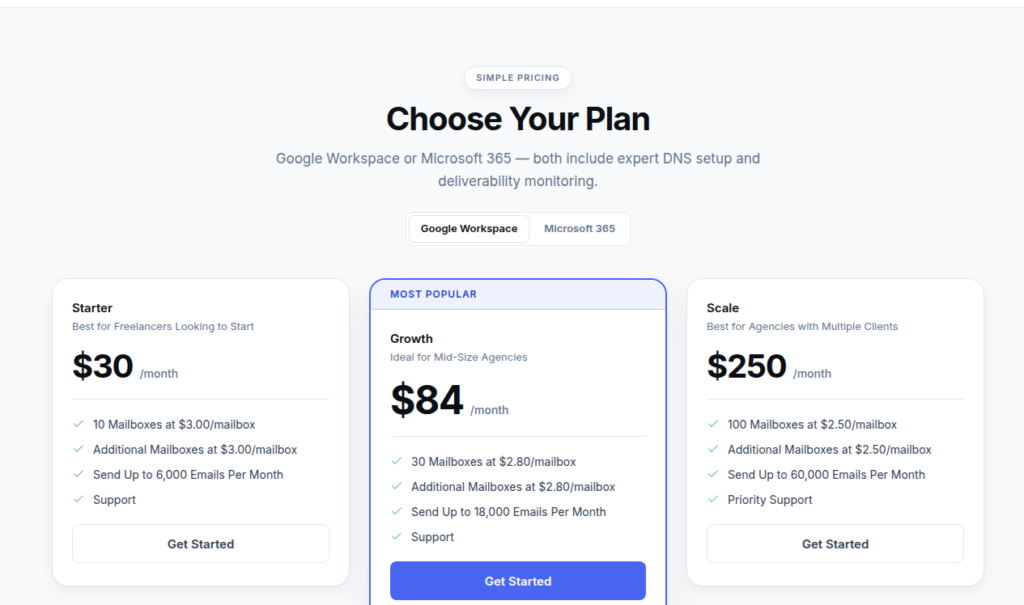
ColdInfra offers a discount when you buy inboxes in bulk. For 100 or more, it will cost you $2.50/inbox/mo.
Domain Ownership
ColdInfra lets you bring your own domains, and they claim that you own all your domains. This makes switching easy in the future if needed.
Warmup Settings Recommendation
Cold Infra helps newcomers with their warmup settings, so it reduces the chances of mistakes.
Value for Money
Google Inboxes are considered the gold standard for most people. At 3$/Inbox, they are a great value for money if other services like domain burn alerts and inbox placement tests do not cost more.
Cons
No Ongoing Warmup
Warmup settings should consistently change depending on who you are reaching out to, and how your inboxes are performing. Warmup quality of sequencers can also differ, so you need to use the best warmup at any given point. ColdInfra does not help with this.
No Domain Burn Monitoring
Domain Burn Monitoring is one of the most useful strategies to replace bad domains. ColdInfra doesn’t offer inbox placement tests or burn monitoring. Therefore, the only way to find out your emails are going to spam is when your reply rate tanks to zero.
Setup Charges
ColdInfra charges a one-time setup fee based on the number of inboxes you are buying. One-time setup fees are uncommon in the industry and should not be charged.
No Claimed Isolation Methodology
In the cold email world, diversifying your provider and isolating your domains is very important to prevent mass bans. I could not find anything about isolating admin panels on the website, which leads me to believe they might not be isolating your domains.
No Claimed Official Google Reseller
Google Resellers in the past have used EDU Panels, Non-profit panels, and Legacy Panels. We do not know for certain if Cold Infra uses them, but they do not claim to use official Google accounts.
ColdInfra Pricing
| Google/Microsoft Plan | Price/inbox/mo | One-time Setup | Inboxes | Monthly volume |
|---|---|---|---|---|
| Starter | $3.00 | $24.99 | 10 | Up to 6,000 emails |
| Growth | $2.80 | $40.00 | 30 | Up to 18,000 emails |
| Scale | $2.50 | $54.99 | 100 | Up to 60,000 emails |
Aerosend: Best ColdInfra Alternative
ColdInfra resells Google and Microsoft inboxes. It charges $3/inbox and configures DNS records within 48 hours.
After that, it gives you credentials to connect your inboxes to your sequencer. Also, it ramps the warm-up through your sequencer; it doesn’t have its own warmup network.
ColdInfra claims a 98.7% inbox rate, but there is no way to verify it. Also, they do not talk about how they isolate their inboxes, which can risk burning all your domains.
On the other hand, Aerosend uses dedicated servers and IPs, with clear isolation between domains and inboxes.
Including ongoing warmup, burn monitoring, and inbox-placement tests at no additional cost to customers.
Here’s the brief comparison between ColdInfra and Aerosend:
| Compare | ColdInfra | AerosendPrivate infrastructure |
|---|---|---|
| Inbox Available | Google WorkspaceMicrosoft 365Resold mailboxes; no official Google reseller claim | Private infrastructureBuilt for cold email, so no Google or Outlook bans |
| Isolation | ✕Not disclosedNo isolation methodology found on the website | ✓DedicatedNew isolation every 10 domains / 30 inboxes, never shared |
| Warmup | ✕Via your sequencerHelps with sequencer warmup settings; no own network | ✓Included, ongoingComplimentary premium warmup, matched to who you email |
| Monitoring | ~Claimed, unverifiedDashboard shows domain status and DNS changes only | ✓Six metricsEvery domain scored daily and surfaced to you |
| Deliverability | ✕No placement tests98.7% inbox rate claimed with no stated method | ✓Our responsibilityBiweekly inbox placement tests, included |
| Domain Burn Alerts | ✕Not offeredDashboard does not show burn alerts | ✓IncludedBurnt domains flagged within 5 minutes, replaced in one click |
| Pricing | $2.50-$3/inbox$3 Starter, $2.50 at 100+; one-time setup fee extra | $4 / inbox$2 per inbox past 150 · 30 inboxes = $120/mo |
| Ready To Test? | Visit ColdInfra Website ↗ | Try Aerosend For Free |
Price/Mailbox Breakdown (~5,000 emails/day)
| Requirements | ColdInfra | Aerosend |
|---|---|---|
| Inboxes needed | ~250 | 200 |
| Send rate per mailbox | 20/day (their guideline) | 20 to 25/day |
| Plan | Scale, $2.50/mailbox | Starter to Growth banded |
| Per-mailbox rate | $2.50 plus setup fee | $3.50 (blended) |
| Monthly total | ~$625 | ~$700 |
| Service model | Managed reseller, rented mailboxes | Managed, owns the infrastructure |
ColdInfra Support
Support is included on every plan. However, there are no independent reviews to verify it.
The Verdict
If you want only managed inboxes without having to handle the setup yourself. Then ColInfra can be a good choice for you. However, it doesn’t provide burn monitoring or ongoing warmup.
So if you are comfortable with managing your own deliverability and warmup then go with coldInfra.
But if you want dedicated infrastructure, with geo-mapped IPs and ongoing monitoring and warmup then Aerosend is the best option for you.
