

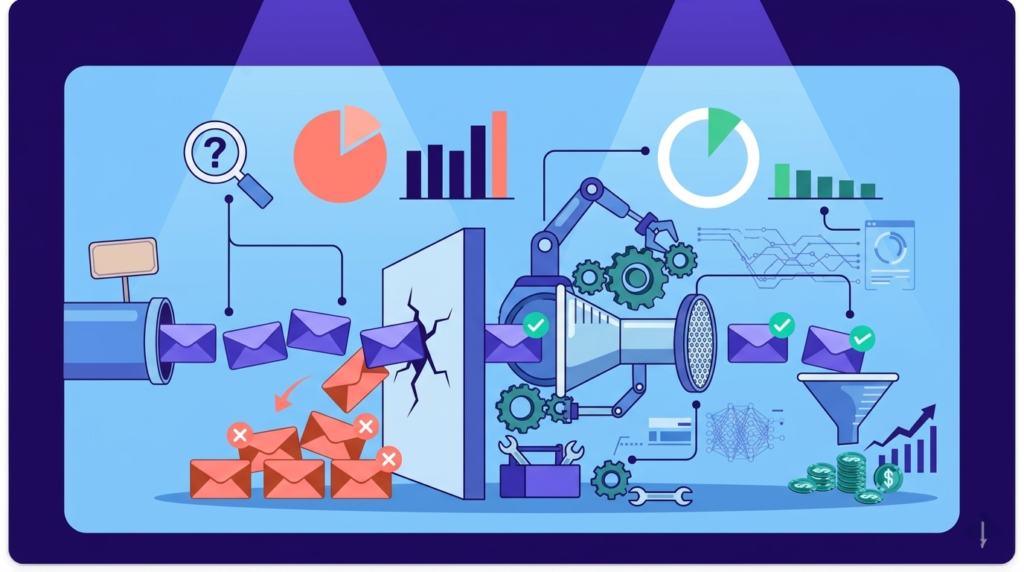

A bounced email is a cold emailer’s worst nightmare. It is an email wasted, a credit gone, a sending limit used, and most importantly, it can damage your domain reputation. Unlike low reply rates or poor open rates, a bounce is a direct signal to email providers that something is wrong. If it happens too often, inbox providers begin to lose trust in your sending activity, and once that trust drops, your deliverability follows.
That is why tracking your bounce rate, or bounce percentage, is essential in any cold email campaign. Your bounce rate gives you clear insight into the health of your outreach, from list quality to technical setup. It is also one of the core metrics mailbox providers use to evaluate sender reputation and determine whether your emails land in the inbox, the spam folder, or get blocked entirely.
In this guide, we will break down exactly what bounce rate is, the different types of email bounces you need to understand, how to calculate it properly, what a good bounce rate looks like, and most importantly, proven strategies you can use to reduce your bounce rate and improve your overall deliverability.
What is a Cold Email Bounce Rate?
Cold email bounce rate is the percentage of outbound emails that are rejected by the recipient’s mail server and never delivered. It is calculated by dividing the total number of bounced emails by the total number of emails sent. In cold outreach, bounce rate acts as an early diagnostic metric for data integrity and infrastructure health.
Because cold email relies on prospecting new contacts, even small breakdowns in data sourcing or domain configuration surface quickly. A sustained increase in bounce rate is rarely accidental. It typically signals deeper issues in list verification, enrichment processes, or sending setup.
Here’s why cold email bounce rate matters more than you think:
- Bounce rate provides immediate feedback on the validity of your data. Invalid, outdated, or improperly sourced contacts are exposed through server rejections.
- Mailbox providers incorporate bounce behavior into their trust models. Consistently high rejection rates signal poor list hygiene and increase scrutiny on your domains and sending patterns.
- As trust declines, inbox placement follows. Elevated bounce rates reduce sender credibility, increasing the likelihood of spam placement or delivery blocks over time.
Bounce Rate vs Deliverability Rate
To use this metric correctly, it is important to distinguish it from a related concept: deliverability rate.
While the two are connected, they measure different stages of the sending process.
| Metric | Bounce Rate | Deliverability Rate |
|---|---|---|
| What it measures | Percentage of emails rejected by the receiving server | Percentage of emails accepted by the receiving server |
| Primary focus | Data quality and technical configuration | Overall inbox acceptance and filtering outcomes |
| Core risk signal | Invalid or risky recipient data | Spam filtering and reputation evaluation |
| Ideal benchmark | Under 1 to 3 percent | 95 percent or higher acceptance rate |
Bounce rate measures rejection at the server level. Deliverability rate measures acceptance. In practice, bounce rate is an early warning signal and often the root cause of declining deliverability performance.
Types of Email Bounces
If you don’t know the type of bounce you have, it’ll be impossible to fix it. Before you start measuring your bounce rate, be clear about which bounce rate you’re measuring.
Email bounces fall into three distinct categories. Each type points to a different failure layer in your outreach system: data, timing, or infrastructure. Correct diagnosis determines the right corrective action.
Hard Bounces
A hard bounce is a permanent rejection from the recipient’s mail server. The email address is invalid or cannot receive mail, which means delivery is technically impossible.
Hard bounces typically occur due to fundamental data errors, including:
- Nonexistent email address
- Misspelled or invalid domain
- Deleted employee account
- Fabricated or scraped data
- Expired company domain
Since these failures are permanent, the corrective action is straightforward.
Immediately suppress the address. Do not retry. Remove it from all sequences and future campaigns.
Hard bounces send a strong negative signal to mailbox providers. Consistently high hard bounce rates indicate poor list hygiene and can rapidly erode sender reputation.
Soft Bounces
A soft bounce is a temporary rejection from the recipient’s mail server. The email address exists, but delivery conditions prevent the message from being accepted at that moment.
Soft bounces are typically caused by:
- Inbox full
- Temporary server outage
- Message size limits
- Rate limiting by the receiving server
- Greylisting
These failures are conditional and temporary, so most sending systems will attempt delivery again.
Sending platforms typically retry soft bounces automatically. If the underlying issue resolves, the message may be accepted on a later attempt.
However, temporary does not mean safe.
If an address soft bounces across three separate attempts or campaigns, treat it as undeliverable and suppress it. Repeated temporary failures often evolve into permanent risk signals and should not be ignored.
Advanced or Infrastructure Related Bounces
Not all bounces are data problems. Some are trust problems.
Advanced or infrastructure-related bounces occur when the receiving server rejects your email due to authentication failures, reputation issues, or filtering decisions. The contact may be valid, but your sending environment is not trusted.
Common examples include:
- Blacklist Rejections: The receiving server blocks your message because your domain or IP appears on a blocklist.
- Spam Trap Signals: Rejections triggered by sending to trap addresses used by mailbox providers to identify senders with poor list hygiene.
- Catch All Complications: Domains configured to accept all incoming emails may initially validate during verification but later reject messages during filtering, creating inconsistent or delayed bounce patterns.
- Test Bounces: Server-level rejections are used to assess sender behavior before determining whether to allow stable delivery.
Unlike hard bounces, these issues cannot be fixed by removing a single address. They require an investigation into authentication setup, sending volume, domain reputation, and overall list quality.
How to Calculate Email Bounce Rate?
Calculating your bounce rate is thankfully not complicated. Here’s the formula:
Bounce Rate = Total Bounced Emails/Total Emails Sent x 100
For example, if you send 10,000 emails and 200 of them bounce, your calculation would look like this: 200 ÷ 10,000 × 100 = 2% bounce rate
This percentage tells you what portion of your sending volume never reached a recipient’s mailbox. Lower bounce rates indicate healthier lists and better sending practices, while higher bounce rates signal problems such as invalid addresses, poor list hygiene, or reputation issues.
Bounce rate measures the percentage of sent emails that are rejected by the recipient’s server.
How Often to Calculate It
Per campaign: Review immediately after each campaign to detect list or setup issues.
Weekly: Monitor weekly averages to identify emerging trends.
Rolling 30-day window: Track long-term performance to evaluate overall sender stability.
What Is a Good Bounce Rate?
In cold email, acceptable thresholds are stricter because you are contacting new prospects.
- Under 1%: Excellent
Strong verification and disciplined list hygiene.
- 1 to 3%: Healthy
Sustainable range for most cold outreach programs.
- 3 to 5%: Warning
Likely data quality or sourcing issues. Requires investigation.
- Above 5%: High risk
Significant reputation damage is likely if sustained.
For most cold email operations, maintaining a bounce rate between 1% to 3% is both realistic and defensible.
How to Improve Cold Email Bounce Rate
Bounce rate is controlled at the system level. It depends on infrastructure, data quality, sending patterns, and monitoring discipline. Improve it through four pillars.
1. Technical Infrastructure
Server rejections often originate from configuration errors, not list quality.
Authentication
Ensure SPF, DKIM, and DMARC are properly configured and aligned for every sending domain. Misalignment increases rejection probability.
Domain strategy
Use dedicated sending domains. Do not send a cold email from your primary brand domain. Distribute volume across multiple mailboxes to reduce concentration risk.
Tracking alignment
Align tracking domains with your sending domain. Misconfigured or mismatched tracking links can trigger server-level filtering and rejections.
Infrastructure issues must be resolved before scaling volume.
2. List Hygiene
Most hard bounces are data failures.
Verification
Verify every list before sending. Remove invalid, unknown, and high-risk addresses.
Suppression rules
Automatically suppress:
- Hard bounces
- Addresses with repeated soft bounces
- Previously unsubscribed contacts
Do not resend to rejected addresses.
Avoid high-risk sources
Avoid scraped lists and purchased databases. Unverified enrichment outputs should not be mailed without validation.
Clean input reduces downstream rejection.
3. Sending Behavior
Even valid emails can be temporarily rejected if sending patterns appear abusive.
Warm up
Increase volume gradually on new domains and mailboxes. Sudden spikes trigger rate limiting.
Daily limits
Maintain consistent per mailbox sending limits. Large volume swings increase soft bounces.
Randomization
Stagger send times and vary pacing. Uniform bursts increase filtering risk.
Stable sending behavior reduces temporary server rejections.
4. Monitoring and Recovery
Bounce rate must be reviewed continuously.
Metrics
Track hard and soft bounce rates separately. Monitor per domain and over rolling 30-day periods.
Tools
Use platforms that provide SMTP-level bounce codes. Percentages alone are insufficient for diagnosis.
Pause and repair protocol
If bounce rate exceeds 3 to 5 percent:
- Pause affected campaigns.
- Reverify remaining contacts.
- Audit DNS and authentication records.
- Resume gradually after correction.
Do not continue sending while investigating elevated bounce rates.
Bounce rate control is an operational discipline applied consistently.
Conclusion
Reducing your cold email bounce rate to under 2% is not about a single tool or tactic. It comes down to discipline across four areas: clean data, authenticated infrastructure, controlled sending behavior, and consistent monitoring. Deliverability should be treated as a long-term operational priority, not a campaign-level metric you check after the fact.
Start with the fundamentals. Verify your lists before every launch. Suppress hard bounces immediately. Authenticate every sending domain with SPF, DKIM, and DMARC. Avoid purchased or recycled data entirely. Once the foundation is stable, refine your infrastructure, monitor reputation signals, and scale volume gradually instead of aggressively.
When you do this properly, improvements compound. Lower bounce rates mean stronger sender reputation; a stronger reputation means better inbox placement; better inbox placement means more real conversations, and more conversations create more qualified opportunities.
Cold email wins come from strong email ops and robust systems. Build systems that protect your domain, respect data quality, and prioritize long-term trust. The results will follow.


