
1 Introduction

1.1 Goal of the course:
In this course, I will give you all the information you need to build the best cold email engine possible. I will skip the details that are irrelevant and speed run your journey. If you want to know every single intricate detail, I will create a course for that later, but honestly, if you just want sales for your company, this is the only information required.
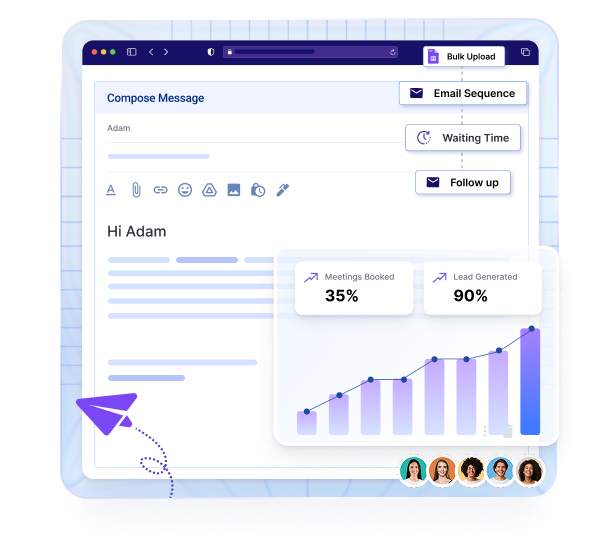
Cold Email is the process of sending emails to an audience who doesn’t know or barely knows you. It’s one of the most popular techniques to build your sales pipeline and actually grow as a company.
Cold Email for this entire course is sent from one B2B company to another to generate sales.
This isn’t for B2C companies, but I am about to walk you through everything you need to send your first email.
PS: This will be the most direct, no bullshit course on cold email. This will get you from 0 to 1.
1.2 Who am I?
I am Namit. I have booked more than 20M dollars in pipeline using cold email. During my agency days, I was helping clients send about 500K-1.5M emails monthly. I got obsessed with the idea of companies paying you money after reading your emails.
I have booked meetings with Rolex, Snapchat, Meta, Cisco, and 1000s of other companies. Now, I run a software company that solves the most complex part of cold email (More on this later).
1.3 Is cold email for you?
Here’s a quick checklist. Only proceed if you say yes to everything:
- Are you a B2B Company? (Do you sell to other businesses?)
- Is your target market more than 2000 companies? (Do more generic companies like SAAS, E-com, Real Estate buy your services, or is it very niche – defense contractors)
- Can you handle more clients?
- Is your average customer value > $1000? (Will your customer pay you more than $1000 in their lifetime?)
1.4 Our Plan of Action
In this course, we will be talking about how to send 15,000 emails/month, all automated, relevant, and personalized.
- If you have a very good product/service, it will help you book 20+ meetings.
- If you have a commoditized product or service, it will help you book 8-10 meetings.
You can scale this to infinity depending on the size of your target market.
1.5 Realistic Costs of Cold Email
I’ll give you a quick summary of the costs associated with cold email. The least amount of money you NEED to spend to send 15,000 emails/month :
Infrastructure Costs:
- Sending Software: $99/Month
- Domains: $120 (One-time)
- Inboxes: $120/month
- Lead List: $30
- AI Copy / Similar: $10
Total: $250/month (approximately)
1.6 Realistic Expectations
Cold email is measured by the number of meetings booked by leads contacted. In short, the number of leads you contacted for each meeting that you booked. For most beginners, you will be able to book 1 meeting for 800 leads contacted (YES! That’s what the best cold emailers in the world book).
- If you have a great offer, and you get really good at this, you will be able to book 1 meeting for every 20-50 leads contacted
- If you have a very tough-to-sell offer, you will book 1 meeting for 1200 leads contacted
- If you are unable to do so, there is something very wrong with what you are doing.
1.7 Realistic Timeline
New domains and inboxes need time to warm up. If you start today, it will take you 21 days to launch your first campaign. I would start immediately if you are serious about growing your business and getting more clients.
2 Infrastructure and Deliverability
This is the most technical part of the course, but I will spend the least time on it. Just because people have built software to solve this, and 99.99% of you reading this course should probably let the software handle this.The biggest problem with cold email is that Google/Outlook penalizes you if you get marked as SPAM. And some people will just mark you as SPAM, even if you are selling gold to them for 1/10th the cost. That, and sending high-volume emails, is just a recipe for never making it into the inbox.
2.1 Domain Rotation and Sending Volume
So, you need to make sure your emails are hitting the inbox and that you are not using your primary domain for cold emails. We send very low volume per domain, and scale up by buying more domains. We will send 75 emails per day per domain, with 3 email accounts per domain. If you want to scale, buy more domains.
Here’s the step-by-step:
2.2 Step 1: Buy your domains (Day 1)
Domains: Buy 10 “.com” domains from GoDaddy.
- Make sure you buy .com domains
- Make sure your domains have no numbers or special characters like “-” in them
- If your company is Aerosend.io, buy getaerosend.com, tryaerosend.com, etc.
You can use this domain variation generator if you really need help → LINK HERE
2.3 Step 2: Buy your inboxes and warm up
Inboxes: Buy 30 inboxes from Aerosend.io
- These inboxes are primed for cold email and deliverability
- Warmup is handled for you
- They manage the entire deliverability infrastructure for you
- Follow the instructions to make sure your inboxes start warming up.
Inboxes take 3 weeks to warm up after you buy them. You will need an automated sequencer, but you do not need to buy one for the next 3 weeks (saves money).
3 Lead List Building
3.1 Build your ICP (Build your ICP (Day 2-10)
This makes or breaks your campaigns. After talking to 100+ B2B companies, almost 95% of them get this wrong. When I ask people, Who is your target market? Most of them say, “Oh, all SaaS companies.” That’s not how it is done, to be honest. You need to break down your ICP into smaller segments so that each segment has a common problem. For example, I will take Aerosend as an example of this course (my cold email inbox solution) Ideally, all B2B companies are my ICP (Cause, well, they do need to send cold emails, correct?)
Hint: That’s incorrect.
This is how you do it:
3.2 Step 1: Identify your bigger ICP and remove those who are not a fit
Aerosend 1st Version: All B2B Companies but I need to dig deeper. Remove all that are not a fit:
- Any B2B company that is greater than 500 employees (they do not need domain rotation. Their domain has a big enough reputation and enough internal emails / transactional emails)
- Any B2B company that has product-led growth
- Any B2B company that has a small TAM
- Any B2B company that has an average contract value < 2000$ (cold email does not work)
Perfect! So I am left with B2B companies with fewer than 500 employees, with a big TAM, high contract value, and that do sales-led growth. But should I just load up every single B2B company that meets these criteria and launch a campaign? Ideally – No. That’s where most people mess up. Your offer changes based on the intricacies of the company.
3.3 Step 2: Break down your ICP based on factors that can change your offer/pitch/problem you are solving
Now, based on the initial ICP you constructed, think about how your offer changes/the problems you solve change for certain groups.
Bigger Factors:
- Volume of cold emails they are sending
- Current Knowledge about the cold email process (Some people still use Hubspot to send cold emails and get 1-2 replies after 10,000 emails)
- Type of Business: Lead Generation Agency vs Other Saas/B2B/Agencies
Other Smaller Factors which we will address later:
- Size of the company (different offers for 10 Employee companies vs 100 Employee companies)
- The sales sequencer they use
- Prospect Title
- The country they are based in
- The number of SDRs they haveSo my 3 ICPs are based on big factors:
- Lead Generation Agencies (Companies that offer cold email services)
- B2B Companies sending High Volume Cold Email
- B2B Companies sending Low Volume Cold Email
3.4 Step 3: Once you have these targeted, select one or more who would be the lowest hanging fruit
(The people who would purchase first.)
If I were starting cold email today, I would start with lead generation agencies because:
- They purchase the largest number of inboxes
- Send high-quality cold emails
- Deliverability is make-or-break for their company
- They are always testing new tools.
In your case, start with your lowest-hanging fruit first and then slowly build it.
4 Copywriting:
4.1 Introduction
Here’s the most fun part of the course. Stick to the basics, keep the principles tight and you are good to go. Ideally, your goal is to convey what you are offering in plain, simple words. Remember, you do not get points for fancy writing.
4.2 Basics of copywriting: Key Principles
Send Short & Relevant Emails Word Count < 120 Words. Do not waste space introducing yourself Do not talk about your awards or something Talk about one pain point, one benefit, and have one CTA Add case studies as proof if relevant
Cold Email Rules
- No Attachments
- No Hyperlinks
- No Images
- Plain Text Emails Only
- Ask for permission if you want to send them a lead magnet
- Be clear in what you are offering
Tone & Style
- Use the tone that is relevant in your industry
- If your industry is more casual, talk that way
- If your industry is extremely formal, talk that way
4.3 Follow-Up Sequences
This is an interesting part of the course, and there is a lot of contradictory advice on the internet. But I would recommend doing the following:
Recommended Follow-Up Frequency
- If you have a large TAM (30,000 contacts) → Only send 1 email/lead (No follow-ups)
- If you have a medium TAM (10,000 – 30,000 contacts) → Send 2 emails/lead
- If you have a relatively smaller TAM (2,000 – 10,000 contacts) → Send 3–4 emails/lead
Tools and Ideas for Follow-Ups
Here are some tools you can use to write the follow-up sequences:
- Lead Magnets (Free stuff)
- Reiterate Guarantee (If you have one, make it more of a no-brainer)
- Give them more information about how you solve their problem
4.4 Email Signature
This is a simple part, but people get this wrong. This is the only structure we recommend for email signature:
{{name}}
{{title, company}}
{{address}}
This makes you compliant and ensures deliverability
4.5 SPAM Words to Avoid
There is a huge list of Spam words, but I would specifically avoid some of these:
- 100% FREE
- FREE
- Guaranteed
- $
- Large Numbers like $100,000 (Use 100K)
- Money
Rest, just focus on writing good copy.
5 Setting up your sequencer:
5.1 Adding Your Inboxes
Your sequencer’s job is to allow you to send easily using multiple domains and inboxes. It’s a crucial part because multiple inboxes can be tough to handle. And a lot of the tech that you require is built into these sequencers.
We recommend using Smartlead.ai, as that is the sequencer we use.
Here’s How You Get Started
Step 1: Sign up and create your account
Step 2: Get your inboxes from Smartlead
- To add your inboxes, go to app.aerosend.io
- Login
- Go to mailboxes
- Select all mailboxes
- Click on export → Smartlead
- Add your Smartlead API Key (Go to settings → API Key in Smartlead)
- You will get a CSV downloaded
Step 3: Add them to Smartlead
- Go to Smartlead
- Click on Email Accounts
- Click on Connect Mailboxes
- Drag and drop the CSV file
Step 4: Setting Up Your Campaigns
- Go to Email Campaigns
- Click on Create Campaign
How to Add Your Sequences
- Go to sequences first
- Before we add our sequences, there’s one more concept I want to introduce: Spintax
Take your email copy and add it to GPT with the following prompt:
Could you help me add spintax for my email? Make sure that you just add spintax where it makes sense and do not change the meaning of the copy. Keep the tone consistent and only add spintax in a way that it is grammatically correct.
The format of the spintax is: {hey|hi|hello}
Here is the email: {{Add first email here}}
Make sure that you read the new email and remove whatever spintax if it is incorrect.
5.2 Setup Instructions
- Next, Go to Setup
- Click “Choose Sender Accounts” and select all your accounts
- Click on Save Email Accounts
- Go to Schedule Campaign
- Choose the Time Zone to the time zone of your prospects
- Send on Monday–Friday
- From 08:00–18:00 in most cases
- Email sent every 26 minutes
- Set Campaign Start Date: Leave empty
- Max number of new leads: Set to 10000000 (it doesn’t matter — set it very high)
- Click on Save
- Go to Modify Settings
- Stop Sending Messages → Replies to a message (default)
- Email Variant: Randomized
- Optimize Email Delivery (Check) → Force Plain Text as content type (Check)
- Prioritize Sending Pattern (60%)
- Campaign Level Auto-Pause → No (Leave unchecked)
- Enhanced Email Sending & Delivery → No (Leave unchecked)
- Isolated Lead Email Provider Testing → No (Leave as send to All)
- Intelligent AI Lead Categorization → Intelli-categorize replies using Smartlead AI
- For Categories choose:
- Do not contact
- Information Request
- Interested
- Meeting Request
- Out of Office
- Not Interested
- Click on Automatically restart AI-categorized OOO when lead returns
- For Categories choose:
- Leave everything as is
- Click on Save General Settings
5.3 Adding Your Lead List
- Click on Import Leads
- Drag and drop your CSV
Under Import Settings
- Import leads even if they are in the global blocklist: OFF
- Import leads even if they are in the unsubscribe list: OFF
- Import leads even if they bounced across our entire user base: ON
- Ignore the leads that exist in another campaign: ON
Map Fields
- First Name → First Name
- Email → Email
- Company Name → Company Name
- Domain/Website → Website
- Any other personalization you want to use in the email → Custom Field
- Click on Save & Next
5.4 Final Review
Click on Final Review to make sure everything is correct.
Click on Start Campaign!
You are good to go!
Voila!
You’re all set.
Hope you enjoyed the course and found it genuinely useful. I’d really appreciate you sharing it on LinkedIn or Twitter (don’t forget to tag me), and with friends and colleagues.
If you have feedback or ideas that could make the course better, drop a note at namit@aerosend.io.
I read every message.
I’ll keep updating the course over time as things change and new lessons emerge.
Thanks for being here. ✌️


