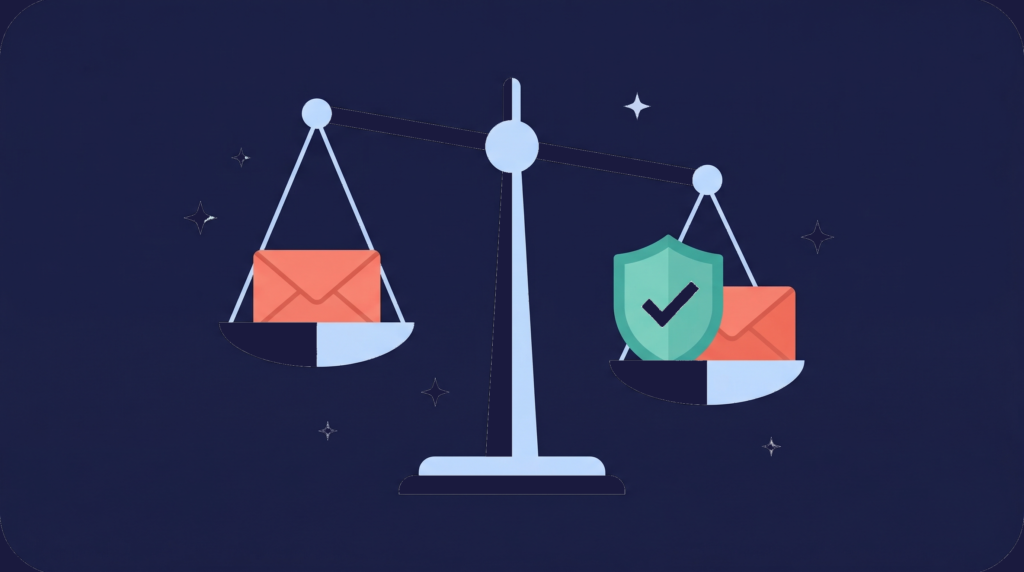


There is a cold truth in the email space: deliverability is the new conversion rate. You can spend weeks meticulously crafting the perfect Ideal Customer Profile. You can invest time, tools, and money into building a clean, highly segmented list of decision makers. But here is the brutal paradox I learned early in my agency days. A high-quality list is financially worthless if your email lands in purgatory. In a landscape where inboxes are relentlessly flooded, your domain strategy, your infrastructure, and your verification process are no longer technical footnotes. They are the difference between a booming sales pipeline and the digital void. This is the underground playbook I use. The system that elite cold emailers rely on. Not just to find leads, but to protect them, scale them, and ensure every message bypasses spam filters and lands where deals are closed. Forget the basics. This is the architecture of high reply rates, domain longevity, and hyper scalable list building.
The Foundation of List Integrity
The 5 Step Verification Waterfall
The first rule of elite list building is simple. You cannot scale a faulty list. Most outreach teams treat verification as a binary checkbox. The masters understand that verification has to be a rigorous, multi-layered firewall designed to eliminate every possible threat to domain health before the first email is ever sent. This proactive approach is the greatest investment you can make to protect your entire cold email infrastructure from unnecessary bounce rates, which can destroy deliverability. Here is the exact automated 5-step verification waterfall I use.
Step 1: The Primary Scrub
Every lead, regardless of source or age, goes through a primary verifier such as Million Verifier. This gives you the basic verdict. Valid, invalid, or catch all. This is your first line of defense.
Step 2: Catch All Containment
Catch-all leads are separated and passed to a specialized tool, such as Bounce Ban or a similar provider. Catch-all accounts are dangerous because they accept all email, which makes standard verification impossible. This step is essential and also cost-efficient because catch-all verification is far more expensive.
Step 3: The Waterfall Acquisition
Leads marked invalid or not found are passed to a secondary waterfall data provider, such as Lead Magic. This fills in missing contacts without overspending on primary databases.
Step 4 and Step 5: The Final Double Check
Newly acquired contacts go through the same process again. Re-verify with the primary tool, then recheck the catchalls. This loop ensures absolute list integrity. By building this automated multi-step process in Clay or Zapier, you create a zero-tolerance environment for bad data. This protects your domains and keeps your cold email engine running at peak health.
The Infrastructure of Trust
Why Your Inbox Provider Determines the Fate of Your List
A high-quality list is a premium asset, and the inbox you send from determines whether that asset converts or collapses. Most people obsess over list building and verification, but underestimate the importance of infrastructure. Your inbox provider is not just a sending utility. It is the shield that protects your entire system.
This is where most cold emailers fall apart. They build strong lists and good offers but rely on Outlook or Google inboxes that were never designed for high-volume outbound. These platforms are engineered for personal or team communication, not cold outreach. Their algorithms are stricter, their tolerance is lower, and their ban systems are unforgiving. If your list is your fuel, your infrastructure is the engine. And if the engine is brittle, the best fuel in the world cannot carry you far.
The Infrastructure Options for Senders:
1. Outlook or Google Inbox Setup
This is where most beginners start, and it is also where most lists die. These inboxes have:
- Aggressive filtering
- Automatic throttling
- Hidden shadow bans
- No tools to monitor domain stress
- No early warning system for bans
One spam complaint or one bad batch of data can quietly destroy a domain’s trust score. Once that happens, even perfect list building cannot save you.
2. Resellers
Low cost. Easy to set up. Terrible for long-term health. Most resellers use risky setups:
- Legacy Panels, where 300 domains sit under one admin
- EDU panels that rely on free student accounts
- Shared servers where one bad sender tanks everyone
I spent years seeing agencies lose entire domain fleets overnight because their provider’s infrastructure failed. Cheap inboxes look attractive until they take your entire operation down.
3. Aerosend (Private Infrastructure Done Right)
This is the category that actually protects your list: private, isolated, purpose-built infrastructure. Aerosend was built specifically for cold email. It was designed to solve the exact loopholes and risks that Outlook, Google, and reseller setups create. With Aerosend you get:
- Dedicated IP pools
- Isolated servers, so no one else can damage your reputation
- Automatic inbox ban detection
- Domain replacement support
- Aged domains with stronger trust
- Built in warm-up
- Real-time deliverability monitoring
This is the difference between sending and scaling. The infrastructure shields the list building investment you worked hard to create.
The Aerosend Mandate
1. No Shared IPs
Shared IPs mean shared reputation. One sender’s mistakes become your punishment. Aerosend uses isolated environments that keep your reputation clean.
2. Server Isolation
On shared infrastructure, a single bad sender triggers spam filters on the whole server. I have watched hundreds of domains collapse in hours because of this. Aerosend isolates senders to prevent ripple damage.
3. Post-Purchase Deliverability Care
Most inbox providers disappear the moment they take your money. Aerosend does the opposite. You get:
- Domain replacement safety net
- Inbox ban alerts
- Performance monitoring
- Spam event detection
Your provider cannot abandon you after the point of sale. Deliverability is a living system, and top-tier list building requires a partner who actively manages risk with you.
The Two Cardinal Laws of List Protection
1. The Law of Diversification
Never rely on a single provider. Email ecosystems shift every few months. Google changes rules. Outlook pushes new filters. An SMTP provider gets hit. A diversified setup keeps your operation future-proof.
2. The One Dollar Trap
Stop fighting over one dollar per inbox. The lifetime value of a qualified client from a high-quality list is far greater than the cost of a slightly more expensive but more reliable inbox. Cold email is no longer a cheap game. It is an infrastructure game.
The Advanced List Deployment Strategy
The Sine Wave Pattern for Scale
A perfectly verified list and strong infrastructure only take you halfway. Deployment strategy is where list building meets domain longevity. The system I rely on is called the Sine Wave Pattern. It extends the life of your domains by giving them structured periods of rest and recovery.
The Sine Wave Domain Rotation
This pattern prevents domain burnout and improves reply rates.
- Divide your domainsSplit your total fleet, for example, 20 domains, into two equal sets.
- Activate Set 1Set 1 sends campaigns to a segment of your list. Set 2 rests on warm-up.
- Flip the setsAfter the cycle, Set 2 becomes active and Set 1 returns to warm up.
The Advantages
- Longer domain lifespan: Rest cycles prevent burnout.
- Higher reply rates: Domains perform better when refreshed.
- Forced segmentation: You automatically segment your list into manageable batches. This makes it easier to detect when a list segment or domain begins to fatigue.
When you rotate your domains, rotate your copy as well. Repeating the same messaging on the same set leads to copy fatigue.
The Message Market Fit Firewall
Before deploying any list or campaign, you must test the offer. A great list is wasted on a weak offer.
The rule:
Use only 20 percent to 50 percent of your sending capacity for initial testing until you find Message Market Fit. If you launch a 2,000-send campaign and get no replies, you have burned your domains for nothing. Scale only after you see positive indicators.
For early testing, consider running the same offer on LinkedIn before committing email volume to it. Platforms like SalesRobot let you test messaging through LinkedIn sequences first, where there is no domain risk. If the offer resonates on LinkedIn, scale it through email with confidence.
The Power of Parallel List Campaigns
To maintain momentum and keep your list warm, run multiple campaign types in parallel. For example:
- Hard CTA
- Loom video
- Lead magnet
- Curiosity based
This keeps your audience seeing different angles, reduces repetition, and captures prospects across different stages of awareness. It also protects your list-building efforts from copy fatigue.
The Silent Killer
Breaking the Outlook Shadow Ban
Most high-value lists target mid-market and enterprise prospects, which means interacting with Microsoft Outlook. Recently, Outlook introduced a silent filter known as the Shadow Ban. Your email does not bounce. It does not land in spam. It simply disappears. To break this barrier, your copy must follow five strict rules.
1. Ultra Short Copy
Keep your body under 40 words. General cold email best practice is under 100, but for Outlook you have to go even shorter.
2. Sanitized Signature
Remove your title from your signature. Use only your name and company name.
3. No Opt Out Phrases
Avoid opt-out phrases in the first email. This is a deliverability tactic, and you must check with your legal team for compliance.
4. Short CTAs
Avoid long calls to action. Use simple yes or no questions.
5. Target Limits
Do not target more than four or five employees per company in a two-week cycle. High-frequency targeting is an immediate flag.
The Ultimate List Safety Rule
To maximize deliverability, send pure plain text. Remove all links from your first email and follow-ups. No website link. No calendar link. No tracking. Send links only after a positive reply. If a prospect is interested, they will ask, or they will Google your company name. Opens and clicks are vanity metrics. Most clicks are from bots anyway. Focus on the metric that matters: positive replies.
The Post Campaign List Audit
How to Identify a Burnt Domain
Your list-building investment is being tested every day by the health of your domains. You need a system to diagnose domain performance before the damage spreads to your entire fleet.Since no one knows whether an email landed in the inbox or spam except the recipient, you must rely on five indicators.
1. Warmup Reputation Score
If your warmup reputation drops below 90 percent, pause cold sending and put that domain back on warmup at a very low limit.
2. Inbox Placement Tests
If a domain fails inbox placement tests twice in a row, replace it. Do not waste time trying to revive a consistently bad domain.
3. Reply Rate by Domain
This is the most accurate metric. Not all domains perform equally. Some silently tank campaigns. Run weekly audits. Remove domains in the bottom 10 percent to 20 percent of reply rates, excluding out-of-office replies. Only make decisions after a domain has sent at least 500 emails.
4. Bounce Rate by Domain
If any domain shows unusually high bounce rates, remove it at the end of the month.
5. Bounce Type: Spam Reject
If spam reject rates reach 0.5 percent to 1 percent, the domain is burnt and must be replaced.
The List Architect
Cold email today demands a new type of operator. Not just a writer. Not just a closer. You have to be the architect of your own infrastructure and the guardian of your list-building ecosystem. Your success is proportional to the health of your domains. The health of your domains is the final step in list building. By applying the verification waterfall, diversifying infrastructure, using the Sine Wave pattern, and adhering to Outlook’s rigorous filters, you transform your list from a simple contact file into a perpetual revenue machine. This system is the difference between pipeline and purgatory. Implement it. Protect your list. Scale with precision.