

SlightEdge Inboxes resells official Google, Microsoft, and Azure inboxes, giving you a diverse range of options for your cold email campaigns. But is that enough for good deliverability? That depends on the infrastructure. If your cold email service provider offers warmup, monitoring, and burn alerts, then 99% inbox placement is achievable.
Since SlightEdge inboxes don’t offer any of these, can it still offer 99% inbox placement? Let’s find out in this SlightEdge review.
Key Takeaways
SlightEdge Inboxes offers Google, Microsoft, and Azure inboxes sourced from official resellers. Gmail and Outlook inboxes are available from $3.50/inbox, and Azure is billed at $50/domain/mo, containing 100 Azure inboxes for cold outreach. Pre-warmed inboxes are available for $1.50/inbox. The setup is fast and automated, and inboxes are live in under 12 hours. No warmup or monitoring included.
- Inbox: Google, Microsoft, and Azure
- USP: Onboarding Call at Enterprise Plan
- Deliverability: Mixed reviews
- Risk: No warmup or monitoring included
- Starting Plan: $3.50/inbox/mo
- Support: WhatsApp and Email (Dedicated Manager available only at Agency Plan)
About SlightEdge Inboxes
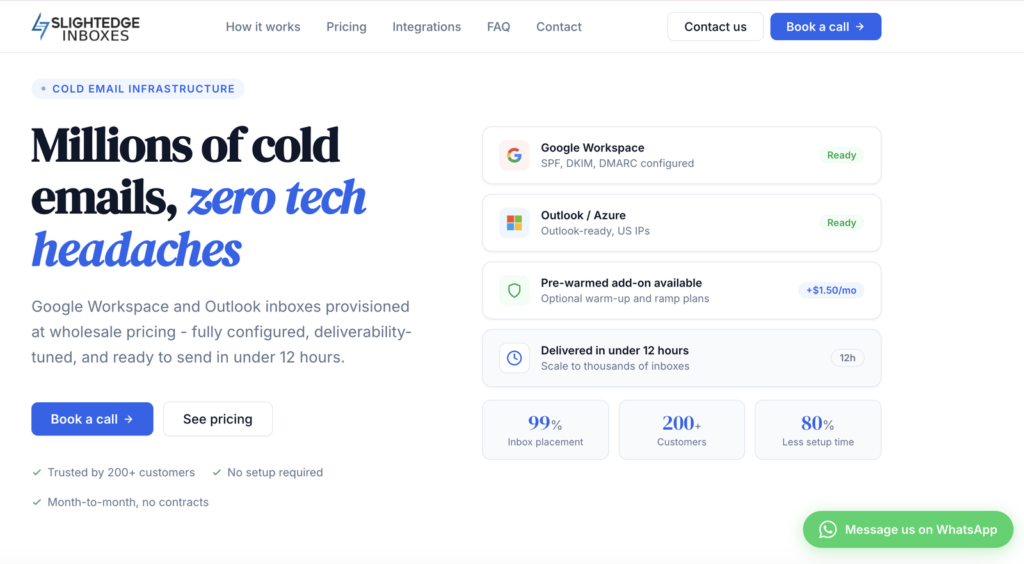
SlightEdge Inboxes is a done-for-you cold email infrastructure provider. It offers Google, Microsoft, and Azure inboxes, sourced from official resellers. Gmail and Outlook inboxes are billed monthly for $3.50/mo.
By adding $1.50/inbox, you can get pre-warmed Gmail and Outlook inboxes. The setup is fast and sequencer-ready, delivered in under 12 hours. Warmup is not built in, so you either pay for the pre-warmed or run it through your own sequencer.
Azure inboxes are billed at $50/domain, with 100 inboxes included per domain. For pre-warmed Azure inboxes, you have to pay $60.
However, it only resells the inboxes. It doesn’t monitor your domains or inboxes. So the moment something goes down, you’ve to do the disaster management.
How SlightEdge Inboxes Works
SlightEdge Inboxes Features
Fast Setup
SlightEdge handles the full setup, and your inboxes are ready for cold outreach in under 12 hours (non-warmed).
Multi-Inbox Provider
SlightEdge Inboxes is a multi-inbox provider offering inboxes from Google, Microsoft, and Azure. You can easily diversify your campaigns and mitigate risk.
Add-On Pre-Warmed Inboxes
SlightEdge offers pre-warmed inboxes for an additional $1.50/inbox. The warmup methodology is undefined, and there’s no ongoing warmup.

Pros
Campaign Diversification is Easy
SlightEdge Inboxes offers Google, Microsoft, and Azure accounts. Using different types of inboxes for your campaigns can mitigate risk.
Fast Setup
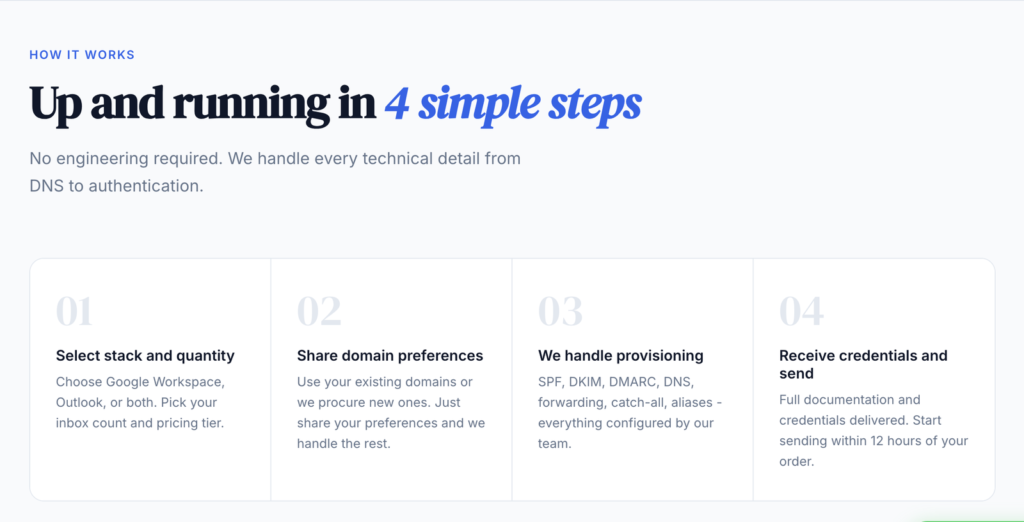
The DNS configuration is automated, and your accounts are ready for cold outreach in under ~12 hours.
Dedicated Account Manager At Agency Plan
If anything goes sideways, SlightEdge provides a dedicated Account Manager to handle your cold outreach campaign.
Cons
No Deliverability Monitoring
SlightEdge Inboxes only offers you inboxes. There’s no way you can manage monitoring on SlightEdge. For that, you have to rely on external tools.
No Warmup Methodology Defined
SlightEdge offers pre-warmed inboxes for an additional $1.50. But they didn’t mention the warmup methodology. So the credibility of pre-warmed inboxes is unknown. Also, there’s no ongoing warmup.
99% Inbox Placement Claim
SlightEdge claims a 99% inbox placement rate. But there is no published credible information/case study to prove this point.
Zero Reviews on Trustpilot and G2
There are no reviews about SlightEdge on Trustpilot and G2.
SlightEdge Inboxes Pricing
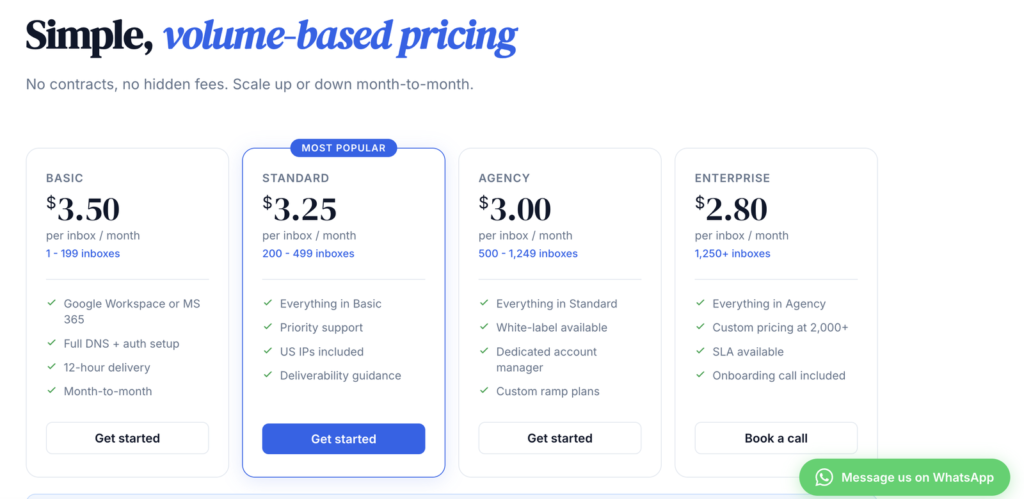
| Category | Mailboxes | Price / Mailbox |
|---|---|---|
| Basic | 1-199 | $3.50 |
| Standard (most popular) | 200-499 | $3.25 |
| Agency | 500-1,249 | $3.00 |
| Enterprise | 1,250+ | $2.80 |
Note: The pricing above is only for Gmail and Outlook inboxes. For an additional $1.50/inbox, you can get pre-warmed inboxes.
Azure is billed at $50/domain/mo and includes 100 inboxes. Pre-warmed Azure inboxes cost an extra $10 per domain.
Aerosend: Best SlightEdge Alternative
SlightEdge creates inboxes, configures DNS for you, and your inboxes are ready for cold outreach within 12 hours. After that, managing warmup, deliverability, and inbox placement all depends on you and your skill set.
But Aerosend creates inboxes, configures DNS for you, runs warmup for you, and manages your deliverability. Here’s a brief comparison between SlightEdge and Aerosend
| Compare | SlightEdge Inboxes | AerosendPrivate infrastructure |
|---|---|---|
| Inbox Available | GoogleMicrosoftAzurePre-warmedOfficial reseller accounts; pre-warmed is a paid add-on | Private infrastructureBuilt for cold email, so no Google or Outlook bans |
| Isolation | ✕Not disclosedNo inbox-per-domain ratio published | ✓DedicatedNew isolation every 10 domains / 30 inboxes, never shared |
| Warmup | ~Paid pre-warm add-on$1.50/inbox pre-warm, method undefined; no ongoing warmup | ✓Included, ongoingComplimentary premium warmup, matched to who you email |
| Monitoring | ✕Not includedExternal tools needed for monitoring | ✓Six metricsEvery domain scored daily and surfaced to you |
| Deliverability | ~Claimed, unverifiedClaims 99% inbox placement with no published proof | ✓Our responsibilityBiweekly inbox placement tests, included |
| Domain Burn Alerts | ✕Not offeredNo burn monitoring or alerts | ✓IncludedBurnt domains flagged within 5 minutes, replaced in one click |
| Pricing | $3.50/inboxGmail/Outlook, $2.80 at 1,250+; Azure $50 per 100 | $4 / inbox$2 per inbox past 150 · 30 inboxes = $120/mo |
| Ready To Test? | Visit SlightEdge Inboxes Website ↗ | Try Aerosend For Free |
Price/Inbox Breakdown (~5,000 emails/day)
| Requirements | SlightEdge Inboxes | Aerosend |
|---|---|---|
| Inboxes Required | 200 | 200 |
| Sending Limit/Inbox | ~25/day | 20-25/day |
| Plan | Standard ($3.25/inbox) | Starter/Growth (banded) |
| Price/Inbox | $3.25 | $3.50 (blended) |
| Monthly total | ~$650 | ~$700 |
Note: At 5,000 emails a day, you need roughly 200 inboxes for both SlightEdge and Aerosend. The only difference – SlightEdge is cheaper and doesn’t include warmup, monitoring, etc. By paying an additional $50, you’re getting warmup, monitoring, and managed deliverability.
SlightEdge Inboxes Support
The support is accessible via –
- WhatsApp at +1 (512) 758-1101
- Email at tal {at} slightedgeagency {dot} com
- Calendly
There is no G2, Trustpilot, or Twitter review of SlightEdge’s support quality.
The Verdict
SlightEdge is only good for cold emailers looking to offload DNS setup. Within 12 hours, your inboxes are ready for cold outreach.
But now you’ve to run the warmup and set up monitoring and replacements. As these are not available with SlightEdge, you’ve to rely on external tools for that. But if you want managed deliverability, which includes –
- Dedicated Infrastructure
- Premium Warmup
- Domain Monitoring
- Burn Alerts,
Aerosend is the better option for you.
