
You’re here because you want to know whether ScaledMail is the right fit for your campaign. Most agencies search for “ScaledMail review” on Google with only one motive: will ScaledMail improve my reply rate?
In this ScaledMail review, I’ll explain.
- Is ScaledMail’s cold email infrastructure the right fit for you
- The good and bad about the tool
- The best ScaledMail alternative
Key Takeaways
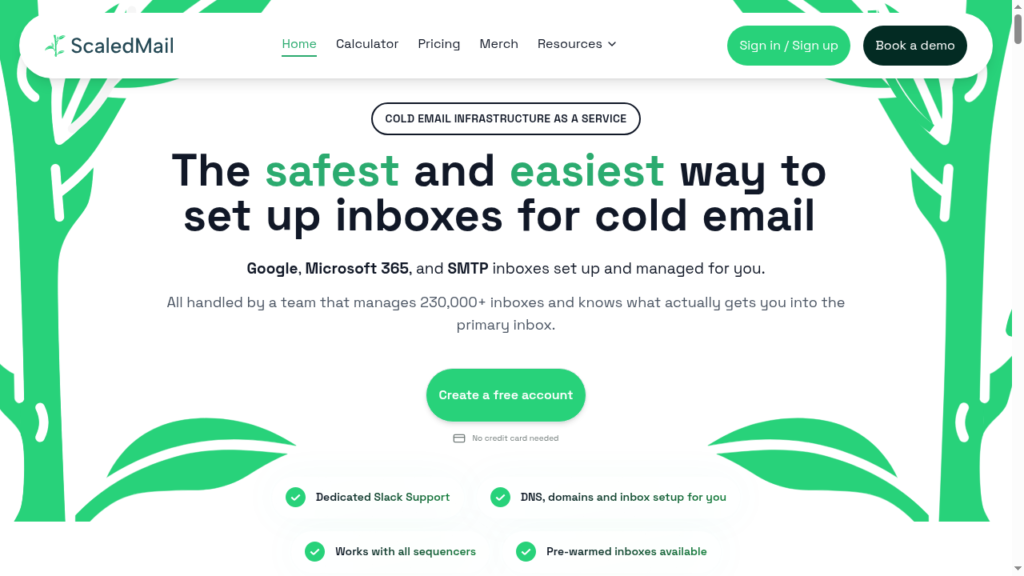
ScaledMail is a cold email inbox provider offering Google, Azure, and SMTP inboxes. It automatically sets up SPF, DKIM, and DMARC, which helps teams start outreach quickly. Reporting costs extra – $2/inbox per month. Warmup is done through your sequencer. Aerosend is the stronger alternative if you want premium warmup, high deliverability, and reply rates.
- Inbox: Google, Azure, and SMTP
- USP: Custom inboxes selection
- Deliverability: Mixed and thin
- Risk: No in-product deliverability analytics
- Starting Plan: Google inboxes priced at $3.50/inbox per month, Azure at $50 per domain (25 inboxes), SMTP at $3.75 per domain
- Support: Dedicated Slack channel from day one

About ScaledMail
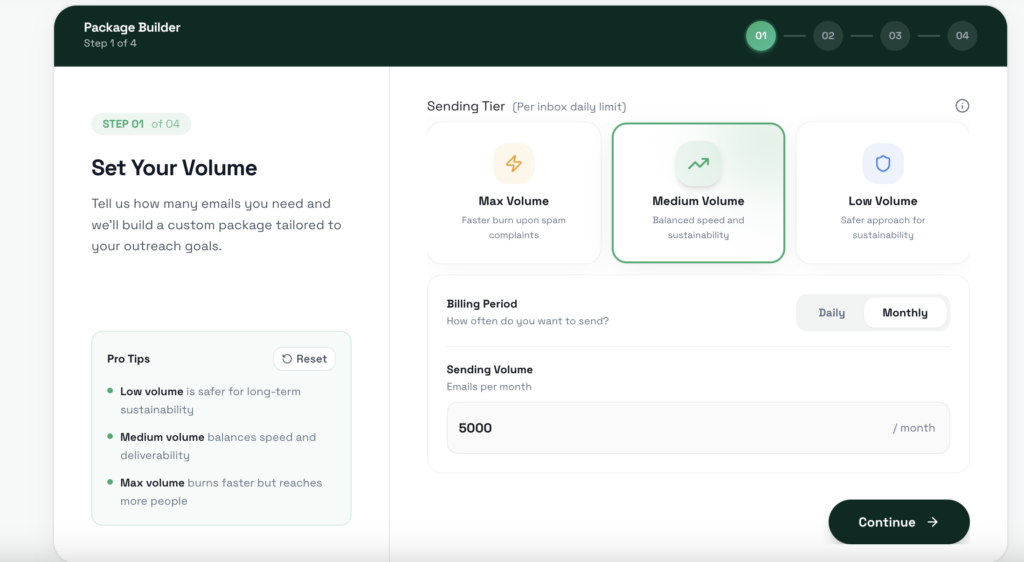
ScaledMail has a very cool feature where you can select what % of emails will be sent from what inbox type. For example, if you want to send cold emails to 5,000 leads, you can mix and match between Google, Azure, and SMTP inboxes.
ScaledMail automatically sets up the domains and configures SPF, DKIM, and DMARC.
Since ScaledMail doesn’t have an in-built warmup, you can warmup through your sequencer.
How ScaledMail Works
ScaledMail Features
Multi-Inbox Provider
ScaledMail offers Google, Azure, and SMTP inboxes. The Google inboxes are sourced from Indian resellers. Only Indian Google inboxes are available at $3.50/inbox. For US Google inboxes, you have to pay atleast $8/inbox. Historically, compared to Google inboxes originating from US, Indian google inboxes have lower deliverability success.
Custom Inbox Selection
You can control the inbox composition and spread the sending across providers. It is the most-stated differentiator across competitor reviews.
Automatic Setup
ScaledMail sets up the domains for you. All you have to do is select the volume and a provider split. The ScaledMail team connects your domains, configures SPF, DKIM, and DMARC, and creates the inboxes. Inbox creation usually takes 2 to 4 business days.
Deliverability Monitoring
ScaledMail includes deliverability monitoring, but there is no published methodology. The reporting is an add-on and costs around $2/inbox.
IP rotation
ScaledMail offers IP rotation, but only for Azure inboxes. The IPs are rotated roughly every 15 days.
Pros
Multi-Provider Mix
ScaledMail lets you run Google, Azure, and SMTP inboxes side by side in one package, with a split you set. Instead of betting everything on one provider, you spread your sending across three, so if one provider type gets flagged, the rest of your campaign keeps moving.
Isolated IPs, Rotation Every 15 Days
ScaledMail provides each client with an isolated Azure setup. With an isolated IP address, you have better control over your deliverability. ScaledMail rotates IP every 15 days to refresh inbox reputation. But Azure’s deliverability rate has received mixed reviews. Therefore, evaluate your options properly before committing.
Automated DNS Setup
ScaledMail connects your domain and registers SPF, DKIM, and DMARC.
Cons
Warmup Is Not Included
Unlike Aerosend, ScaledMail does not have a built-in warmup. You have to run the warmup through your sequencer. If you are not tracking warmup performance actively, this can significantly impact deliverability.
No Analytics
There’s no way to monitor your inboxes as ScaledMail doesn’t provide analytics dashboard. Which means you can’t track inbox placement, bounce rate, or IP health.
Slowest Order Delivery
The order inbox fulfillment takes time. The ScaledMail team takes 2 to 4 business days to set up the inboxes and DNS.
Deliverability Reporting for $2/Inbox
You can include deliverability monitoring with your plan by paying $2/inbox for Google and SMTP, or $5/domain for Azure.
ScaledMail Pricing
| Provider | Price | Inboxes/Domain | Sending Frequency/day | Reporting add-on |
|---|---|---|---|---|
| Google Workspace | $3.50 /inbox | 2-3 | 25 | $2/inbox |
| Azure | $50/domain | 25 | 10 | $5/domain |
| SMTP Server | $3.75/domain | 4 | 10 | $2/inbox |
Each plan includes –
- Domain registration or connection
- Full DNS authentication (SPF, DKIM, DMARC)
- Dedicated Slack support channel
Aerosend: Best Alternative to ScaledMail
ScaledMail offers Google, Azure, and SMTP inboxes. It handles DNS and inbox setup for you.
But the inboxes don’t come with premium warmup; you need a sequencer to warmup. Also, the daily send limits are low, so you need multiple inboxes for higher volumes. Thin reporting and no way to manage domains.
If you want inboxes with deliverability rates, premium warmup, and inbox reputation management, you may prefer an alternative that offers a complete cold email setup.
Aerosend offers a complete cold email infrastructure, which provides –
- Geo-mapped SMTP inboxes (US IPs for US clients, EU IPs for EU clients)
- Dedicated IP for your domains (10 domains/IP)
- Complimentary Premium Warmup using Warmupinbox ($40/inbox)
- Biweekly inbox placement tests
| Compare | ScaledMail | AerosendPrivate infrastructure |
|---|---|---|
| Inbox Available | GoogleAzureSMTPGoogle from Indian resellers; US Google from $8/inbox | Private infrastructureBuilt for cold email, so no Google or Outlook bans |
| Isolation | ~Isolated Azure onlyIsolated Azure setup per client, IPs rotated every 15 days | ✓DedicatedNew isolation every 10 domains / 30 inboxes, never shared |
| Warmup | ✕Not includedRun warmup through your sequencer | ✓Included, ongoingComplimentary premium warmup, matched to who you email |
| Monitoring | ~Paid add-on, unverifiedReporting $2/inbox, or $5/domain on Azure; no published methodology | ✓Six metricsEvery domain scored daily and surfaced to you |
| Deliverability | ✕No placement testingSelf-managed; no analytics dashboard for placement | ✓Our responsibilityBiweekly inbox placement tests, included |
| Domain Burn Alerts | ✕Not offeredNo burn detection listed in the comparison | ✓IncludedBurnt domains flagged within 5 minutes, replaced in one click |
| Pricing | From $3.50/inboxGoogle; Azure $50/domain, SMTP $3.75/domain; reporting extra | $4 / inbox$2 per inbox past 150 · 30 inboxes = $120/mo |
| Ready To Test? | Visit ScaledMail Website ↗ | Try Aerosend For Free |
Price/Mailbox Breakdown (~5,000 emails/day)
| Requirement | ScaledMail | Aerosend |
|---|---|---|
| Inboxes needed | 483 mailboxes / 109 domains (Google – 111, SMTP – 272, Azure – 100) | 200 inboxes |
| Send rate per inbox | Google – 25/day, Azure & SMTP – 10/day | 20-25/day |
| Plan | Mixed – GW $3.50/inbox, SMTP $3.75/domain, Azure $50/domain | Starter banded ($4 first 150, $2 after) |
| Per-inbox rate | $1.75 blended ($3.37 w/ reporting) | $3.50 blended |
| Monthly total | ~$844 base (~$1,630 w/ reporting) | ~$700 all-in |
| Service model | Self-managed | Managed |
ScaledMail Support
Support is available via both Slack and email. You can email ScaledMail support at support {at} scaledmail {dot} com.
At core all inboxes are the same; what distinguishes ScaledMail is the intent to help in every situation. Switching domains, editing users, deliverability analysis, volume up or down, reconnections, all within 24 hours.
Marc Tyler, Trustpilot
The Verdict
After reviewing ScaledMail inbox quality and features, here’s what we conclude:
- ScaledMail provides a multi-inbox setup: Google and Azure Reseller + SMTP.
- DNS setup included
The drawbacks: No built-in warmup; daily caps at 15-25 emails. Require multiple inboxes for scaling. Thin dashboard + reporting.
It is best for agencies that want a managed setup but still want to manage inbox volume.
If you want better deliverability, a higher reply rate, geo-mapped inboxes, and a dedicated IP, Aerosend is the better fit. Aerosend manages your deliverability for you and offers the best solution for your cold email campaigns.
