

“Which one is better? PuzzleInbox or Aerosend?”
In this PuzzleInbox review, I’ve gone through endless reviews + feedback on PuzzleInbox’s inbox quality, setup speed, daily sending limits, warmup criteria, and more.
Key Takeaways
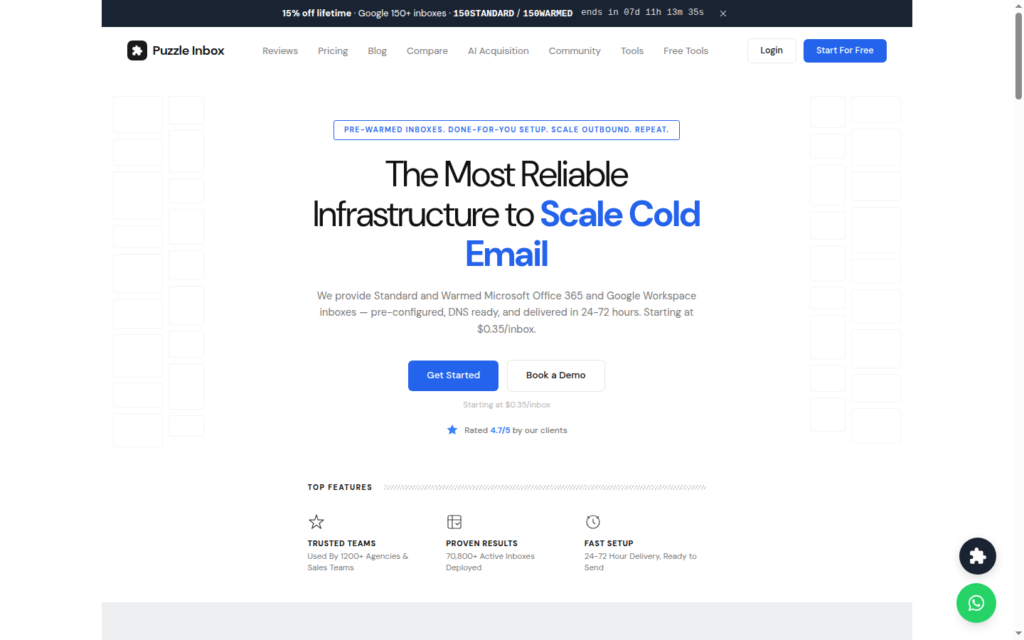
PuzzleInbox is good if you’re new and want to run a small-volume campaign immediately. It resells Google and Azure inboxes for cold email. You can buy pre-warmed Google inboxes for $4.50/inbox. It will automatically set up DNS, and your inbox is ready within 24 to 72 hours.
- Inbox: Reseller of Google and Azure Inboxes
- USP: Pre-warmed inboxes available
- Deliverability: Poor
- Risk: No Deliverability Monitor
- Starting Plan: $3-$4.50/inbox for Google, $0.35-$0.50/inbox for Azure
- Support: Fast. Available on WhatsApp, Email, and Chat; replies typically in 2–10 minutes

About PuzzleInbox
PuzzleInbox is a cold email inbox provider offering Google and Azure inboxes. You can buy both pre-warmed and fresh Google or Azure inboxes.
The inboxes are pre-configured. PuzzleInbox handles SPF, MX, DKIM, and DMARC, and setup takes up to 24-72 hours.
You can easily track inboxes, warmup status, domains, renewals and monthly costs on the dashboard.
The Outlook inboxes they have mentioned on the website are in fact Azure inboxes. Each domain hosts 100 Azure inboxes.
How PuzzleInbox Works
Step 1 – Choose Google or Azure inboxes, either warmed or standard.
Step 2 – During checkout, you can buy new domains or use your own domains (3/inboxes per Google domain).
Step 3 – PuzzleInbox sets up DNS records. The setup will be completed within 24 to 72 hours.
Step 4 – You will receive login details. Connect to your sequencer and start sending.
PuzzleInbox Features
Multi-Inbox Provider
PuzzleInbox resells Google and Azure inboxes. They are sourced from Turkey resellers.
Pre-Warmed Inboxes
You can buy pre-warmed Google and Azure inboxes at $4.50 and $0.50 per inbox. You can skip the usual 2-3 weeks self-warm-up and send instantly.
Warmed inboxes run only on Puzzle-owned .info, .help, or .site domains.
24 to 72 Hours Inbox Delivery
PuzzleInbox sets up inboxes, configures DNS records for domains, and connects them to your sequencer within 24-72 hours.
Single Inbox Dashboard
With a single dashboard, you can order inboxes, track warmup status, monitor your domains and manage renewals, costs and cancellations.
Pros
Google + Azure Inboxes
PuzzleInbox sells both Google and Azure inboxes. They are built specifically for cold email.
Pre-Warmed and Ready
You can buy pre-warmed Google and Azure inboxes from an already-warmed inbox pool. You can send cold emails within days rather than 2-3 weeks with pre-warmed inboxes.
Fast 24-72 Hour Delivery
PuzzleInbox handles domain integrations, configures DNS, and connects inboxes to your sequencer. The send-ready inboxes will be delivered within 24 to 72 hours.
Simple Management Dashboard
You run everything in one place. You can order inboxes, track warmup status, manage domains, and watch renewals and costs with one dashboard.
Cons
Google Inboxes From Turkey Resellers
PuzzleInbox sources inboxes from Turkey Google resellers.
The emails we purchased had extremely poor deliverability, and many were blocklisted the same day, which adversely impacted our campaign performance.
Zarish Bilal, Trustpilot
Low Daily Sending Limits
Each inbox is limited to 12 sends/day on Google and just 3/day from Azure inboxes. So if you want to scale the campaign, you can either raise per-inbox volume at the expense of deliverability or buy more inboxes.
No Warmup Methodology
PuzzleInbox offers pre-warmed inboxes. But the methodology for warming up inboxes is not specified. Therefore, the credibility of pre-warmed inboxes is not defined.
Warmed inboxes run only on Puzzle-owned .info, .help, or .site domains.
PuzzleInbox Pricing
On PuzzleInbox, you pay based on how many inboxes you need for your campaign. They have a per-inbox pricing model. It is billed per month.
| Plan | Price / Inbox | Inboxes / Domain | Daily Send Cap / Inbox | Whose Domain? | Billing |
|---|---|---|---|---|---|
| Google – Standard | $3.00 | 3 | 12/day | Yours (own & keep) | Auto-renew ~29 days |
| Google – Warmed | $4.50 | 3 | 12/day | Puzzle-owned (.info/.help/.site) | Auto-renew ~29 days |
| Azure – Standard | $0.35 | 100 | 3/day | Yours (own & keep) | Auto-renew ~29 days |
| Azure – Warmed | $0.50 | 100 | 3/day | Puzzle-owned (.info/.help/.site) | Auto-renew ~29 days |
To cancel your subscription, earlier you need to WhatsApp them at least 5 days in advance. But now you can cancel your subscription through dashboard.
When I contacted them the very next day after being billed the subsequent month, they refused to issue a refund, stating that cancellations must be made at least 5 days in advance.
Zarish Bilal, Trustpilot
Aerosend: Best PuzzleInbox Alternative
If you want pre-warmed inboxes with minimal setup headache, PuzzleInbox works well.
Aerosend offers private infrastructure inboxes with dedicated IPs. It creates a dedicated server of 10 domains/server, with each domain hosting 3 inboxes.
Each inbox is properly warmed up for 2-3 weeks using the premium warm-up service. Aerosend is designed for high deliverability success.
If you want to scale up, you can buy additional inboxes for $2 per inbox.
It also runs biweekly inbox placement tests and a 5-metric burn detection system. It flags and replaces domains that get flagged.
| Compare | PuzzleInbox | AerosendPrivate infrastructure |
|---|---|---|
| Inbox Available | GoogleAzurePre-warmedOutlook on site is Azure, 100 per domain | Private infrastructureBuilt for cold email, so no Google or Outlook bans |
| Warmup | ~Pre-warmed onlyOne-time pre-delivery warm; ongoing warmup via your sequencer | ✓Included, ongoingComplimentary premium warmup, matched to who you email |
| Monitoring | ✕NoneDashboard tracks warmup status, domains and renewals only | ✓Six metricsEvery domain scored daily and surfaced to you |
| Deliverability | ✕No placement testingStates the IP side is Google's or Microsoft's | ✓Our responsibilityBiweekly inbox placement tests, included |
| Domain Burn Alerts | ✕Not offeredNo burn detection listed in the comparison | ✓IncludedBurnt domains flagged within 5 minutes, replaced in one click |
| Pricing | From $0.35/inboxAzure standard; Google $3.00, warmed $4.50 Google, $0.50 Azure | $4 / inbox$2 per inbox past 150 · 30 inboxes = $120/mo |
| Ready To Test? | Visit PuzzleInbox Website ↗ | Try Aerosend For Free |
Price/Mailbox Breakdown (~5,000 emails/day)
| Requirements | PuzzleInbox | Aerosend |
|---|---|---|
| Inboxes needed | ~417 (Google, 12/day each) | 200 |
| Send rate per inbox | 12/day (Google) | 20-25/day |
| Plan | Google Warmed, $4.50/inbox | Starter to Growth (banded) |
| Per-inbox rate | $4.50 | $3.50 (blended) |
| Monthly total | ~$1,877/mo | ~$700 |
| Service model | Self-managed | Managed |
PuzzleInbox Support
Support runs on three channels: WhatsApp, email, and chat.
WhatsApp – +44 7769 791479
Email – info {at} puzzleinbox {dot} com
The Verdict
If you’re starting out fresh and want to test at a small volume, PuzzleInbox is the fine choice for you. They’ll configure everything for you – from domains, inboxes, DNS setup, sequencer integration, etc.
But the only drawback is that, their warmup methodology is not defined. Although your inboxes might work fine in the first few weeks, but without proper warmup, the deliverability rate declines.
On the contrary, Aerosend takes full responsibility for your deliverability. It offers the complete infrastructure which is designed to offer better deliverability and reply rate. It follows best practices for setting up inboxes, warmup, and managing your deliverability.
And I, Namit, will be available 24/7 over WhatsApp/Slack/Chat. If anything goes awry, I’ll be here to unblock you.
