

For good inbox placement, you need Google inboxes. But in isolation, it might not work. You need a proper setup – isolated IPs, a dedicated workspace, admin-level access, warmup, monitoring, etc.
PureMail only offers Google and Microsoft accounts sourced from official resellers. There is no warmup or monitoring.
Key Takeaways
Cheap, genuine Google and Microsoft inboxes sourced from official resellers. The infrastructure is very thin, with no inbox-placement monitoring, warmup, or burn detection.
- Inbox: Google and Microsoft accounts sourced from official resellers
- USP: Inbox provisioning in under ~4 hours
- Deliverability: Thin
- Risk: No warmup or monitoring
- Starting Plan: $3.3/inbox/mo
- Support: Email-only; priority setup is gated behind the Enterprise plan

About PureMail
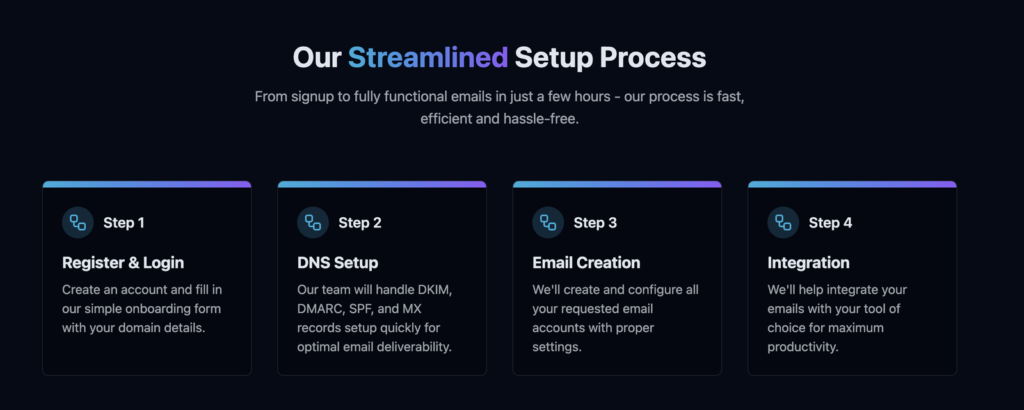
PureMail offers Google and Microsoft inboxes for cold outreach. It sources inboxes from official resellers. Although the IP is US-based, the account origin is unknown. The setup is automated and quick, and your emails are ready for integration in under 4 hours.
But the downside is – there is no warmup, monitoring, or domain burn alerts. So the only way to know that your domains are burnt is when the reply rates dry up.
And if that happens, the only way to reach the PureMail team is through email. There is no WhatsApp, in-app, or dedicated support channel. Also, there is no social presence, as all the social links on the website lead only to the website homepage.
How PureMail Works

PureMail Features
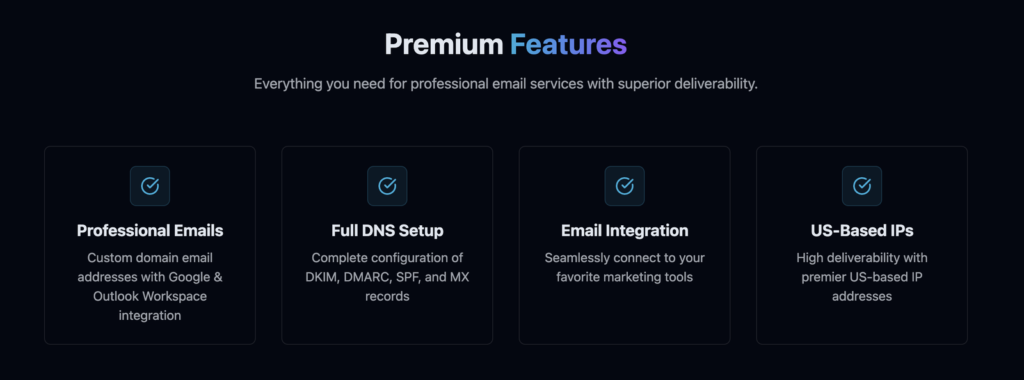
Google & Microsoft Reseller Inboxes
Genuine Google and Microsoft accounts on US IPs sourced from official resellers. The origin of accounts is unknown.
Done-for-You DNS & Fast Setup
PureMail handles DKIM, DMARC, SPF, and MX configuration. Your accounts are ready for cold outreach in under ~4 hours.
Storage/Inbox
PureMail offers storage with every Google and Microsoft account comes with storage. The storage varies based on tier.
Pros
Genuine Google and Microsoft Accounts
PureMail offers real Google and Microsoft accounts. They are sourced from official resellers.
Genuinely Cheap Sticker Price
$3.3/inbox for Google and Microsoft inboxes is genuinely low. It gets even cheaper at scale.
“They’ve given us mailboxes at a fraction of the cost of going direct”
Ryan Lecour, Trustpilot
Done-for-You Setup, Fast
They configure the DNS and provision the accounts within ~4 hours.
“I got my infrastructure ready in 5 hours”
Noah S., G2
Cons
Account Origin is Not Verified
The inboxes are sourced from official Google and Microsoft resellers, but the origin of inboxes is unknown.
No Inbox Monitoring or Burn Detection
Nothing on the official PureMail site or in the terms indicates inbox-placement monitoring, burn detection, or reply-rate tracking. You need external tools to monitor per-domain reply rate, inbox-placement, and warmup reputation.
No Control, Hostage to the Platform
Google runs periodic reseller takedowns, and when they do, resold accounts can go with them. Therefore, it is important to buy official accounts or invest in cold email service providers that manage deliverability for you, like Aerosend.
Advertised $1.5 Price Does Not Exist
The page title advertises “$1.5 per inbox per month”. But the hero badge says “$2.9”. Different pricing, but the actual price/inbox is $3.1 to $3.3, billed monthly. If you want to scale to 101 inboxes, then each inbox will cost you $2.9/inbox/mo.
PureMail Pricing
| Plan | Price/Inbox/mo | Inboxes | Storage | Includes |
|---|---|---|---|---|
| Basic | $3.3 | 10 | 15GB | Mobile+web, spam protection, Email forwarding |
| Business (Most Popular) | $3.1 | 30+ | 30GB | Everything in basic + priority support, shared address books |
| Enterprise | $2.9 | 101+ | Unlimited | 24/7 priority support, admin control |
Aerosend: Best PureMail Alternative
PureMail offers official Google or Microsoft accounts, sourced from resellers. Although the IP is US-based, but the origin of accounts is unknown. Historically, Indian-origin Google accounts have a lower inbox placement rate than US-based Google accounts. The setup is quick, but key features are missing, such as warmup and monitoring, which are important for good inbox placement.
Aerosend owns its infrastructure instead of reselling someone else’s. Because owning the infra is what makes taking responsibility for the outcome structurally possible. We isolate: new isolation every 10 domains or 30 inboxes, never shared. We run burn detection and biweekly inbox-placement tests, and we monitor per-domain reply rate. Warmup is included.
A reseller cannot do any of that, and not because it does not want to. It cannot, because it doesn’t control the accounts or the infrastructure they run on. That is a structural difference, not a marketing one.
Here’s the brief comparison between PureMail and Aerosend:
| Compare | PureMail | AerosendPrivate infrastructure |
|---|---|---|
| Inbox Available | GoogleMicrosoftOfficial reseller accounts on US IPs; origin unknown | Private infrastructureBuilt for cold email, so no Google or Outlook bans |
| Isolation | ✕None disclosedResold accounts on a US IP pool | ✓DedicatedNew isolation every 10 domains / 30 inboxes, never shared |
| Warmup | ✕Not includedYou run warmup yourself | ✓Included, ongoingComplimentary premium warmup, matched to who you email |
| Monitoring | ✕Not includedExternal tools needed for reply rate and placement | ✓Six metricsEvery domain scored daily and surfaced to you |
| Deliverability | ✕Not includedNo inbox placement testing; deliverability is on you | ✓Our responsibilityBiweekly inbox placement tests, included |
| Domain Burn Alerts | ✕Not offeredBurn shows up only when replies dry up | ✓IncludedBurnt domains flagged within 5 minutes, replaced in one click |
| Pricing | $3.3/inbox/moBasic, 10 inboxes; $2.9 at 101+; site advertises $1.5 | $4 / inbox$2 per inbox past 150 · 30 inboxes = $120/mo |
| Ready To Test? | Visit PureMail Website ↗ | Try Aerosend For Free |
Price/Mailbox Breakdown (~5,000 emails/day)
| Requirements | PureMail | Aerosend |
|---|---|---|
| Inbox Required | 250 | 200 |
| Daily Sending Limit/Inbox | ~15-20/day | ~20-25/day |
| Plan | Enterprise | $4/inbox for first 150, then $2 |
| Price/Inbox | $2.9 | $3.50 (blended) |
| Total Monthly Cost | ~$720 | ~$700 |
PureMail Support
The support is only accessible via email. You can contact PureMail support at support {at} puremail {dot} ai
The Verdict
If you only need Google and Microsoft accounts and can manage warmup and monitoring on your own, then PureMail is the right fit for you.
But if you want the complete setup – dedicated IPs, logical inbox/domain ratio, premium warmup and monitoring to manage your campaigns, then Aerosend is the right fit for you.
