

Most cold emailers know the importance of diversification. If Microsoft inboxes are not working properly, you can always rely on other infrastructure such as Google and shared infra to keep your campaign running.
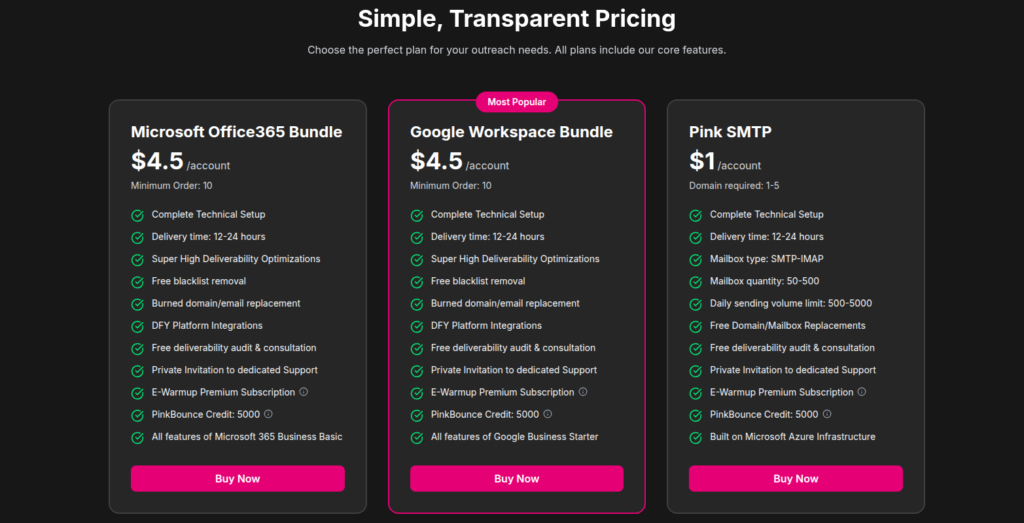
Unlike others, PinkMail is a multi-inbox provider that offers Google, Microsoft, and shared infrastructure. These inboxes are billed monthly for $4.50/inbox, with a minimum order of 10 accounts.
It also offers the shared infrastructure for $1/inbox with a minimum order of 50 inboxes.
This PinkMail review covers the complete cold outreach setup, insights into advanced AI warmup, domain replacement and much more.
Key Takeaways
PinkMail is a multi-inbox cold outreach provider offering Google, Microsoft, and shared infrastructure. Inboxes are billed monthly for $4.5/inbox and comes with one-time 30-day warmup. The setup takes time, ~12-24 hours and deliverability received mixed reviews.
- Inbox: Google, Microsoft, and shared infrastructure
- USP: One-time warmup
- Deliverability: Mixed Reviews
- Risk: No burn detection or deliverability monitoring
- Starting Price: $4.50/inbox for Google/Microsoft, and $1 for Shared Infrastructure
- Support: Email support only

About PinkMail
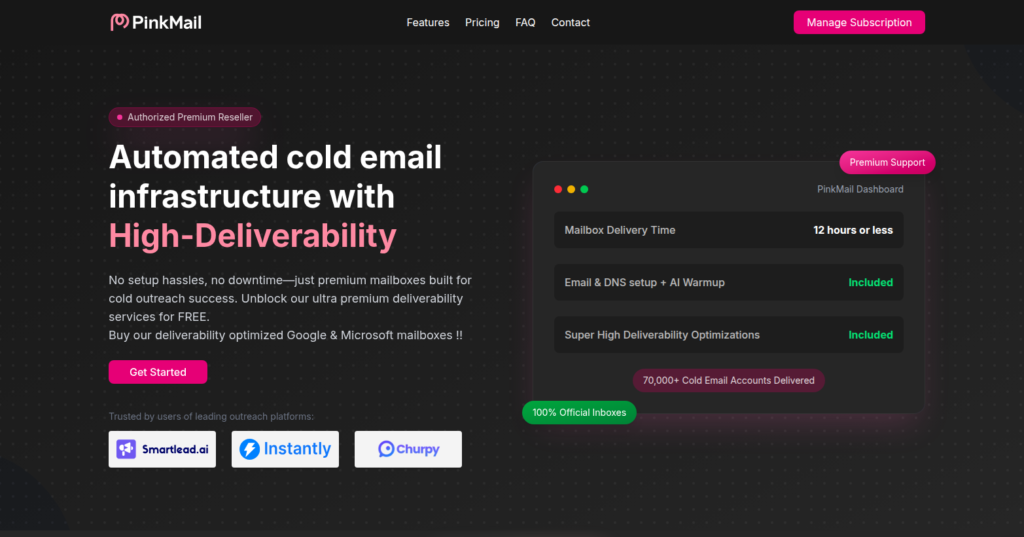
PinkMail is a multi-inbox provider offering Google and Microsoft inboxes for $4.50/inbox. It also provides shared infrastructure for $1/inbox.
The setup is automated, but it takes 12-24 hours to prepare inboxes for integration.
A minimum order of 10 Google and Microsoft inboxes is billed monthly at $45. It includes a 30-day warmup for precise deliverability. The downside: you can start sending cold emails only in the second month.
You can replace burned domain/emails, get on a deliverability audit & consultation with PinkMail team and get access to dedicated support.
How PinkMail Works
PinkMail Features
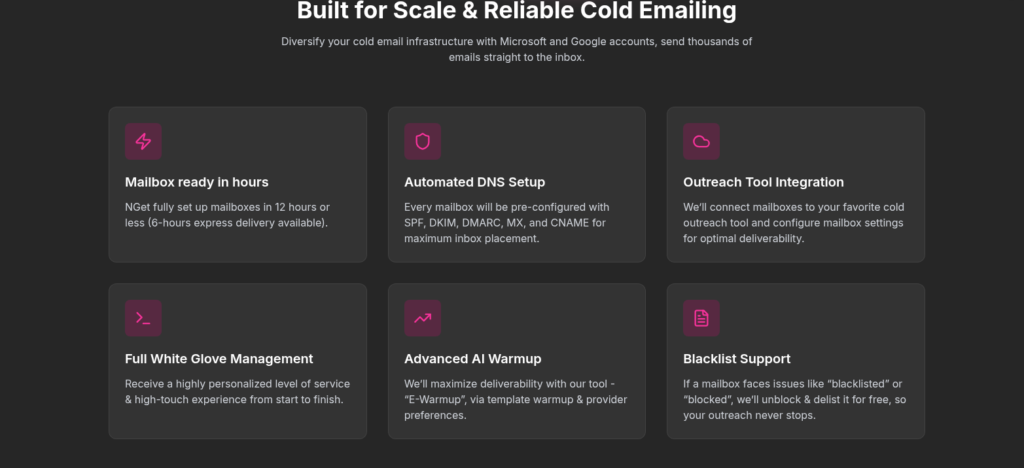
Multi-Inbox Provider
PinkMail offers Google, Microsoft, and shared infrastructure inboxes, which is good, as it lets you diversify your campaigns.
30-Day Warmup
PinkMail includes a 30-day warmup for Google and Microsoft inboxes. But you have to wait 30 days before you can start sending cold emails.
Advanced AI warmup
The inboxes are warmed up with premium subscription – E-Warmup, for 30 days. It is a one-time warmup designed to improve deliverability.
Free Deliverability Audit & Consultation
You can get on a call with PinkMail team and get free deliverability audit and consultation to course-correct your cold outreach campaign.
Pros
Multiple Inbox Provider
PinkMail offers Google, Microsoft, and shared infrastructure. Having all three options can help you diversify your campaign.
30-Day Warmup
PinkMail offers Advanced AI warmup for 30 days at no extra cost for Google and Microsoft inboxes. It is a one-time warmup which is done in the 1st month. You can start sending cold emails from the 2nd month.
Burned domain/email replacement
You can easily replace burned domains and emails on PinkMail.
Cons
No Deliverability Monitoring or Burn Detection
PinkMail doesn’t show any system for monitoring domain health, inbox placement, or burn detection. That means you can only know there is a problem after your emails start performing poorly.
Origin Unknown for Google and Microsoft Inboxes
PinkMail does not specify where its Google and Microsoft accounts come from. The $4.50 price may suggest they are sourced from official Google and Microsoft resellers.
Warmup Stops After 30 Days
PinkMail includes a 30-day warmup period, which means you have to wait for one month before you can send email. It is not an ongoing warmup so after 30 days you have to manage your warmup by yourself. Also the credibility of Advanced AI warmup is not known since the methodology is not defined on the website.
PinkMail Pricing
| Inbox Type | Inboxes | Price/Inbox | Total Cost |
|---|---|---|---|
| 10 minimum | $4.50 | $45 | |
| Microsoft | 10 minimum | $4.50 | $45 |
| Shared Infrastructure | 50-500 | $1 | $50-$500 |
Note: The inboxes are billed monthly.
Aerosend: Best PinkMail Alternative
PinkMail offers Google, Microsoft, and Shared Infrastructure, and handles setup for you. The inboxes are billed monthly for $4.50 for Google and Microsoft inboxes, and includes a 30-day warmup.
The downside – It doesn’t offer deliverability monitoring or burn detection. Therefore, after 30 days, you have to manage your deliverability on your own.
On the other hand, Aerosend provides a dedicated infrastructure designed for the best deliverability success. Each server starts fresh with a dedicated IP, so it does not share its sending history with others.
We also monitor your domains, provide ongoing warmup, and check inbox placement biweekly.
Here is the brief comparison of PinkMail and Aerosend –
| Compare | PinkMail | AerosendPrivate infrastructure |
|---|---|---|
| Inbox Available | GoogleMicrosoftShared infraShared infra sold at 50-inbox minimum | Private infrastructureBuilt for cold email, so no Google or Outlook bans |
| Isolation | ✕Not definedNo isolation or inbox ratio stated | ✓DedicatedNew isolation every 10 domains / 30 inboxes, never shared |
| Warmup | ~30-day onlyOne-time warmup; first month cannot send | ✓Included, ongoingComplimentary premium warmup, matched to who you email |
| Monitoring | ✕Not offeredNo domain health or placement monitoring shown | ✓Six metricsEvery domain scored daily and surfaced to you |
| Deliverability | ~Free audit call onlyOne-off audit and consultation; no placement testing | ✓Our responsibilityBiweekly inbox placement tests, included |
| Domain Burn Alerts | ✕Not offeredBurned domains can be replaced, but not detected | ✓IncludedBurnt domains flagged within 5 minutes, replaced in one click |
| Pricing | $4.50/inboxGoogle/Microsoft, 10 minimum, monthly; shared infra $1/inbox | $4 / inbox$2 per inbox past 150 · 30 inboxes = $120/mo |
| Ready To Test? | Visit PinkMail Website ↗ | Try Aerosend For Free |
Price/Mailbox Breakdown (~5,000 emails/day)
| Requirements | PinkMail | Aerosend |
|---|---|---|
| Mailboxes needed | ~250 | 200 |
| Send rate per mailbox | ~20/day (safe Google band) | 20-25/day |
| Plan | Google at $4.50/account (250 accounts) | Blended ($4/inbox for the first 150, $2.50/inbox after) |
| Monthly total | ~$1,125/mo | ~$700 |
| Service model | Self-managed | Managed |
PinkMail Support
You can reach out to PinkMail support on support@pinkmail.io
On the website, PinkMail mentioned “Private Invitation to dedicated Support”, but there’s no receipt on TrustPilot or G2.
The Verdict
PinkMail is good for small teams who are looking to test whether diversifying the campaigns can help their deliverability or not. The inboxes are setup for you and includes 30-day warmup. It is the best beginner setup for testing the hypothesis.
But if you’re looking to diversify the campaign at scale, then you should opt for Aerosend. It handles everything for you – setup, inbox integration, warmup, monitoring, etc.
To know how you can improve your deliverability, schedule a call now with Namit, Smartlead Hall of Famer and Co-Founder at Aerosend.
