




Every infrastructure provider now sells you isolation – dedicated tenant, pool, or IP.
Most providers just say their setup is “isolated” without explaining what that actually means.
NudoInfra claims that it isolates one Azure tenant per domain. But is that all you need to have good deliverability?
In this NudoInfra review, I’ll break down what that isolation buys you and highlight the tool’s pros and cons.
Key Takeaways
NudoInfra offers Azure inboxes with one Azure tenant per domain. The setup is automated and takes 90 seconds to set up each inbox. But the warmup methodology is undefined, per-mailbox sending limits are not published, and there is no burn detection or inbox placement testing included.
- Inbox: Azure
- USP: One Azure tenant per domain
- Deliverability: Thin
- Risk: No monitoring, burn alerts, or placement tests
- Starting Plan: $1.50/inbox/mo (50 inbox minimum at $75/mo)
- Support: Help Center + email; Dedicated AM on the Volume tier
About NudoInfra
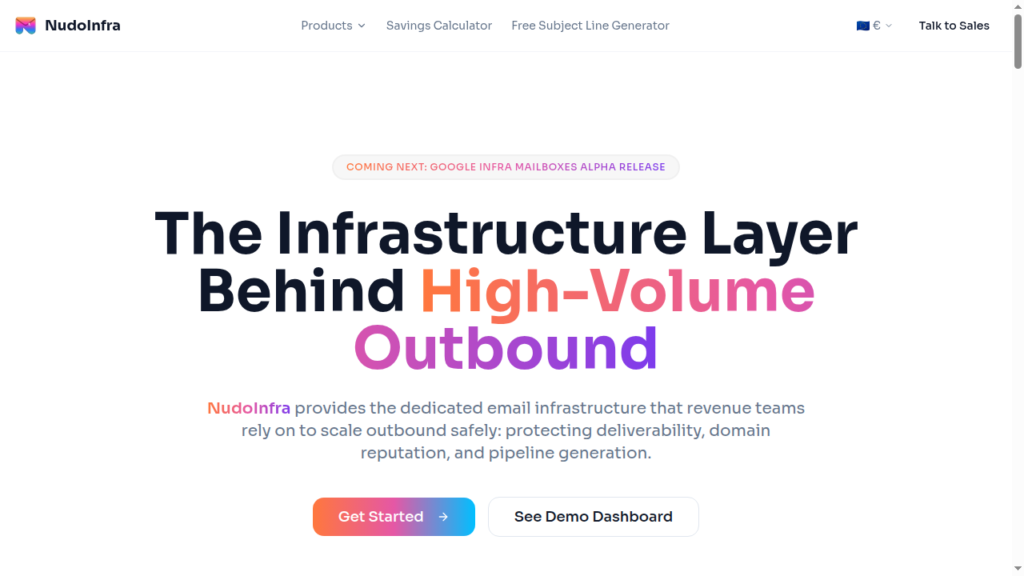
NudoInfra is a cold email inbox provider offering Azure inboxes. The starting price is $1.50/inbox with a minimum order of 50 inboxes.
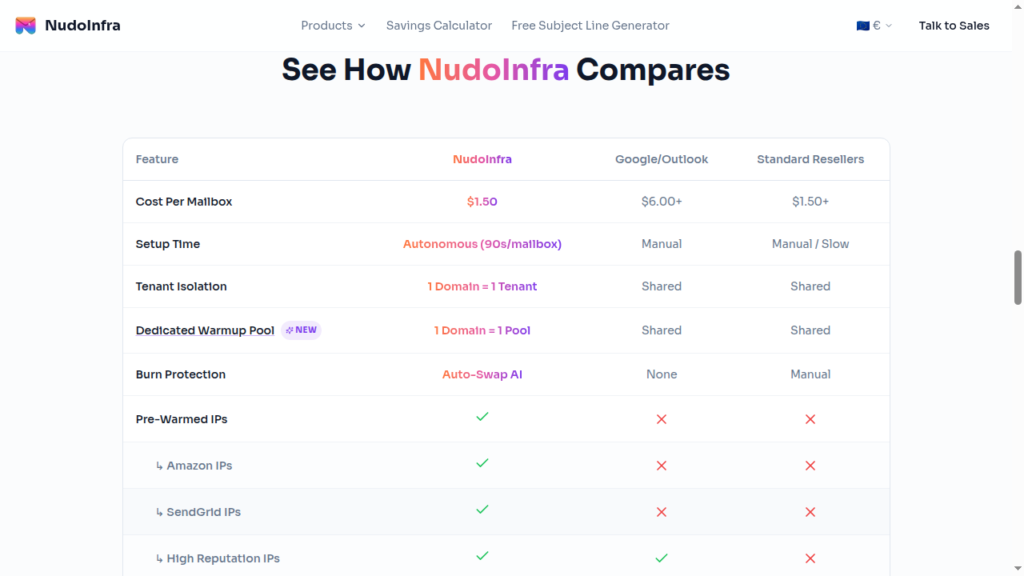
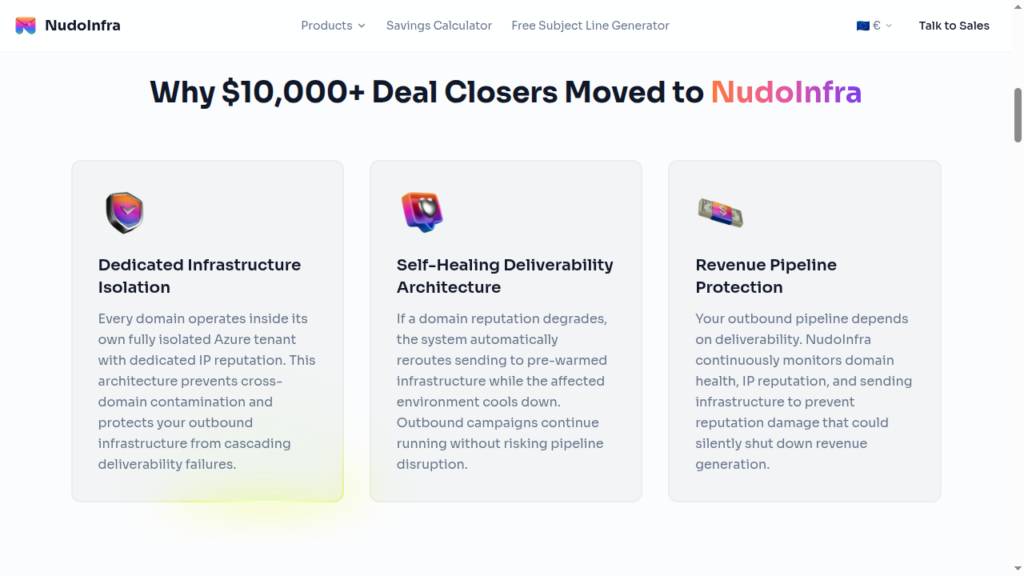
It claims to provide dedicated infrastructure isolation, meaning 1 Domain = 1 Tenant. Every domain you buy gets its own Azure tenant, so if anything happens to one domain, the risk won’t spread to your other domain.
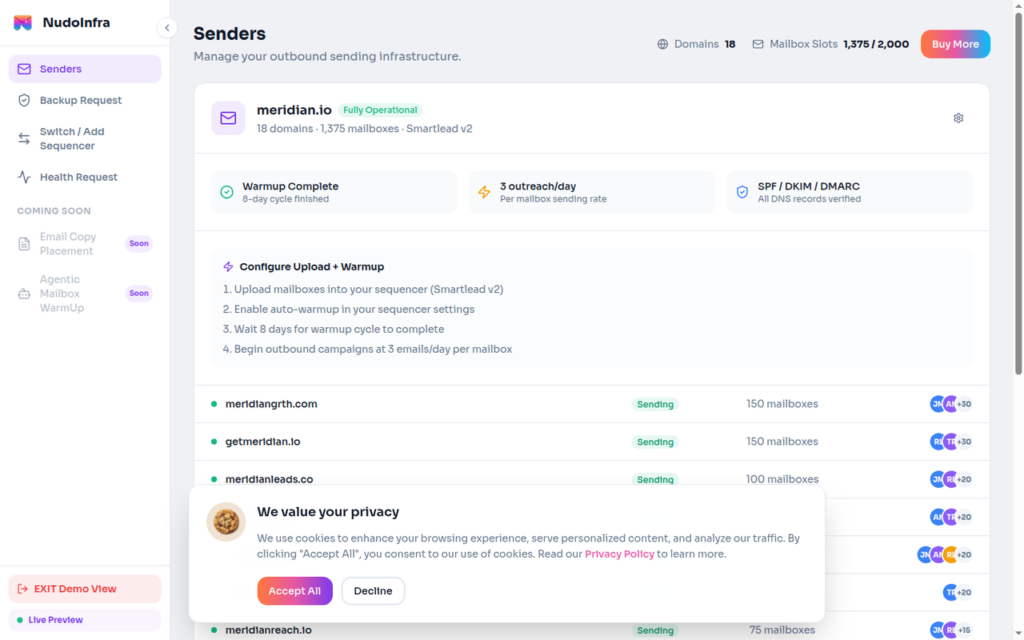
They handle the setup for you, and it is super fast. NudoInfra provisions per inbox in 90 seconds and integrates with your sequencer.
On the official website, NudoInfra advertises a dedicated warmup pool per domain but doesn’t publish the pool composition, the ramp schedule, or the criteria behind it.
Also, it does not include monitoring, burn alerts, or inbox placement tests. So, your deliverability is in your hands.
How NudoInfra Works
NudoInfra Features
Azure Tenant Isolation
NudoInfra puts a domain in its own Azure tenant, i.e., one domain to one tenant. Azure restricts sending at the tenant level, so one flagged domain won’t affect the overall campaign’s deliverability.
Dedicated Warmup Pool
Each domain gets its own warmup pool, never shared with another domain. But the pool size, ramp schedule, and readiness criteria are not published.
One thing to notice, though – if the warmup pool consists of your own inboxes and nothing else, you’re basically warming up with your own inboxes. It won’t help in building sender reputation.
AI-Driven IP Rotation
NudoInfra rotates your sending IPs every 14 days to keep your sending reputation fresh. In contrast, reputation is built by sending consistently from a stable identity, and a fixed 14-day cycle means you never keep one long enough to build it.
Auto-Swap AI and 24/7 Monitoring
When a domain’s reputation degrades, Auto-Swap AI slows down the outreach and reroutes to pre-warmed infrastructure. It is useful to keep the campaign running when a domain goes bad. But again, the methodology is not defined.
Pros
One Domain Per Tenant
NudoInfra isolates one Azure tenant in one domain. So your inboxes won’t get contaminated by other senders with a bad reputation. Means other senders’ reputation will not affect you.
Fast, Automated Provisioning
NudoInfra sets up SPF, DKIM, and DMARC authentication for you across every domain at provisioning. They configure your inboxes in about 90 seconds per inbox.
Cons
No Deliverability Monitoring
There is no burn detection, no inbox placement testing, and no per-domain reputation reporting. They say they provide “24/7 AI monitoring”, but no metrics are published.
Warmup Criteria Not Defined
A dedicated warmup pool per domain is advertised, but the pool composition, ramp schedule, daily volumes, and criteria are not published. You cannot assess warmup quality before you buy, and warmup quality is most of what determines whether your emails land in the inbox.
Sending Limits Not Published
There is no published per-inbox daily sending limit. You can A/B test which sending limit offers you higher deliverability success.
NudoInfra Pricing
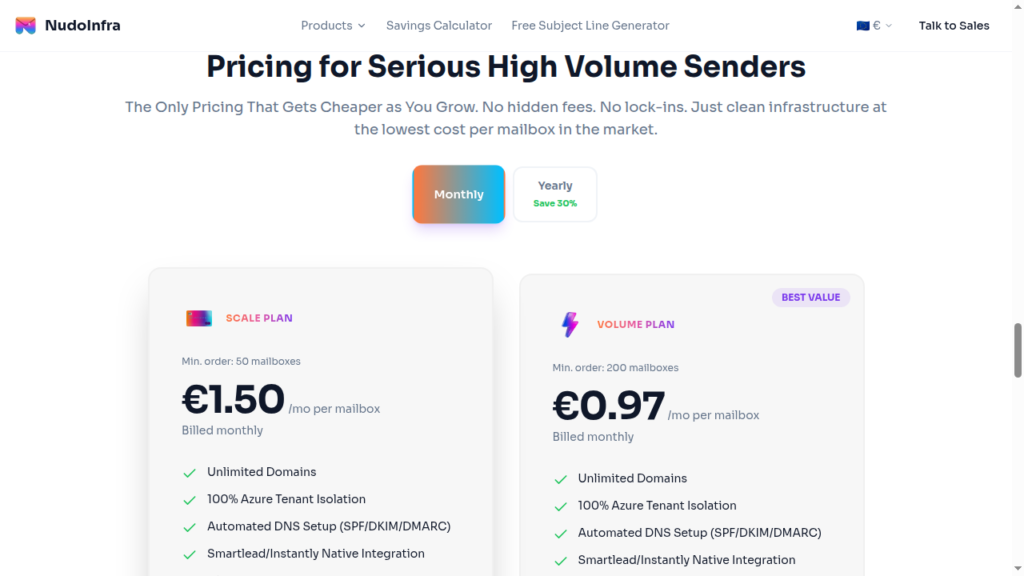
| Plan | Price Inbox | Minimum Order | Billed | Total Amount |
|---|---|---|---|---|
| Scale | $1.50 | 50 inboxes | Monthly | $75 |
| Scale | $1.05 | 50 inboxes | Yearly | $630 |
| Volume | $0.97 | 200 inboxes | Monthly | $194 |
| Volume | $0.68 | 200 inboxes | Yearly | $1632 |
Scale$1.50
- Price Inbox
- $1.50
- Minimum Order
- 50 inboxes
- Billed
- Monthly
- Total Amount
- $75
Scale$1.05
- Price Inbox
- $1.05
- Minimum Order
- 50 inboxes
- Billed
- Yearly
- Total Amount
- $630
Volume$0.97
- Price Inbox
- $0.97
- Minimum Order
- 200 inboxes
- Billed
- Monthly
- Total Amount
- $194
Volume$0.68
- Price Inbox
- $0.68
- Minimum Order
- 200 inboxes
- Billed
- Yearly
- Total Amount
- $1632
Aerosend: Best NudoInfra Alternative
NudoInfra offers Azure inboxes in isolated tenants. It configures your DNS, and then hands the inboxes ready to connect to your sequencer.
But once your campaign is running, you will be responsible for your own deliverability. As they don’t provide:
- Burn detection
- Placement testing
- Published warmup methodology to judge
So you’re only paying for tenant-level isolation, and the rest falls on you.
But with Aerosend you get dedicated infrastructure built for high deliverability success. It offers dedicated IPs for cold outreach and properly warms up your inboxes for 2-3 weeks.
Here is a brief comparison between NudoInfra and Aerosend:
| Compare | NudoInfra | AerosendPrivate infrastructure |
|---|---|---|
| Inbox Available | AzureOne Azure tenant per domain, unlimited domains, bring your own allowed | Private infrastructureBuilt for cold email, so no Google or Outlook bans |
| Isolation | ~1 domain = 1 tenant (claimed)Tenant-level isolation is real on Azure, but the claim is not independently verifiable | ✓DedicatedNew isolation every 10 domains / 30 inboxes, never shared |
| Warmup | ~Pool claimed, criteria undefinedPool composition, ramp schedule and readiness criteria are not published | ✓Included, ongoingComplimentary premium warmup, matched to who you email |
| Monitoring | ✕Claimed, no metrics24/7 AI monitoring is advertised but nothing is published or reported to you | ✓Six metricsEvery domain scored daily and surfaced to you |
| Deliverability | ✕No placement testingNo per-domain reputation reporting, and no published sending limit to plan against | ✓Our responsibilityBiweekly inbox placement tests, included |
| Domain Burn Alerts | ~Auto-Swap AI (unverifiable)Reroutes to pre-warmed infrastructure when a domain degrades, but the methodology is not defined | ✓IncludedBurnt domains flagged within 5 minutes, replaced in one click |
| Pricing | From $1.50 / mailbox50-mailbox minimum ($75/mo); $0.97 at 200 mailboxes; cheaper billed yearly | $4 / inbox$2 per inbox past 150 · 30 inboxes = $120/mo |
| Ready To Test? | Visit NudoInfra Website ↗ | Try Aerosend For Free |
Price/Mailbox Breakdown (~5,000 emails/day)
| Requirement | NudoInfra | Aerosend |
|---|---|---|
| Inboxes Required | ~1,000 | 200 |
| Send Rate/Inbox | ~5 | ~20-25/day |
| Plan | Volume Plan – $0.97 Minimum Order – 200 inboxes | $4/inbox for first 150, then $2 |
| Per-Inbox Cost | $0.97 | $3.50 (blended) |
| Total Monthly Cost | ~$970/mo (inboxes only) | ~$700 |
NudoInfra Support
NudoInfra provides support through a Help Center and email at hello@nudoinfra.com.
It claims to provide a Dedicated Account Manager and Priority Infrastructure Support, but is gated behind a 200-mailbox commitment.
However, it doesn’t publish response time or stated coverage hours. Also, there are no G2 or Trustpilot reviews. So their support quality is unknown.
The Verdict
If you want a properly isolated setup – one domain per Azure tenant – NudoInfra is a better choice. The setup is ultra quick as well.
But once your inboxes are live, you are mostly on your own:
- No inbox placement tests
- No burn alerts
- No ongoing warmup
- No clear sending limits
So, you get well-isolated inboxes, but you still have to manage their reputation yourself.
But if you want the provider to handle your deliverability, Aerosend is a far better option for you. The setup includes – dedicated IPs + published inbox/domain ratio + warmed up for 2-3 weeks using WarmupInbox + regular monitoring and much more.
