







Mailpool is a cold-email inbox provider offering Google, Microsoft, and private infrastructure. I’ve gone through 40+ reviews on Reddit + G2 + Trustpilot, and tested the product. In this unbiased Mailpool review, here’s my analysis on their inboxes quality, dedicated IPs, and more. In this review I’ll explain –
- The good (Dedicated IP),
- The bad (India-origin accounts), and
- The ugly (extra cost of domain setup).
Key Takeaways
If you want to run big cold email campaigns, and target 5,000 leads, you need 100+ inboxes. By diversifying across different kinds of inboxes, you make sure that you are not putting all your eggs in one basket. It offers Google, Microsoft, and SMTP inboxes.
- Inbox: Private Infrastructure, Google Reseller and Microsoft
- USP: Quick Setup and Integration with Sequencer
- Deliverability: Mixed Reviews
- Risk: Undisclosed account origin and no deliverability monitoring
- Starting Plan: $3 per inbox ($4 Google, $5 Microsoft). Paid monthly
- Support: Very Good
About Mailpool
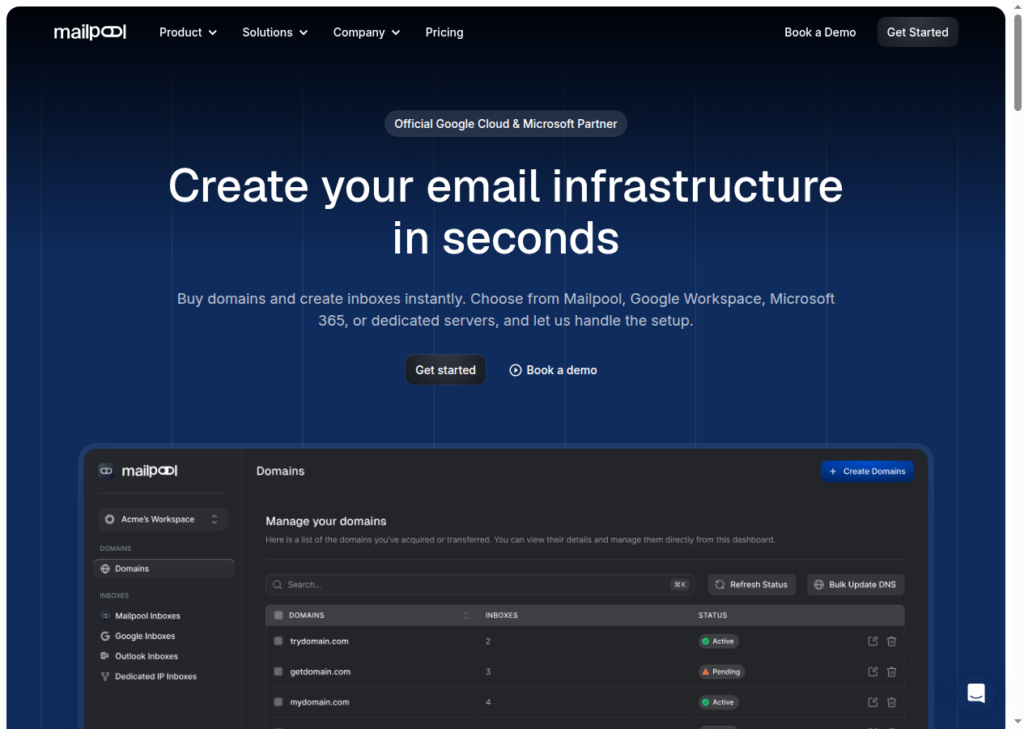
Mailpool is a cold email inbox service provider that offers
- Google Workspace
- Microsoft 365
- Shared Pool (SMTP)
- Dedicated IP
The source of Google and Microsoft inboxes is not transparent. They are likely purchasing those inboxes from other resellers.
Mailpool also offers private infrastructure with dedicated IP, but the isolation breakdown is not public. You will never be sure how many inboxes you can/should host on the server.
Mailpool offers “Complete Deliverability Audit” to continuously monitor your spam rate on 250 checkpoints. However, the criteria are not public and 250 is a highly inflated number.
How Mailpool Works
Mailpool Features
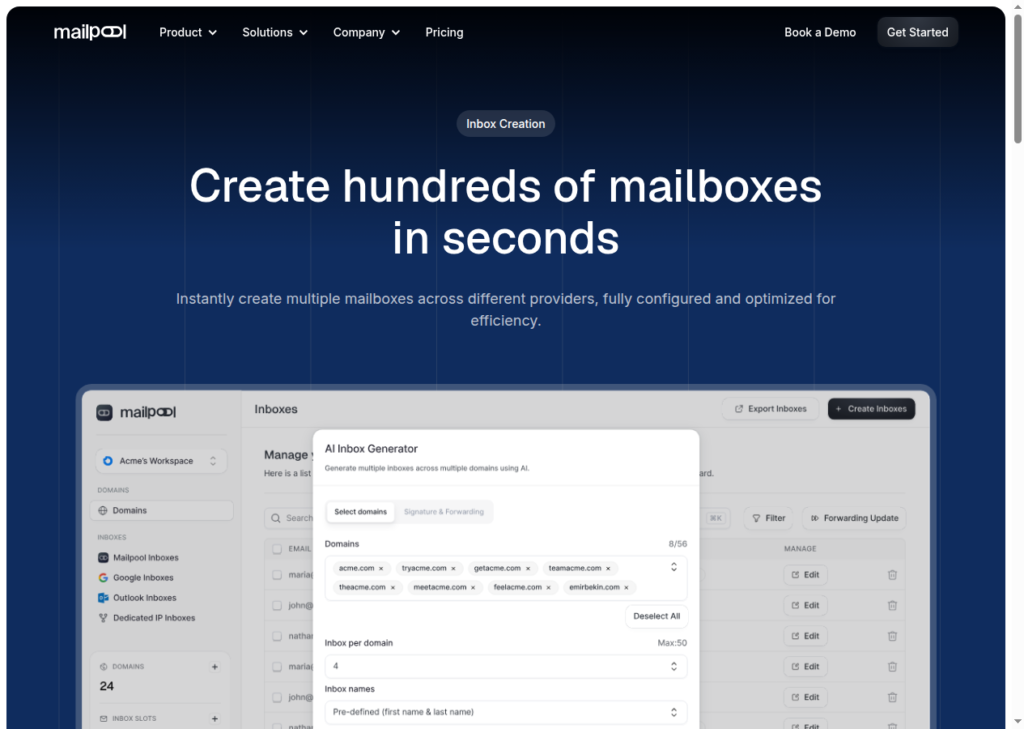
Multiple Inboxes Provider
On Mailpool, you can buy Google, Microsoft and shared SMTP inboxes.
Buy Domains for You
You can buy domains directly from Mailpool. They have an auto-suggester that takes your names and recommends similar available domains.
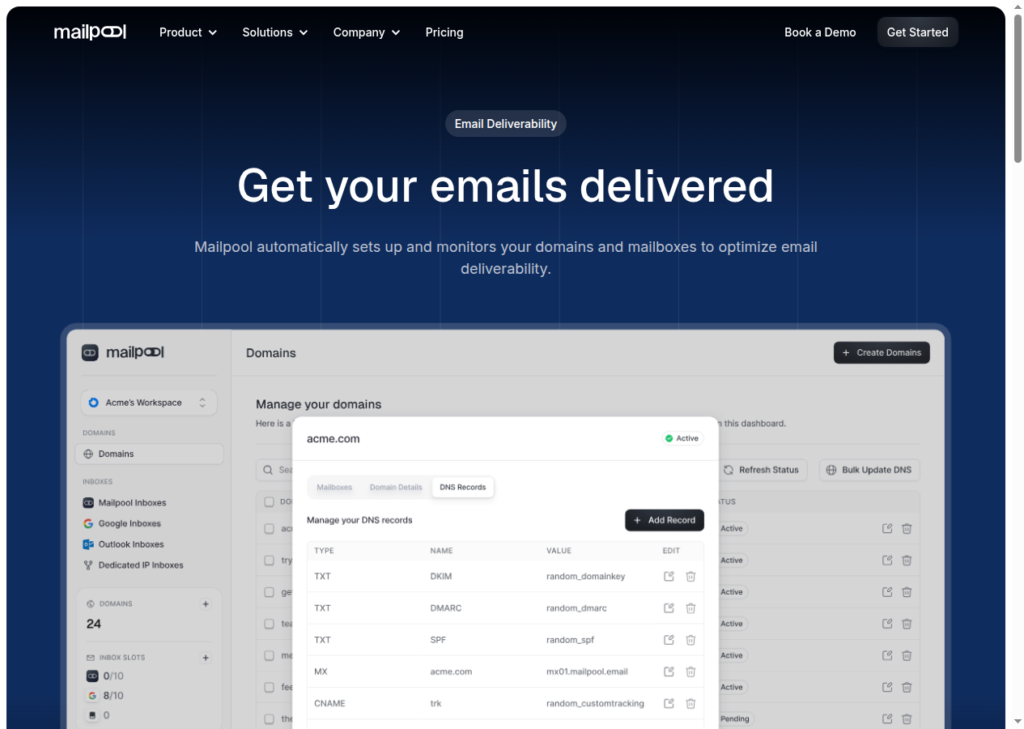
Deliverability Monitoring
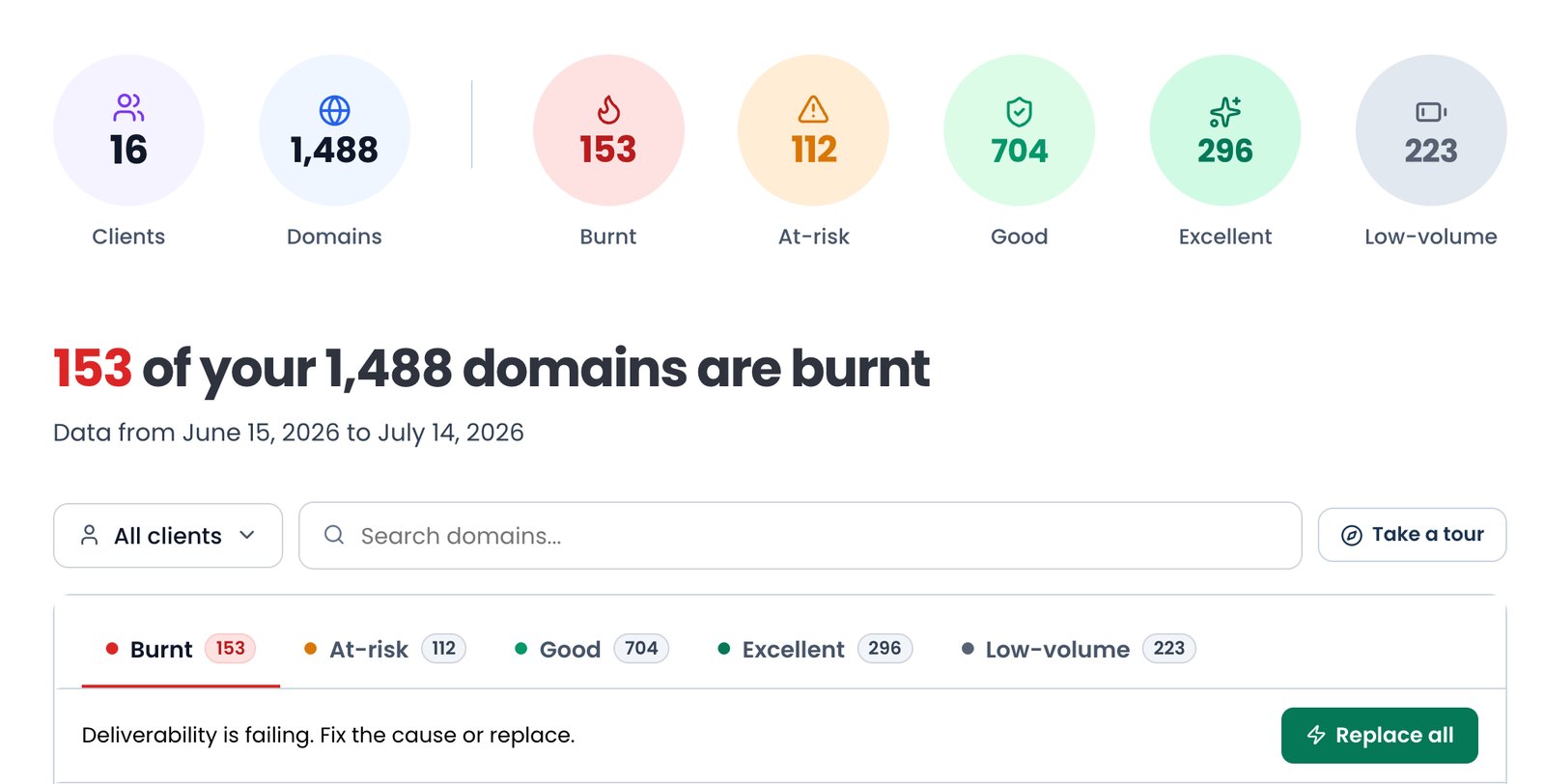
Mailpool runs a 250-checkpoint audit plus spam and blacklist monitoring. You can see placement and reputation status. However, the 250 checkpoint list is not public and in reality there are only 6 metrics that can check if a domain is burnt.
Export, Integrations and API
Mailpool exports to the major tools via native OAuth (Google, Microsoft) or CSV. A full API exists, though documentation is provided on request.
Workspaces and Agency Management
For agencies who need clean client separation, Mailpool offers each workspace an isolated environment.
Pros
Multiple Types of Inboxes
Mailpool provides Google and Microsoft for those who want standard inboxes. For specialized inboxes, Mailpool also provides a SMTP infrastructure on a shared IP pool, or a dedicated server for $200/Mo.
Fast Setup
Mailpool provides a relatively quick setup and they integrate the inboxes to your sequencer.
Hands-On Support
Mailpool support is exceptionally good. Reps walk you through setup and even load the inboxes into your sequencer.
Low Entry Price
You can buy SMTP inboxes from Mailpool for $3/inbox per month. However, connecting your own domains costs extra.
Cons
Pay To Connect Your Domains
On Mailpool you can buy domains using its AI Domain Generator. But if you’re buying your own domains and want to connect them to Mailpool, it will charge you extra.
I was a bit surprised that you need to pay just to connect your domains, but the support later explained that it’s just a security measurement and they waived the fee for me.
Ilias R., G2
No Built-In Warmup
Mailpool sets up your inboxes but does not have an in-built warmup provider. You have to warmup your inboxes on your own using your sequencer. The problem is that not all sequencer warmup is equal and Mailpool takes no responsibility for your deliverability.
No built-in warm-up engine: Mailpool automates DNS and authentication but doesn’t include mailbox warm-up. You still need to integrate a warm-up platform to build reputation before large sends.
Primeforge review
SMTP Inbox on Shared IP Pool
Mailpool’s cheapest inbox is an SMTP inbox for $3 per month. It is hosted on a shared IP pool. Shared inboxes are extremely dangerous because your reputation can die because of other bad senders.
No full control over IP reputation.
Mailpool help center
Thin Deliverability Audit
Mailpool takes no responsibility for your deliverability, which is why its “250-checkpoint audit” is a farce. The criteria for diagnosis is not defined.
Blacklist monitoring is useful but not equivalent to a full real-time deliverability stack (DNS drift, bounce-rate alerts, burn alerts).
InboxKit review
Mailpool Pricing
Mailpool charges per inbox and is billed monthly and annually. You can pay monthly or save 15% by paying annually. You can also upgrade, downgrade, or cancel anytime.
Here’s the latest Mailpool pricing breakdown –
| Category | Billed | Price / Inbox | Price Per 10 Inboxes |
|---|---|---|---|
| Shared SMTP | Monthly | $3.00 | $30 |
| Shared SMTP | Annual (save 15%) | $2.60 | $26 |
| Google Workspace | Monthly | $4.00 | $40 |
| Google Workspace | Annual | $3.40 | $34 |
| Microsoft 365 | Monthly | $5.00 | $50 |
| Microsoft 365 | Annual | $4.30 | $43 |
| Dedicated IP | Monthly | $200/server | – |
| Dedicated IP | Annual | $170/server | – |
| Dedicated Infrastructure | Custom | Custom | Contact |
Shared SMTP$30$3.00
- Billed
- Monthly
- Price / Inbox
- $3.00
- Price Per 10 Inboxes
- $30
Shared SMTP$26$2.60
- Billed
- Annual (save 15%)
- Price / Inbox
- $2.60
- Price Per 10 Inboxes
- $26
Google Workspace$40$4.00
- Billed
- Monthly
- Price / Inbox
- $4.00
- Price Per 10 Inboxes
- $40
Google Workspace$34$3.40
- Billed
- Annual
- Price / Inbox
- $3.40
- Price Per 10 Inboxes
- $34
Microsoft 365$50$5.00
- Billed
- Monthly
- Price / Inbox
- $5.00
- Price Per 10 Inboxes
- $50
Microsoft 365$43$4.30
- Billed
- Annual
- Price / Inbox
- $4.30
- Price Per 10 Inboxes
- $43
Dedicated IP–$200/server
- Billed
- Monthly
- Price / Inbox
- $200/server
- Price Per 10 Inboxes
- –
Dedicated IP–$170/server
- Billed
- Annual
- Price / Inbox
- $170/server
- Price Per 10 Inboxes
- –
Dedicated InfrastructureContactCustom
- Billed
- Custom
- Price / Inbox
- Custom
- Price Per 10 Inboxes
- Contact
Mailpool vs Aerosend
Mailpool offers standard inboxes – Google, Microsoft, and SMTP inboxes. If you want to maintain/monitor your domain health, you can buy a dedicated server to host your domains for $200/month. However, the credibility of Mailpool inboxes is in doubt.
I’ve checked the Google Partner Directory, and Mailpool was not there. Mailpool is a Google reseller, and based on the pricing point the accounts are India-origin, bought through the cheap reseller channel rather than Google’s direct channel.
Also, there’s no in-built warmup, and running your warmup on a sequencer has its own problems. The warmup pool is indeed large, but the credibility of inboxes in the pool is not defined. You are dependent on the sequencer’s warmup pool and if you are not expert at deliverability, that could be costly. To sum up, Mailpool is only designed to offer different types of inboxes, not help maintain deliverability.
Aerosend takes full responsibility of your deliverability. Therefore, it only offers dedicated infrastructure. For every 10 domains, i.e. 30 inboxes, you’ve a dedicated infrastructure. It is easier to manage your deliverability on Aerosend than Mailpool. Forget about Mailpool thin “250-checkpoint” audit. On Aerosend you can manage your deliverability, and diagnose your domain health from time to time through domain burn alerts.
This table will show which cold-email inbox provider tool is better –
| Compare | Mailpool | AerosendPrivate infrastructure |
|---|---|---|
| Inbox Available | Google WorkspaceMicrosoft 365Shared SMTPDedicated IPGoogle/Microsoft source not transparent | Private infrastructureBuilt for cold email, so no Google or Outlook bans |
| Isolation | ~$200/server add-onDefault SMTP tier is a shared IP pool | ✓DedicatedNew isolation every 10 domains / 30 inboxes, never shared |
| Warmup | ✕Not built inYou warm up inboxes through your own sequencer | ✓Included, ongoingComplimentary premium warmup, matched to who you email |
| Monitoring | ~Claimed, unverified250-checkpoint audit; criteria not public | ✓Six metricsEvery domain scored daily and surfaced to you |
| Deliverability | ✕Self-managedPlacement tests gated behind credits; no deliverability guarantee | ✓Our responsibilityBiweekly inbox placement tests, included |
| Domain Burn Alerts | ~Undefined auditBurn checks sit inside the undefined 250-checkpoint audit | ✓IncludedBurnt domains flagged within 5 minutes, replaced in one click |
| Pricing | From $3/inboxShared SMTP; Google $4, Microsoft $5, dedicated IP $200/server | $4 / inbox$2 per inbox past 150 · 30 inboxes = $120/mo |
| Ready To Test? | Visit Mailpool Website ↗ | Try Aerosend For Free |
Price/Mailbox Breakdown (~5,000 emails/day)
| Requirements | Mailpool | Aerosend |
|---|---|---|
| Inboxes needed | ~200 (at ~25/day per inbox) | 200 |
| Send rate per inbox | 20-25/day (Google/Microsoft); shared tier ~30/day | 20-25/day |
| Plan | Google tier $4/inbox/mo (or shared $3) | Starter banded ($4 first 150, $2 after) |
| Per-inbox rate | $4.00 Google (or $3.00 shared, ~$2.50 at volume) | $3.50 (blended) |
| Monthly total | ~$800 Google (or ~$600 shared) | ~$700 |
| Service model | Self-managed | Managed |
Mailpool Support
Support is Mailpool’s strongest. Most of the reviews on G2 and Trustpilot praised the Mailpool support team.
I really appreciate Marielle in the support team. She went above and beyond, taking the Mailpool emails and uploading them to my email sending tool. This level of customer service is something I haven’t experienced with any other tool.
Rob J., G2
The Verdict
If you want to diversify your campaign across different types of inboxes, Mailpool is the best choice. The setup is very quick, configuration and integration to sequencer, is all done for you. But, it’s only as good as till here. Going forward you have to manage and monitor your inboxes yourself: Mailpool’s “250-checkpoint audit” publishes no criteria.
It earns a capable 3 out of 5! Fair entry price, suitable for small teams and agencies.
But if you want managed deliverability, try Aerosend. It is built around outcomes – premium warmup, placement test, burn detection and more. And they will take full responsibility for your deliverability.
