

Looking to diversify your cold outreach campaign?
MailDeck offers Google, Azure, and private infrastructure. The inboxes are fresh, and you can warm up through your sequencer to build your diversified cold outreach stack.
If you want to send from day 1, you can purchase pre-warmed Azure inboxes.
The setup is ‘done-for-you’ but is very slow. Your inboxes are provisioned within ~72 hours.
But having different inbox types doesn’t offer good inbox placement. You need a complete structure.
In this MailDeck review, I’ll explain MailDeck cold email stack in detail.
Key Takeaways
MailDeck is a multi-inbox provider offering Google, Azure, and private infrastructure inboxes. They handle the setup and provide seamless sequence integration. But inbox provisioning takes 72 hours. Real-time monitoring is included, and dedicated Slack support is available on Enterprise plans.
- Inbox: Azure + Google + Private Infrastructure + Pre-warmed Azure
- USP: Customized Stack + Maya AI assistance
- Deliverability: Mixed Review (Credibility of self-claimed 99.8% placement is unknown)
- Risk: Poor Inbox Placement of Azure
- Starting Price: Google Inboxes are billed ~$5/inbox
- Support: Good, quick reply, and 1:1 Slack support available on Enterprise Plans
About MailDeck
MailDeck offers Google, Azure, and Private infrastructure all in one place.
It also offers pre-warmed inboxes across these options. But as of 8th September 2026, Google and private infrastructure are sold out. Only pre-warmed Azure inboxes are available, but for $60/tenant i.e., 100 Azure inboxes.
The setup takes about 72 hours and connects seamlessly to your sequencer.
Intercom chat support is available with each plan. For priority 1:1 Slack support, you must subscribe to the Enterprise Plan or above.
How MailDeck Works
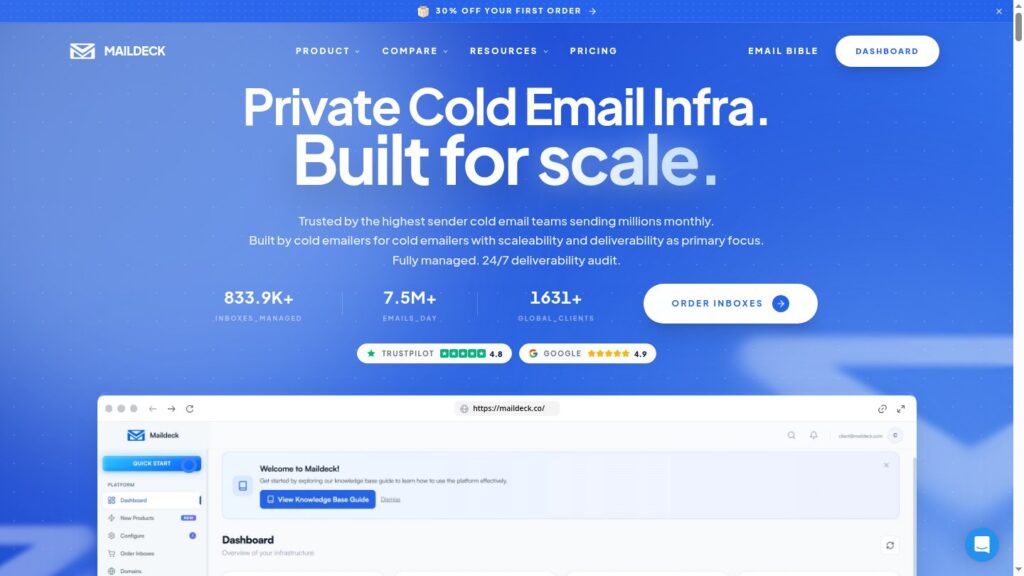
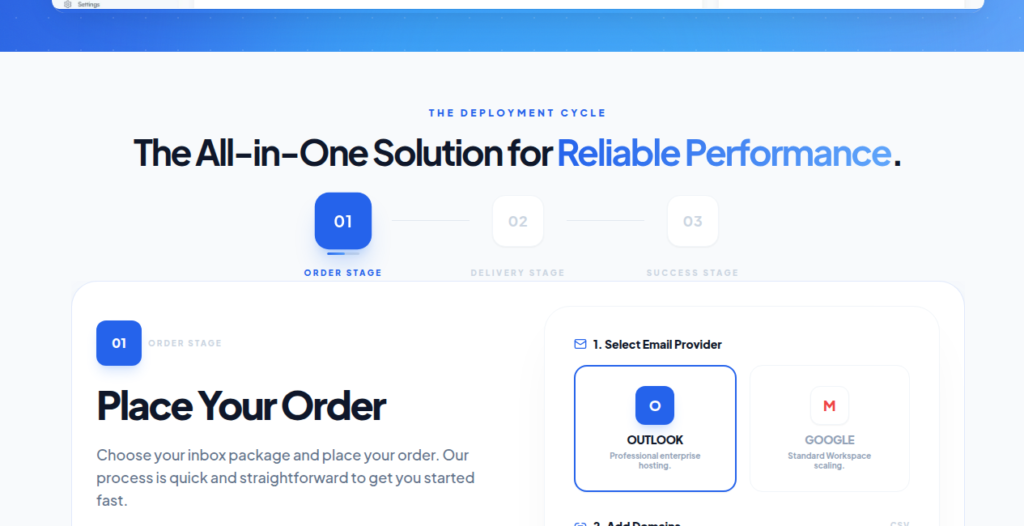
MailDeck Features
Multi-Inbox Provider
MailDeck offers Google, Azure, and private infrastructure inboxes. By opting for a single service provider, you can manage all your inboxes from one provider.
Diversified Stack Plan
MailDeck’s Diversified Stack is the best feature for cold emailers who want to match inbox type to their audience segment without switching vendors. For $129, you’re getting 2 Outlook Premium tenants + 10 SMTP inboxes + 5 Google accounts. They also offer other options if you want to send at scale.
Dedicated-IP Private Infrastructure
The private infrastructure includes dedicated IPs, which is very important if you want the best inbox placement. But MailDeck didn’t disclose the inboxes-per-domain ratio, so its credibility is unclear.
Monitoring, Alerts and Deliverability Audit
MailDeck offers deliverability monitoring and alerts, which are important to diagnose how your domains are performing. It is available with every plan, but the functionality isn’t shared.
Pre-Warmed Inboxes Available
Apart from fresh inboxes, MailDeck also offers pre-warmed options as well if you want to send from day 1. It is available on – Azure, Google, and private infrastructure.
Agentic Support – Maya AI
Maya AI is an in-app model that helps you plan your cold email campaigns based on your requirements.

Pros
Dedicated-IP Private Infrastructure
The private infrastructure is hosted on a dedicated IP, which gives you control over your sending reputation. You can manage your sending limit accordingly and plan your campaigns for high inbox placement.
Diversified Multi-Provider Stack
You can get Azure, Google, and private infrastructure all in one order. This diversity matters if your lead list includes a mix of accounts.
“The biggest upside is that MailDeck covers Microsoft 365 Outlook, Google Workspace, and Private SMTP under one provider… which let us match inbox type to audience segment without switching vendors.”
Thomas M., G2
Strong, Fast, Human Support
MailDeck is known for providing exceptional support. The receipts on G2 and Trustpilot mention fast replies and human support. Also, premium plans include 1:1 Slack support.
Cons
No Clear Isolation Details
A clear isolation ratio tells you how many inboxes sit in a single domain. If too many inboxes connect to a single domain, one bad inbox can bring down the whole domain’s placement. Therefore, there should be an optimum inbox/domain ratio, and MailDeck doesn’t offer this information.
No Ongoing Warmup
Even though MailDeck offers pre-warmed inboxes, it doesn’t offer ongoing warmup, which matters if you want to sustain good inbox placement.
Pricing Can Change
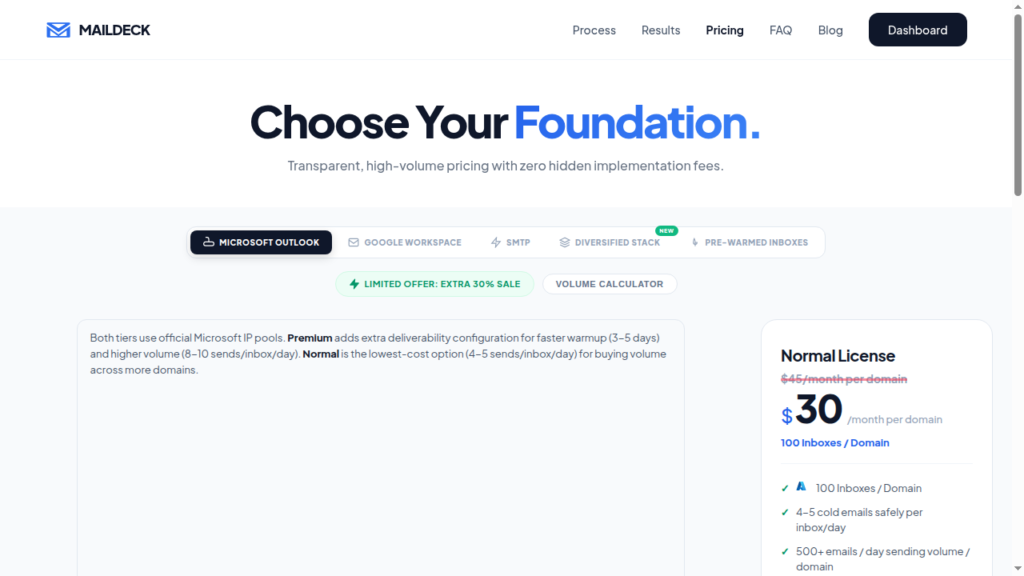
Prices of MailDeck plans always change. As of 11th September, 2026, most plans are available at 20% to 30% discounted prices. Also, pre-warmed inbox availability is uncertain.
MailDeck Pricing
| Inbox | Plan | Price/Mo | No. of Inboxes | Sending Limit/day |
|---|---|---|---|---|
| Outlook (Azure) | Normal | $45 | 100 | ~4-5 emails |
| Outlook (Azure) | Premium | $55 | 100 | ~8-10 emails |
| Outlook (Azure) | Mixed (Normal + Premium) | $50 | 50 Normal + 50 Premium | ~7-8 emails |
| Starter | $49 | 10 | ~200 emails | |
| Growth | $119 | 30 | ~600 emails | |
| Enterprise | $359 | 100 | ~2000 emails | |
| Private Infrastructure | Basic | $0.60 | 1 | ~10-15 emails |
| Pre-warmed Azure | Basic | $60 | 100 | ~400-500 emails |
Note: MailDeck has separate pricing for its Diversified Stack
| Plan | Price/Mo | Azure Tenants | Private Infrastructure Inboxes | Google Inboxes | Sending Limit/day |
|---|---|---|---|---|---|
| Starter | $129 | 2 | 10 | 5 | 40,000 emails |
| Growth | $500 | 10 | 100 | 30 | 215,000 emails |
| Enterprise | $4,300 | 100 | 1,000 | 300 | 2.15M emails |
Aerosend: Best MailDeck Alternative
MailDeck is a cold email inbox provider that offers multiple inboxes. It allows you to diversify your campaigns across Google, Azure, and private infrastructure. Setup is slow, and inboxes are provisioned within 72 hours. It hasn’t published clear information on the per-domain inbox ratio, inbox placement test frequency, or a matrix to track burned inboxes.
So it is hard to know how well it protects your sending reputation after setup.
On the other hand, Aerosend offers private infrastructure with dedicated IPs. It isolates every 10 domains with 30 inboxes, hosted on aged, never-used IPs, to offer the best infrastructure for cold outreach.
The setup is there, but for good inbox placement, you need warmup and monitoring to diagnose your domains. We offer premium warmup using WarmupInbox, run biweekly inbox placement tests, and provide burn alerts. That way, you can launch cold email campaigns with full confidence and track your domains’ performance in real-time.
Here is the brief difference between MailDeck and Aerosend –
| Compare | MailDeck | AerosendPrivate infrastructure |
|---|---|---|
| Inbox Available | GoogleOutlook (Azure)Pre-warmed AzurePrivate infra | Private infrastructureBuilt for cold email, so no Google or Outlook bans |
| Isolation | ~Undisclosed100 inboxes per Azure domain; no domains-per-IP ratio published | ✓DedicatedNew isolation every 10 domains / 30 inboxes, never shared |
| Warmup | ~Pre-warmed onlyPre-warmed inboxes cost extra; no ongoing warmup | ✓Included, ongoingComplimentary premium warmup, matched to who you email |
| Monitoring | ~Claimed"Real-time monitoring and alerts" with no detail shown | ✓Six metricsEvery domain scored daily and surfaced to you |
| Deliverability | ~Claimed, unverified"99.8% inbox placement" with no source | ✓Our responsibilityBiweekly inbox placement tests, included |
| Domain Burn Alerts | ✕Not offeredYou find out when the reply rate drops | ✓IncludedBurnt domains flagged within 5 minutes, replaced in one click |
| Pricing | From ~$0.45 / inboxAzure $45 per 100 · Google $49 per 10 | $4 / inbox$2 per inbox past 150 · 30 inboxes = $120/mo |
| Ready To Test? | Visit MailDeck Website ↗ | Try Aerosend For Free |
Price/Mailbox Breakdown (~5,000 emails/day)
| Requirements | MailDeck | Aerosend |
|---|---|---|
| Inboxes Required | Google – 30 Private infrastructure – 100 Azure – 10 domains (Per domain 100 inboxes) Total – 1,130 inboxes | 200 |
| Sending Limit/Inbox | Google – 20/day Private infrastructure – 10/day Azure – 500/day | 20-25/day |
| Plan | Growth Diversification | Starter/Growth (banded) |
| Price/Inbox | ~$0.44 ($500 / 1,130 inboxes) | $3.50 (blended) |
| Monthly Total | $500 | ~$700 |
MailDeck Support
MailDeck has a strong support review on G2 and Trustpilot. The support team often replies within 5 mins + dedicated 1:1 Slack support is available with premium plans.
“I use MailDeck for setting up my email infrastructure, and I really appreciate their amazing support, which replies within 5 minutes.”
Luka D., G2
“Designated team in slack, amazing support. Questions get answered within 5 min. Super transparent and Sabo gives great insight on campaign setups, domain/inbox health, etc.”
Luka Davidovic, Trustpilot
The Verdict
MailDeck offers multiple inbox types and managed setup all in one place. This lets you easily diversify your campaigns across Google, Azure, and private infrastructure.
But it has many drawbacks, including no clear isolation ratios, warmup methodology, or ongoing deliverability monitoring.
Its Azure setup also puts up to 100 inboxes on one domain, which adds risk if that domain runs into a reputation problem.
Hence, you can choose MailDeck if you want multiple inboxes from a single provider.
But if managed deliverability is important to you, Aerosend is the best option.
