




Most cheap inbox providers sell you inboxes and leave you on your own when they burn out. Mailbloom does something different: every inbox you buy comes with a free spare, warming on its own domain and ready to swap in when the first one wears out.
At $0.99 to $2.50 per inbox, it’s one of the cheapest options around. But the servers are shared unless you buy 50 or more inboxes and ask for dedicated ones. Domains cost extra, and nothing tells you when to swap an inbox.
In this Mailbloom review, I’ll cover its features, real pricing, pros, cons, and what to ask before you buy.
Key Takeaways
Mailbloom offers private infrastructure inboxes starting at $2.50, with a minimum of 15 inboxes required. The setup is automated and integrates with your sequencer. Warmup is not included for new inboxes. You need to run the warmup through your sequencer. If an inbox gets burnt, you’ll get 1 free warmed-up backup inbox. Also, inbox monitoring and domain burn alerts are NOT part of Mailbloom cold outreach infra.
- Inbox: Private Infrastructure
- USP: One free warmed-up spare per inbox
- Deliverability: Thin
- Risk: No Warmup, Inbox Placement Tests, and Domain Burn Alerts
- Starting price: $2.50/Inbox (Minimum 15 inboxes)
- Support: Live Chat, Email, Contact Form, and Founder Calendly
About Mailbloom
Mailbloom is a cold email inbox provider offering private infrastructure. The inbox is billed monthly for $2.50, with a minimum order of 15 inboxes.
Mailbloom’s sending server is shared, which is the biggest red flag for cold outreach.
If you want to manage your deliverability, you need a dedicated server, and you can avail one at Mailbloom, but on certain conditions -
- You’ve to raise a request for it
- You need a minimum of 50 inboxes (per their live chat)
Few other downsides -
- You need to warm up your inboxes yourself through your sequencer
- Check the inbox placement or domain burn status using external tools
How Mailbloom Works
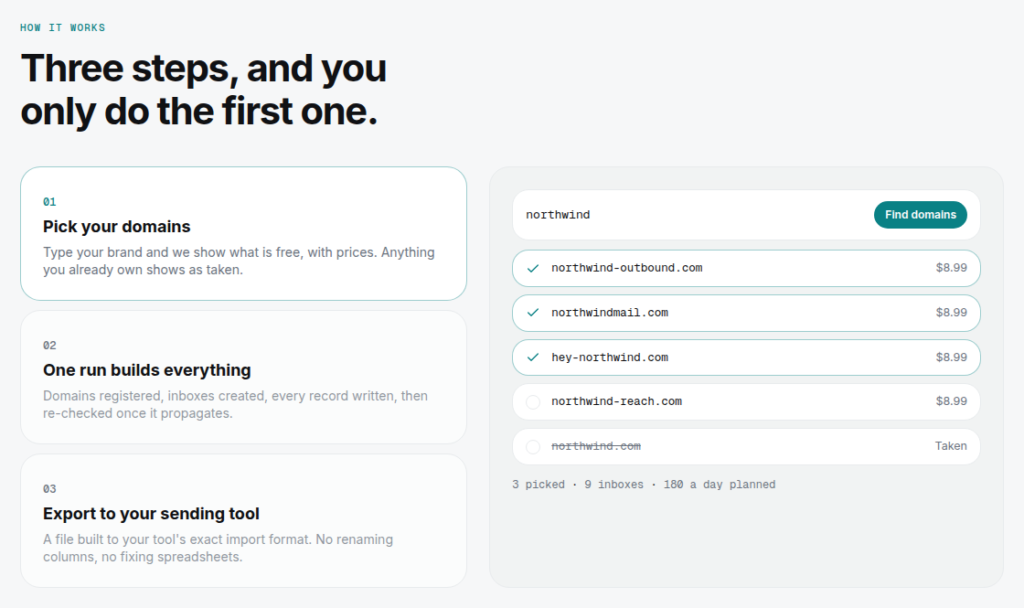
Mailbloom’s setup runs in three steps: you pick your domains, one run builds the inboxes and DNS, and you export a file to your sending tool.

Mailbloom Features
Free Warmed Up Spare with Every Inbox
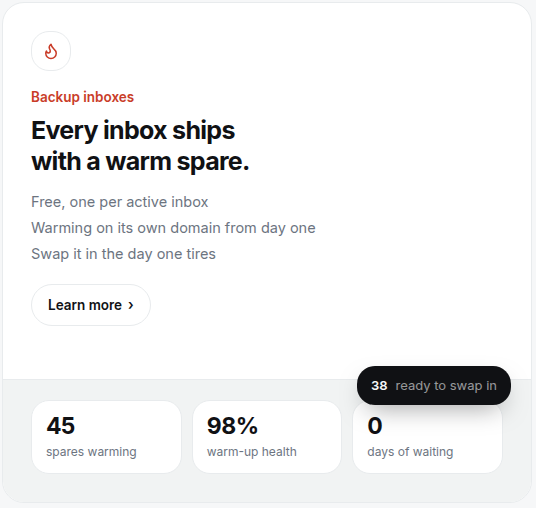
With Mailbloom, you get a free backup inbox for every inbox you buy. You can use the backup warmed inbox to swap the burnt inbox and keep the campaign running.
Published Inbox/Domain Ratio
Mailbloom suggests 3 inboxes per domain and recommends sending 20 emails per inbox per day. These are considered good practices for cold outreach.
Automated Setup
Mailbloom handles the setup and configures MX, SPF, DKIM, and DMARC records. After that, you can integrate your sequencer. However, they don’t give an exact setup time.
Pros
Runs Its Own Mail Servers
Mailbloom runs its own mail servers and sets up reverse DNS.
Safe Limits: 3 Inboxes per Domain, 20 Emails a Day
Mailbloom puts only 3 inboxes per domain and recommends sending 20 emails/day from each inbox, i.e., 60 emails from one domain.
A Free Warmed Spare Inbox
Mailbloom offers a free warmed-up spare inbox with each inbox. When an inbox wears out, you swap the spare in and keep sending.
Cons
No Deliverability Monitoring
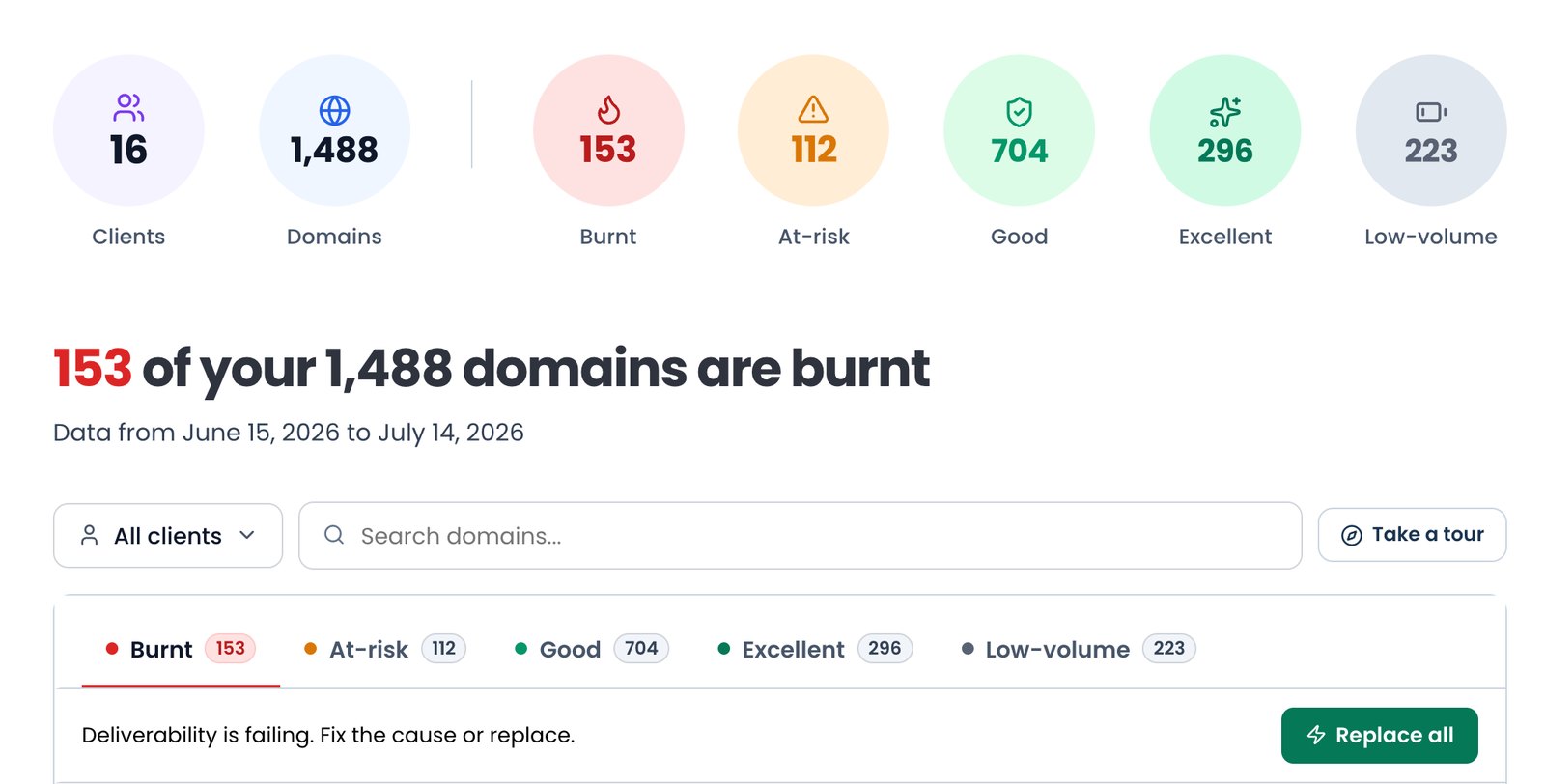
Mailbloom doesn’t watch your inboxes or domains, so you won’t know when something goes wrong until replies drop.
Private Infrastructure On Request
Mailbloom plans run on shared servers by default. Dedicated servers start at 50 inboxes. If you need dedicated servers, then you need to contact them before buying.
No Warmup for Your Sending Inboxes
Mailbloom only offers a free warmed-up spare inbox with each inbox. The inboxes you actually send from are yours to warm up.
Nothing Tells You When to Swap
Mailbloom never sends an alert. Spotting a burnt inbox is entirely up to you.
Only Dynadot Domains Can Be Connected
You can only bring your own domains to Mailbloom if they’re registered at Dynadot. GoDaddy, Namecheap, and Cloudflare domains won’t work.
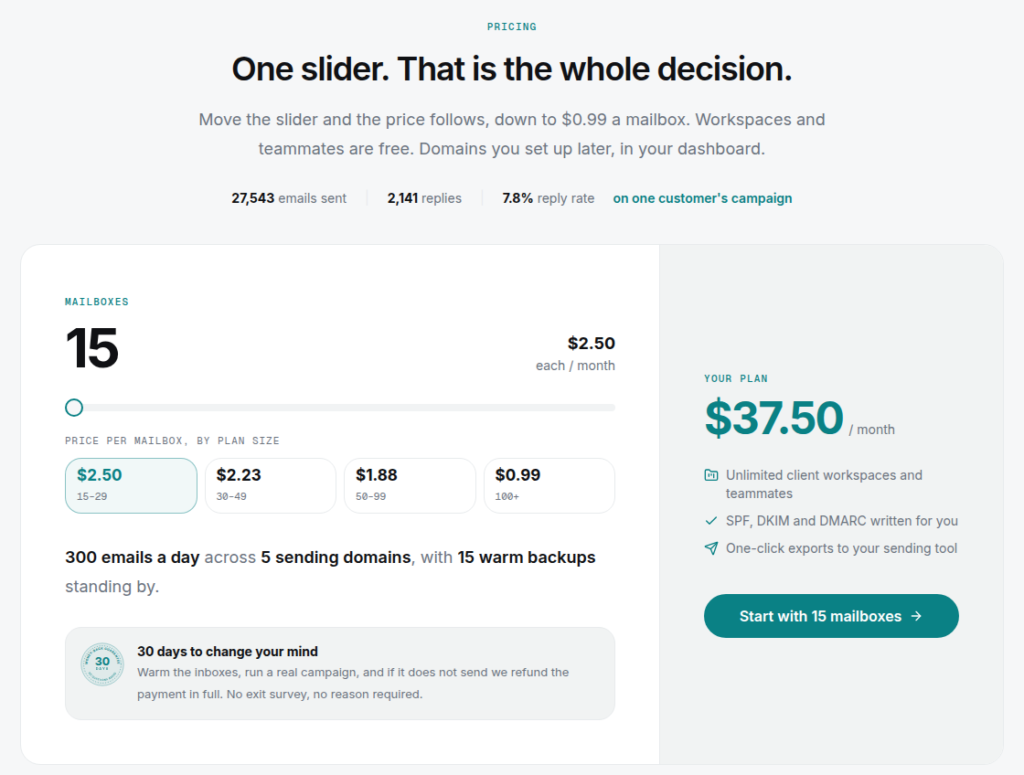
Mailbloom Pricing
| Inboxes | Price/Inbox/Mo | Total Cost (Monthly) |
|---|---|---|
| 15 to 29 | $2.50 | For 15 inboxes = $37.50 For 29 inboxes = $72.50 |
| 30 to 49 | $2.23 | For 30 inboxes = $66.90 For 49 inboxes = $109.27 |
| 50 to 99 | $1.88 | For 50 inboxes = $94 For 99 inboxes = $186.12 |
| 100 to 500 | $0.99 | For 100 inboxes = $99 For 500 inboxes = $495 |
Aerosend: Best Mailbloom Alternative
| Compare | Mailbloom | AerosendPrivate infrastructure |
|---|---|---|
| Inbox Available | Private infrastructureRuns its own mail servers and sets up reverse DNS | Private infrastructureBuilt for cold email, so no Google or Outlook bans |
| Isolation | ~Shared + dedicatedShared servers by default; dedicated from 50 inboxes on request. 3 inboxes per domain | ✓DedicatedNew isolation every 10 domains / 30 inboxes, never shared |
| Warmup | ✕Backups onlyNo warmup for your sending inboxes, only the free spare | ✓Included, ongoingComplimentary premium warmup, matched to who you email |
| Monitoring | ✕Not includedNothing watches your inboxes or domains | ✓Six metricsEvery domain scored daily and surfaced to you |
| Deliverability | ✕Not includedNo inbox placement tests | ✓Our responsibilityBiweekly inbox placement tests, included |
| Domain Burn Alerts | ✕Not offeredNo alert when an inbox burns | ✓IncludedBurnt domains flagged within 5 minutes, replaced in one click |
| Pricing | $2.50 / inbox, 15 to 29$2.23 from 30, $1.88 from 50, $0.99 from 100 to 500; domains extra | $4 / inbox$2 per inbox past 150 · 30 inboxes = $120/mo |
| Ready To Test? | Visit Mailbloom Website ↗ | Try Aerosend For Free |
Price/Mailbox Breakdown (~5,000 emails/day)
| Row | Mailbloom | Aerosend |
|---|---|---|
| Inboxes Required | 250 | 200 |
| Sending Limit/Inbox | 20/day | 20-25/day |
| Plan | 100 to 500 | Starter/Growth (banded) |
| Price/Inbox | ~$0.99 | $3.50 (blended) |
| Monthly Total | ~$247.50 | ~$700 |
Mailbloom Support
Support is accessible via -
- Live chat
- Email at hello {at} mailbloom {dot} com
- 30-min call with Founder
Mailbloom’s response time is usually 2-4 hours.
“A special thanks to Sumit, who has been personally taking care of our project. His support, responsiveness, and attention to detail have made the collaboration very smooth. He is always available to answer questions, suggest improvements, and ensure that the campaigns are running effectively.”
Ankit, Trustpilot
The Verdict
Mailbloom is a good fit if you want a private infrastructure for cold outreach. They are cheap and offer a dedicated server if you buy 50+ inboxes.
Warmup, inbox placement, and domain monitoring are not included with Mailbloom.
But if you want everything done for you - setup, warmup, inbox placement, domain monitoring, deliverability management - then Aerosend is a better fit for cold email outreach.
