




400 inboxes for $199 sounds like a lot of firepower.
But in cold email, more inboxes doesn’t automatically mean more emails reaching the inbox.
The real question is whether that volume can actually maintain good deliverability once you start sending.
In this Lunatro.MX review, I looked beyond inbox count and checked its infrastructure, Azure deliverability potential, and scaling risks.
Key Takeaways
Lunatro.MX offers Azure inboxes hosted on US-based IPs. It stacks 100 inboxes on every domain, so one burned inbox can drag the whole domain down. The setup takes 24 hours and connects to your sequencer. It only recommends a structured warmup period for new domains and inboxes, but doesn’t really provide warmup. Also, it doesn’t provide monitoring or burn alerts.
- Inbox: Azure
- USP: None
- Deliverability: Thin
- Risk: No Monitoring or Burn Alerts
- Starting Price: $199/month (4 Domains, 400 Inboxes)
- Support: Slack Channel & Email
About Lunatro.MX
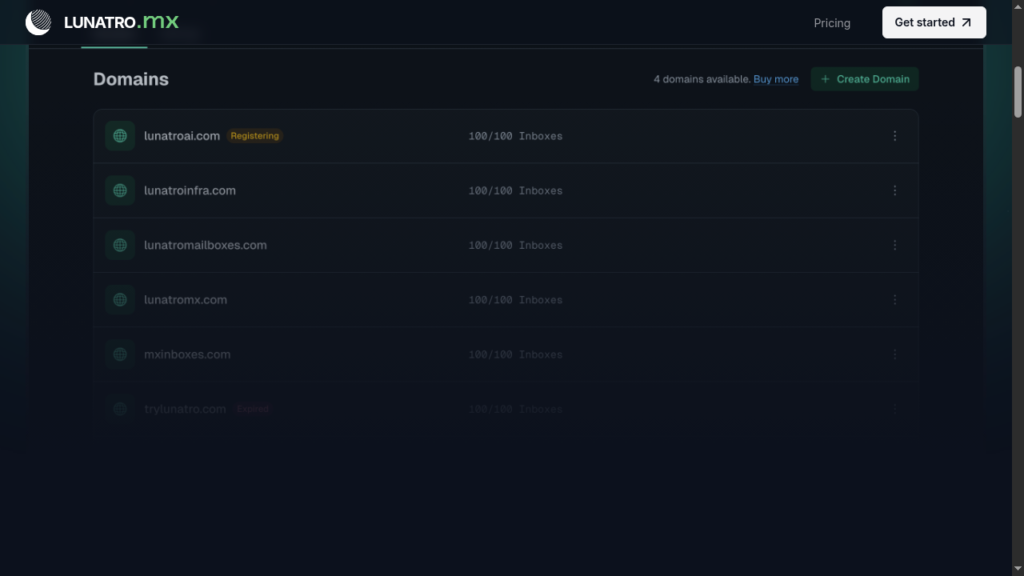
Lunatro.MX (lunatro.mx) is a German-operated cold-email inbox provider that offers Azure inboxes. Each domain comes with 100 Azure inboxes. However, it comes with a bundled subscription of FOUR domains, i.e., 400 inboxes per subscription.
It pre-configures SPF, DKIM, and DMARC settings, and integrates your inbox with your sequencer. This takes around 24 hours.
On the downside – it doesn’t offer ongoing warmup or deliverability monitoring. So you’ll need to warm them up yourself and manage deliverability using external tools.
How Lunatro.MX Works
Lunatro.MX registers the domains, pre-configures SPF, DKIM, and DMARC, and hands the inboxes over in around 24 hours, uploaded into your sequencer.
Lunatro.MX Features
Done-For-You Setup
The setup is automated, and your inboxes get delivered in under 24 hours. It registers the domains, pre-configures SPF, DKIM, and DMARC, and integrates with your sequencer.
Warmup Settings, Not Warmup
Warmup is not something Lunatro.MX runs for you. It specifies warmup settings that you can integrate into your sequencer, and it recommends a structured warmup period for all new domains and inboxes, but the sending is yours to run.
Pros
Cheap Per-Inbox Volume Economics
Compared to Google and Microsoft inboxes, Azure inboxes are much cheaper. Lunatro.MX provides 400 inboxes at $199; the unit price is about $0.50 an inbox.
Cons
Deliverability Issue With Azure Inboxes
Azure inboxes have a bad deliverability reputation compared to Google, Microsoft, and private infrastructure.
100 Inboxes per Domain Concentrates Burn Risk
Stacking 100 inboxes on a single domain concentrates your reputation risk onto that one domain. So if one inbox on the domain gets burned, it can drag the deliverability of the whole domain down.
No Warmup
Lunatro.MX doesn’t provide warmup. It only recommends a structured warmup period for all new domains and inboxes.
No Deliverability Monitoring
Deliverability monitoring helps you spot problems or burn domains in advance. This is important for managing your campaigns effectively. However, Lunatro.MX doesn’t include burn monitoring, inbox placement, etc. So you have to rely on external tools.
“99% Deliverability” is an Unverifiable Claim
On their homepage, Lunatro.MX claims a 99% deliverability rate. But it provides no verifiable claim or case study to back it up.
Zero Reviews on G2 and Trustpilot
Lunatro.MX has zero independent reviews on G2 or Trustpilot. That makes it hard to judge how its inboxes perform after a month.
You Cannot Bring Your Own Domains
You can’t bring your existing domains. As Lunatro.MX says on its homepage, they provide fully managed domains to ensure deliverability.
Lunatro.MX Pricing
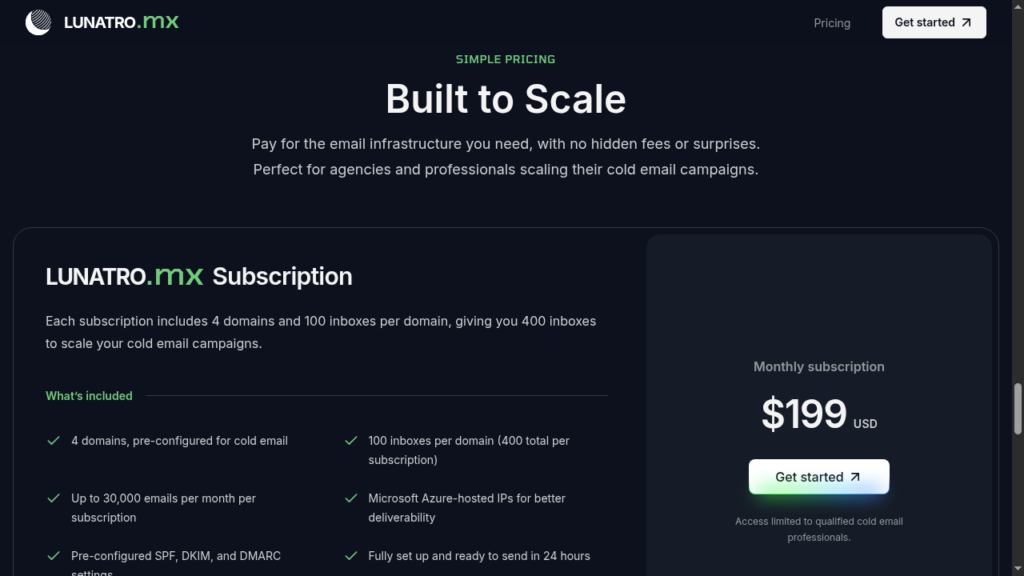
Lunatro.MX sells one flat subscription at $199 a month for 4 domains with 100 inboxes on each, 400 inboxes in total.
| Plan | Price | Inboxes/Domain | Sending Limit |
|---|---|---|---|
| Lunatro.MX Subscription | $199/month | 4 domains, 100 inboxes per domain (400 total) | ~7,500 emails/mo/domain (~30,000 per subscription) |
Lunatro.MX Subscription4 domains, 100 inboxes per domain (400 total)$199/month
- Price
- $199/month
- Inboxes/Domain
- 4 domains, 100 inboxes per domain (400 total)
- Sending Limit
- ~7,500 emails/mo/domain (~30,000 per subscription)
Aerosend: Best Lunatro.MX Alternative
Lunatro.MX offers Azure inboxes; each domain comes with 100 inboxes. Azure inboxes have a bad deliverability reputation. Although it is cheap, it can be quite expensive in the long run.
The setup takes 24 hours to deliver the inboxes and connect to your sequencer.
But is it the best Azure inbox provider out there? It is open for debate, as it doesn’t include warmup or deliverability monitoring. And 99% is an unverifiable claim that doesn’t offer an inbox placement guarantee.
On the other hand, Aerosend offers dedicated infrastructure, with proper warmup, monitoring, and much more!
Here is a detailed comparison between Lunatro.MX and Aerosend:
| Compare | Lunatro.MX | AerosendPrivate infrastructure |
|---|---|---|
| Inbox Available | AzureAzure US-based IPs, relayed through Lunatro.MX's own custom SMTP servers | Private infrastructureBuilt for cold email, so no Google or Outlook bans |
| Isolation | ✕100 inboxes per domainOne burned inbox can drag the whole domain down | ✓DedicatedNew isolation every 10 domains / 30 inboxes, never shared |
| Warmup | ✕Not providedIt only recommends a structured warmup period for new domains and inboxes | ✓Included, ongoingComplimentary premium warmup, matched to who you email |
| Monitoring | ✕Not includedNo API and no monitoring dashboard, so you rely on external tools | ✓Six metricsEvery domain scored daily and surfaced to you |
| Deliverability | ~99% claimed, unverifiedNo case study, no inbox-placement testing, and zero independent reviews | ✓Our responsibilityBiweekly inbox placement tests, included |
| Domain Burn Alerts | ✕Not offeredYou watch your own reply rates for a drop | ✓IncludedBurnt domains flagged within 5 minutes, replaced in one click |
| Pricing | $199 / month flat4 domains, 400 inboxes, about $0.50 an inbox; you cannot bring your own domains | $4 / inbox$2 per inbox past 150 · 30 inboxes = $120/mo |
| Ready To Test? | Visit Lunatro.MX Website ↗ | Try Aerosend For Free |
Price/Mailbox Breakdown (~5,000 emails/day)
| Requirement | Lunatro.MX | Aerosend |
|---|---|---|
| Inboxes required | 5 subscriptions 2,000 inboxes, 20 domains | 200 |
| Send Rate/Inbox | ~2-3 | ~20-25/day |
| Plan | Lunatro.MX Subscription $199/month | Blended |
| Per-inbox rate | ~$0.50 | ~$3.50 blended |
| Estimated monthly total | ~$995 | ~$700 |
Lunatro.MX Support
Lunatro.MX support is a Slack channel for direct support, plus founder access. You can book a call with co-founder Fabian Finke on Cal.com, email the team at info@lunatro.com, or reach the founders on LinkedIn.
However, no independent user reviews verify the quality of their support or response time.
The Verdict
Lunatro.MX is a fair choice if you want a large number of Azure inboxes at a low upfront price.
Setup is fast, and you get 4 domains, each with 100 inboxes for $199/month.
However, it doesn’t include warmup, deliverability monitoring, burn alerts, or inbox-placement testing. That means you have to manage all of these by yourself.
So, if you already have your own warmup and monitoring setup, Lunatro.MX can work for you.
But if you want dedicated infrastructure that actively monitors your deliverability and helps protect your domains as you scale, you’ll need a more managed option like Aerosend.
