

Choosing the right cold email inbox provider for your outreach campaigns looks simple. Right? But it is not. You want someone who can offer inboxes on aged IPs, with proper isolation, along with warmup + monitoring, etc.
InboxedUp offers none of the above. It only offers Google, Microsoft, and private infrastructure accounts, with no published isolation ratio.
In this InboxedUp review, I’ll explain InboxedUp’s complete cold outreach setup, features, latest pricing, and more.
Key Takeaways
InboxedUp is a multi-inbox provider. It offers Google, Microsoft, shared, and dedicated private infrastructure. Google and Microsoft start from $3.50/inbox, and shared private infrastructure starts from $2/inbox. Setup is slow, and deliverability success is low. Monitoring, and burn alerts are not included.
- Inbox: Google + Microsoft + Private Infrastructure (Shared and Dedicated)
- USP: Good Support
- Deliverability: 99.8% Inbox Rate (Claimed, not verified)
- Risk: No Domain Monitoring and Burn Alerts
- Starting Price: $3.50/inbox/mo (Google + Microsoft)
- Support: Dedicated Slack channel
About InboxedUp
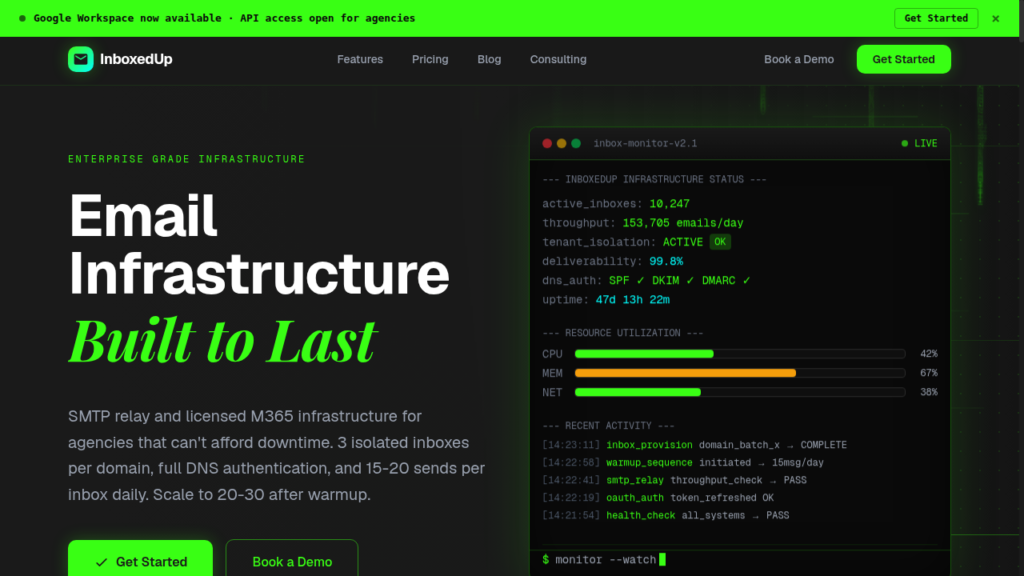
InboxedUp is a cold email inbox provider offering Google, Microsoft, and shared and dedicated private infrastructure.
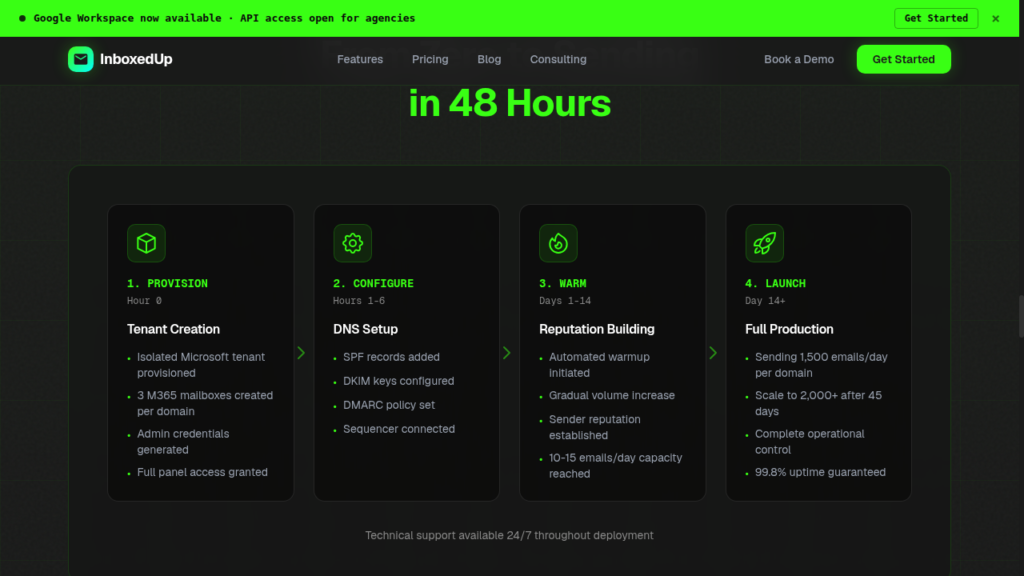
The pricing starts at $3.50 per Google & Microsoft inbox, while shared private infrastructure starts at $2. Setup takes around 48 hours, which is very slow in this industry.
However, they haven’t mentioned the source of their Google and Microsoft inboxes. Also, they don’t publish the isolation ratio.
InboxedUp offers automated warmup over a 14-day ramp, but they don’t disclose whether the warmup is through Google-to-Google accounts, geo-matched, or what the ramp-up frequency is. Therefore, the credibility of warmup is unknown.
Also, there’s no deliverability monitoring and no burn alerts, so you’ll need external tools for both.
How InboxedUp Works
InboxedUp Features
Multi-Inbox Provider
Diversifying your cold email outreach can give you better inbox placement. With InboxedUp, you get Google, Microsoft, and private infrastructure accounts. So you can diversify your campaigns without juggling vendors.
Tenant Isolation (Claimed)
Isolation is good for deliverability. InboxedUp claims 1:1 tenant support on Google and Microsoft, along with dedicated servers and no shared IPs across customers. But it doesn’t provide any relevant information to verify these claims.
Admin Panel Access
InboxedUp offers full admin panel access. It gives you more control over your setup. So you can manage your inboxes without relying on support for every little change.
Strong Support
Dedicated Slack channels, 24/7 access, and a named founder answering directly; InboxedUp has multiple positive reviews on Trustpilot.

Pros
99.8% Deliverability (Claimed, Not Verified)
Multiple private infrastructure customers stated that their emails reached the inbox and the IPs are clean. This feedback applies to the private infrastructure only. However, it does not prove a specific inbox-placement rate.
“emails land primarily in the inbox, i always show clean ip’s”
Matt McCray, Trustpilot
Direct Founder Support
You’ve direct founder access on Slack.
Smooth Onboarding
On Trustpilot, customers have also mentioned a smooth onboarding process. One buyer even said their hands-on support helped keep their project moving instead of getting stuck during setup.
“white gloves onboarding so we didn’t lose project momentum”
Damon Stewart, Trustpilot
Cons
No Burn Detection or Monitoring
InboxedUp doesn’t offer monitoring or burn detection. So you will never know how your inboxes are performing in real time. You will only know when your reply rate dries up.
Warmup Criteria Not Defined
An inbox’s deliverability success depends on warmup quality too. If your inboxes weren’t properly warmed up, their deliverability would suffer significantly. InboxedUp claims to provide warmup, but it’s unclear what their warmup pool, metrics, and criteria are.
No Ongoing Warmup
Ongoing warmup ensures your emails keep landing in the inbox, not in spam. But InboxedUp doesn’t offer ongoing warmup, so you have to do it on your own.
Slow Setup
Many cold email service providers set up the inboxes in 4-6 hours. But InboxedUp sets it up in 2 days.
InboxedUp Pricing
| Plan | Price (per inbox/mo) | Minimum Order |
|---|---|---|
| Google – Starter | $3.50 | No minimum |
| Google – Business | $3.25 | 100-inbox |
| Google – Agency | $3.00 | 250-inbox |
| Microsoft – Starter | $3.50 | No minimum |
| Microsoft – Business | $3.25 | 100-inbox |
| Microsoft – Agency | $3.00 | 250-inbox |
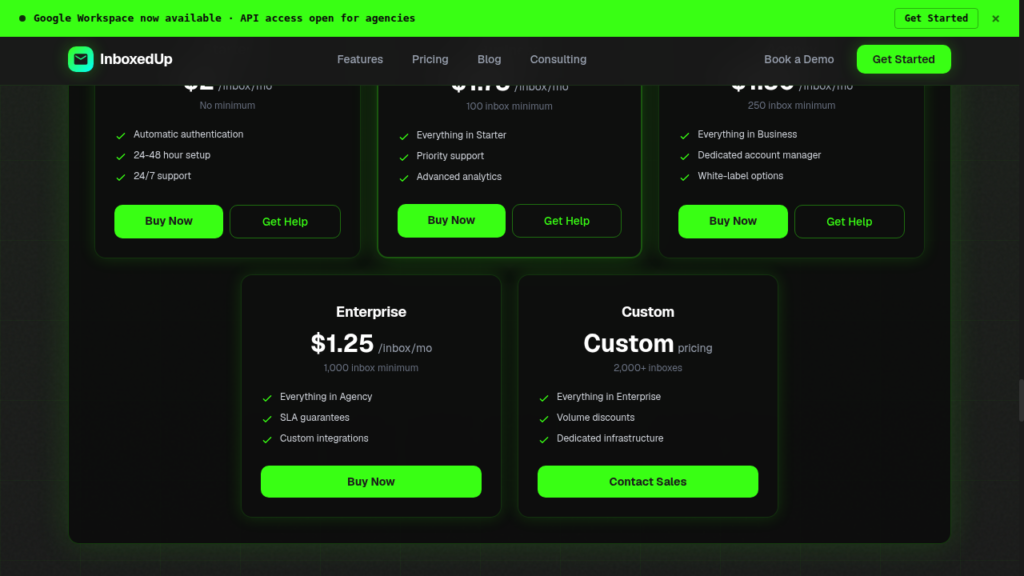
| Shared Infrastructure – Starter | $2.00 | No minimum |
| Shared Infrastructure – Business | $1.75 | 100-inbox |
| Shared Infrastructure – Agency | $1.50 | 250-inbox |
| Shared Infrastructure – Enterprise | $1.25 | 1000 inbox |
| Shared Infrastructure – Custom | Custom | 2000+ inboxes |
| Dedicated Infrastructure – Custom | Custom | No minimum order required |
Aerosend: Best InboxedUp Alternative
InboxedUp offers Google, Microsoft, and private infrastructure (shared + dedicated). The setup takes around 48 hours and integrates with your sequencer. It offers hands-on support, which is convenient for cold emailers who want to pause campaigns immediately.
However, it doesn’t provide monitoring or burn alerts. Although it claims to provide 14 days of warmup, but leaves important details unclear, such as how its warmup pool works, its criteria, and the ramp-up frequency.
So, you’ll only know that your domains are burned when the reply rates dry up.
On the other hand Aerosend takes a more managed approach. It offers dedicated infrastructure with private IPs and isolates every 10 domains or 30 inboxes. You also get premium warmup through WarmupInbox + biweekly inbox-placement tests + burn alerts.
Here is a detailed comparison of InboxedUp and Aerosend:
| Compare | InboxedUp | AerosendPrivate infrastructure |
|---|---|---|
| Inbox Available | GoogleMicrosoftPrivate infra (shared + dedicated)Source of the Google and Microsoft inboxes not disclosed | Private infrastructureBuilt for cold email, so no Google or Outlook bans |
| Isolation | ~Claimed, not verified1:1 tenants and no shared IPs claimed; isolation ratio not published | ✓DedicatedNew isolation every 10 domains / 30 inboxes, never shared |
| Warmup | ~One-time, 14 daysNo ongoing warmup; pool and criteria not defined | ✓Included, ongoingComplimentary premium warmup, matched to who you email |
| Monitoring | ✕Not offeredYou need external tools | ✓Six metricsEvery domain scored daily and surfaced to you |
| Deliverability | ~Claimed, unverified99.8% inbox rate claimed; no placement tests included | ✓Our responsibilityBiweekly inbox placement tests, included |
| Domain Burn Alerts | ✕Not offeredYou find out when reply rates dry up | ✓IncludedBurnt domains flagged within 5 minutes, replaced in one click |
| Pricing | From $3.50/inboxGoogle and Microsoft; shared private infra from $2 | $4 / inbox$2 per inbox past 150 · 30 inboxes = $120/mo |
| Ready To Test? | Visit InboxedUp Website ↗ | Try Aerosend For Free |
Price/Mailbox Breakdown (~5,000 emails/day)
| Requirements | InboxedUp | Aerosend |
|---|---|---|
| Inboxes Required | 250 | 200 |
| Send Rate/Inbox | ~20/day | ~20-25/day |
| Plan | Google – Business (125 inboxes) Microsoft – Starter (75 inboxes) Shared PI – Starter (50 inboxes) | $4/inbox for first 150, then $2 |
| Per-Inbox Cost | Google – $3.25 Microsoft – $3.50 Shared PI – $2 | $3.50 (blended) |
| Total Monthly Cost | ~$770 | ~$700 |
InboxedUp Support
This is InboxedUp’s strongest part: founder-led support on Slack around 24/7. Many customers say the support quality is good and response time are fast. So overall it’s quite reputable.
“super fast at setting things up and responding to my inquiries on the slack channel”
Matt McCray, Trustpilot
“Allahyar and his team are incredibly helpful, give us support outside of his remit”
Jake Sweeney, Trustpilot
The Verdict
InboxedUp offers multiple inbox options and hands-on support, which makes it a convenient choice for agencies managing larger setups.
But the main drawback is:
- No deliverability monitoring
- No burn alerts
- No defined warmup matrix
- No published isolation ratio
- No proof to back 99.8% inbox placement
So if you are comfortable with running your own warmup and monitoring, then InboxedUp is a good fit for you.
But if you want ongoing warmup, monitoring, and alerts after setup, Aerosend is a far better fit for your cold outreach setup.
