

Cheapest Google and Azure inboxes! That’s what caught my attention – the pricing. But then I looked closely and saw it was billed in “euros”, not dollars.
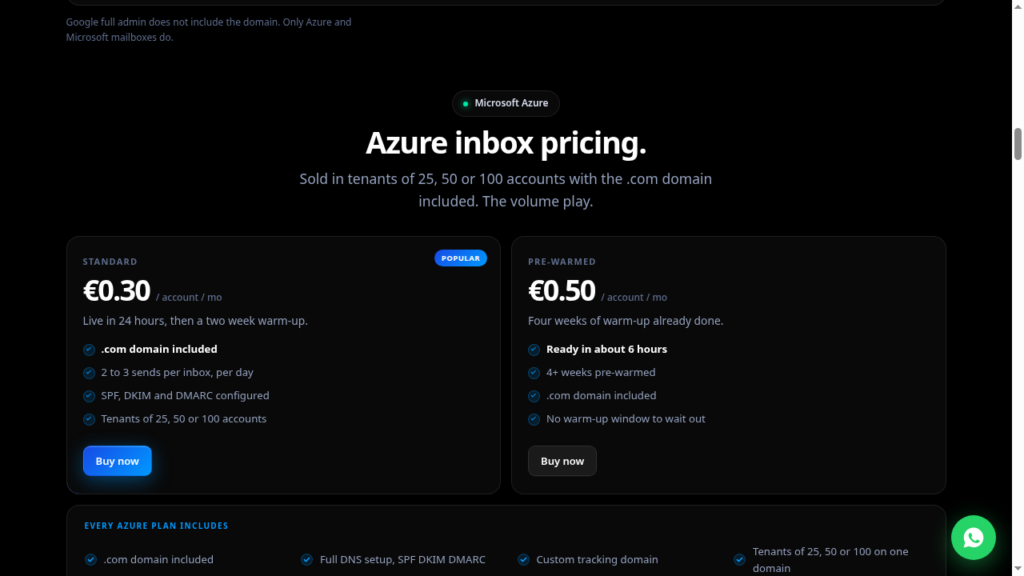
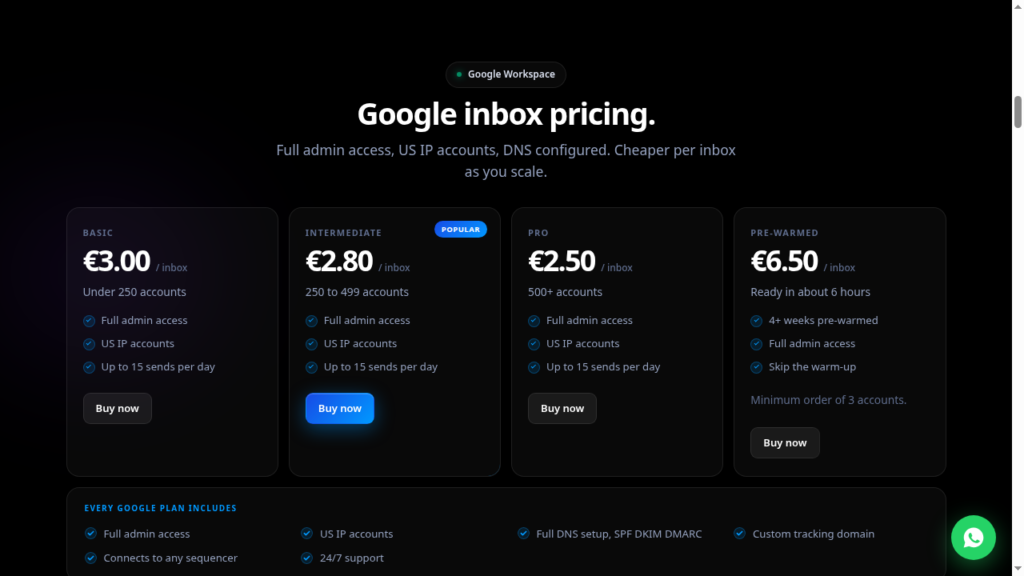
FrostMailer offers Google inboxes for €3/inbox, i.e., $3.44/inbox, and Azure inboxes for €0.30/inbox, i.e., $0.34. Comparatively, it is much cheaper per inbox than available Google and Azure inbox providers.
Despite being the cheapest, does it have any impact on its deliverability?
In this FrostMailer review, I’ll explain FrostMailer cold outreach stack in detail, core features, along with a pricing breakdown for sending at scale.
Key Takeaways
FrostMailer offers Google and Azure inboxes. The starting price is €3.00/inbox for Google and €0.30/inbox for Azure. Both fresh and pre-warmed inboxes are available. The setup is slow and takes 24-48 hours. Monitoring is not included, and warmup only comes with the pre-warmed inboxes, which cost extra.
- Inbox: Google and Azure
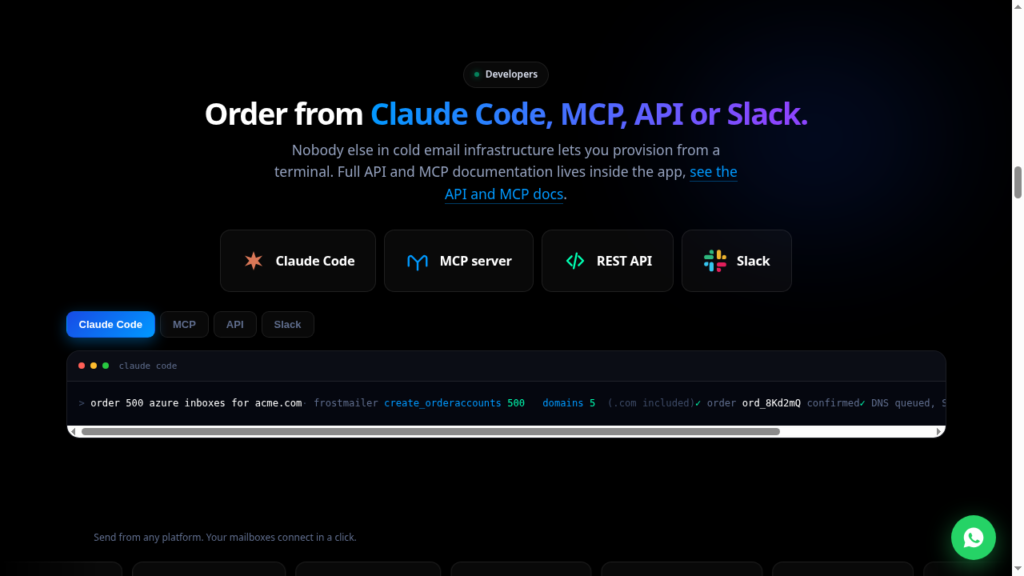
- USP: Place order directly from Claude Code, MCP, API, or Slack
- Deliverability: Poor
- Risk: No Monitoring and Warmup
- Starting Price: Google - €3.00/inbox, Azure - €0.30/inbox
- Support: Via Founder’s Access on Slack and Email

About FrostMailer
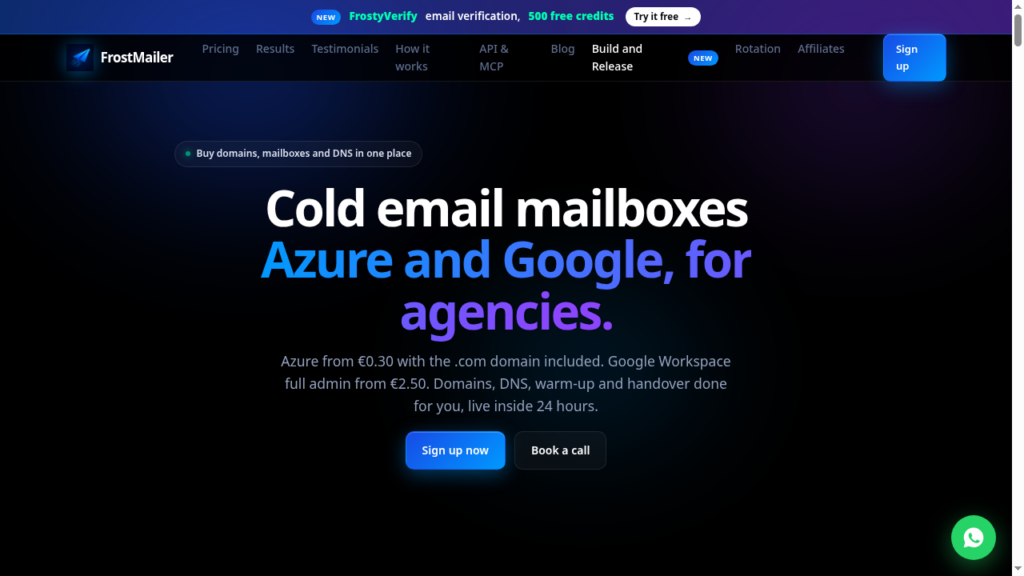
FrostMailer is a multi-inbox provider. It offers fresh and pre-warmed Google and Azure inboxes billed monthly at €3.00/inbox & €0.30/inbox, respectively.
They configure the DNS settings for you and deliver the inboxes in under 24-48 hours. The setup is slow, but it is done properly.
As for pre-warmed inboxes, they claim to set them up in under 6 hours. The starting price is €6.50/inbox for Google and €0.50 for Azure inboxes. However, they didn’t disclose the warmup methodology or ramp-up. So the credibility of the pre-warmed inboxes for higher deliverability isn’t known.
How FrostMailer Works
FrostMailer Features
Multi-Inbox Provider
Diversifying your cold email outreach is better if you’re sending at scale. With FrostMailer, you get Google and Azure inboxes under one roof. So you can diversify your campaigns without juggling vendors.
Pre-Warmed Options
If you want to start your campaigns from day 1, then you can buy pre-warmed inboxes. However, FrostMailer doesn’t provide any information on the warmup methodology. So it makes it hard to know the credibility of the inboxes.
Terminal, API, MCP, & Slack Provisioning
Type a command in Slack, Claude Code, or a script, and inboxes get ordered. Great if you automate things.
Admin Panel Access
FrostMailer offers full admin panel access. It gives you more control over your setup. So you can manage your inboxes without relying on support for every little change.
Founder-Led Support
FrostMailer offers moderate support, including Founder access on Slack.
Pros
Easy Provisioning
FrostMailer lets you order and manage inboxes through Claude Code, MCP, REST API, or Slack, which is genuinely good if your infrastructure is automated.
Pre-Warmed Inboxes
If you want to send cold emails from day 1, you can buy pre-warmed inboxes from FrostMailer.
Cons
Deliverability Issue With Azure Inboxes
Azure inboxes have a bad deliverability reputation compared to Google. They put 25, 50, or 100 inboxes per domain. So, if your domain gets flagged, then all inboxes in it get burned.
Shared Azure Tenants
FrostMailer uses shared Azure tenants for its Azure inboxes, which means the infrastructure is not fully isolated for each customer. So if one customer has a bad reputation, then it can also affect your deliverability.
No Deliverability Monitoring
It doesn’t include burn monitoring, inbox placement, etc. This means you can’t track it, so you have to do it yourself or rely on external tools.
Unverifiable “99% Deliverability” Claim
FrostMailer claims a 99% deliverability rate on its homepage. However, it doesn’t provide inbox-placement tests or any information to verify the claim.
Low Sending Limit
You can only send up to 2-3 emails/day/inbox from Azure inboxes and 15 from Google inboxes.
Billing and Warm-Up Complaint
One 1-star Trustpilot review alleges continued billing after cancellation, randomly removed mailboxes, and incomplete warm-up after three weeks.
“These guys are a total scam. On the call the they said “done for you”. It’s just a mailboxes and then skool videos. I’ve been asking for a refund and cancellation and they keep billing me. Also, one third of the mailboxes were “removed” randomly and after 3 weeks they’re still not all the way warmed up. Total disaster.”
Parking.com Customer (1 star), Trustpilot
FrostMailer Pricing
| Plan | Price/inbox/mo | Sending Limit/day |
|---|---|---|
| Google Basic (<250) | €3.00 | 15 emails |
| Google Intermediate (250-499) | €2.80 | 15 emails |
| Google Pro (500+) | €2.50 | 15 emails |
| Google Pre-warmed | €6.50 | Not mentioned |
| Azure Standard | €0.30 | 2-3 emails |
| Azure Pre-warmed | €0.50 | Not mentioned |
| Build-and-Release Basic | €1,000 | 2,000 emails |
| Build-and-Release Advanced | €1,700 | 6,000 emails |
Aerosend: Best FrostMailer Alternative
FrostMailer offers Google and Azure inboxes. You can buy both fresh and pre-warmed inboxes.
If you’re sending for the first time, FrostMailer is good as it handles setup, DNS, and provisioning.
But on the downside – monitoring, ongoing warmup, burn alerts, and inbox-placement testing are not available.
You only get to know your domains are burnt when your reply rates dry up.
Aerosend offers dedicated infrastructure built for high deliverability. With private IPs that host 10 domains or 30 inboxes, Aerosend publishes the inbox/domain ratio and offers aged IPs for your cold outreach setup.
Here is the detailed comparison between FrostMailer and Aerosend:
| Compare | FrostMailer | AerosendPrivate infrastructure |
|---|---|---|
| Inbox Available | GoogleAzureFresh and pre-warmed on both lines | Private infrastructureBuilt for cold email, so no Google or Outlook bans |
| Isolation | ✕Shared Azure tenants25, 50 or 100 mailboxes on one domain; Google ratio not disclosed | ✓DedicatedNew isolation every 10 domains / 30 inboxes, never shared |
| Warmup | ✕Not providedFresh inboxes need a 2-week window you run yourself; pre-warmed accounts arrive warmed | ✓Included, ongoingComplimentary premium warmup, matched to who you email |
| Monitoring | ✕Not offeredYou track it yourself or pay for external tools | ✓Six metricsEvery domain scored daily and surfaced to you |
| Deliverability | ~99% claimed, unverifiedNo inbox-placement tests offered or published | ✓Our responsibilityBiweekly inbox placement tests, included |
| Domain Burn Alerts | ✕Not offeredYou find out when your reply rates dry up | ✓IncludedBurnt domains flagged within 5 minutes, replaced in one click |
| Pricing | From €0.30 / inboxAzure €0.30; Google €2.50 to €3.00; 2-3 sends a day on Azure, 15 on Google | $4 / inbox$2 per inbox past 150 · 30 inboxes = $120/mo |
| Ready To Test? | Visit FrostMailer Website ↗ | Try Aerosend For Free |
Price/Mailbox Breakdown (~5,000 emails/day)
| Requirement | FrostMailer | Aerosend |
|---|---|---|
| Inboxes required | ~500 | 200 |
| Send Rate/Inbox | Google – 15 emails/day Azure – 3 emails/day | ~20-25/day |
| Plan | Google – Intermediate (300 inboxes) Azure – Standard (200 inboxes) | Blended |
| Per-inbox rate | Google – €2.80/inbox Azure – €0.30/inbox | ~$3.50 blended |
| Estimated monthly total | ~€900 | ~$700 |
FrostMailer Support
FrostMailer support is moderate. Many users highlighted that they got direct access to the founder, with fast response time and quality support.
“I love that it’s a relatively smaller company. I also have direct access to the founder, he responds fast …”
Freek de Bresser, Trustpilot
“Great team. Almost instant responses … Even helped me with my cold email strategy a couple times even though I just pay for their inbox service.”
Zohair Khan, Trustpilot
The Verdict
FrostMailer is a good fit if you want Google and Azure inboxes with pre-warmed options.
But it has some drawbacks that can affect your deliverability, such as:
- Azure inboxes hosted on a shared tenant
- Low sending limit
- No defined warmup methodology
- No deliverability monitoring or burn alerts
- 99% deliverability claim lacks evidence
So if you can manage deliverability on your own, then FrostMailer is a good fit.
But if you want dedicated infrastructure + ongoing warmup + deliverability monitoring + burn alerts, then Aerosend can be a better fit for your cold email outreach setup.
