

Many cold emailers don’t want to wait for 2-3 weeks to launch their campaign after buying inboxes. You may have your leads and campaign ready, but waiting 2-3 weeks for inboxes to warmup is time-consuming.
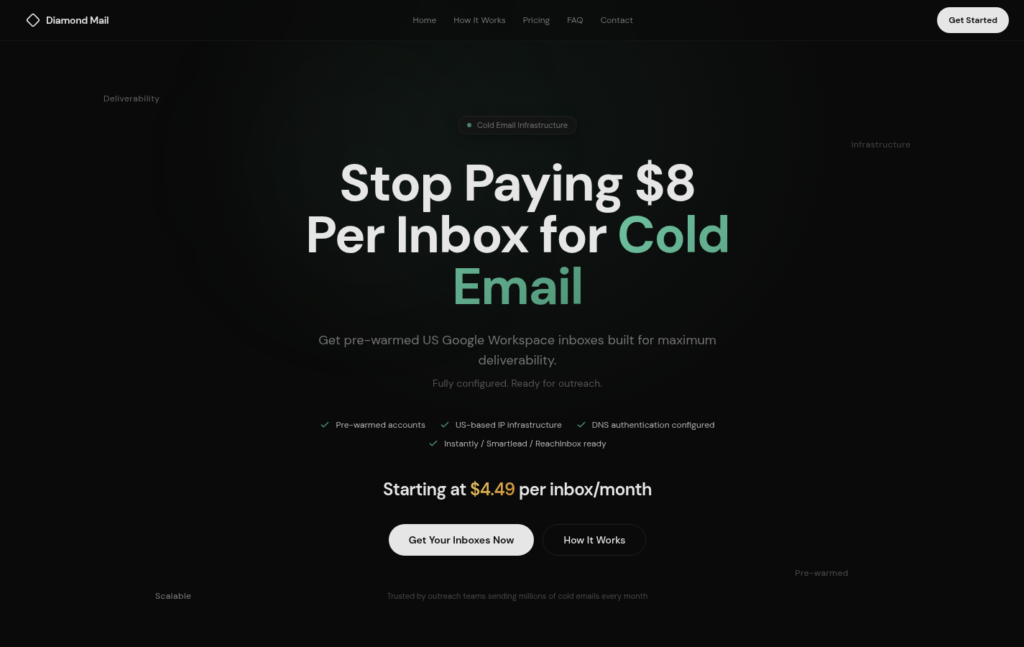
Diamond Mail solves this problem by offering pre-warmed Google inboxes for $4.99.
However, it has its own drawbacks, such as the warmup methodology is not defined, IP origin is not clear, etc.
In this Diamond Mail review, I’ll explain everything the tool offers, including the cost estimation for sending ~5,000 emails/day.
Key Takeaways
Diamond Mail offers pre-warmed Google inboxes for $4.99. It handles the setup, but it takes 24-72 hours to complete. It also provides Azure and dedicated infrastructure; however, they are add-ons and gated behind a form.
- Inbox: Pre-warmed Google; Azure and dedicated infrastructure available as add-ons
- USP: Pre-warmed Google inboxes
- Deliverability: Mixed Reviews
- Risk: No monitoring, limited support, and India-based inboxes
- Starting Plan: $4.99/inbox
- Support: Contact Form only
About Diamond Mail
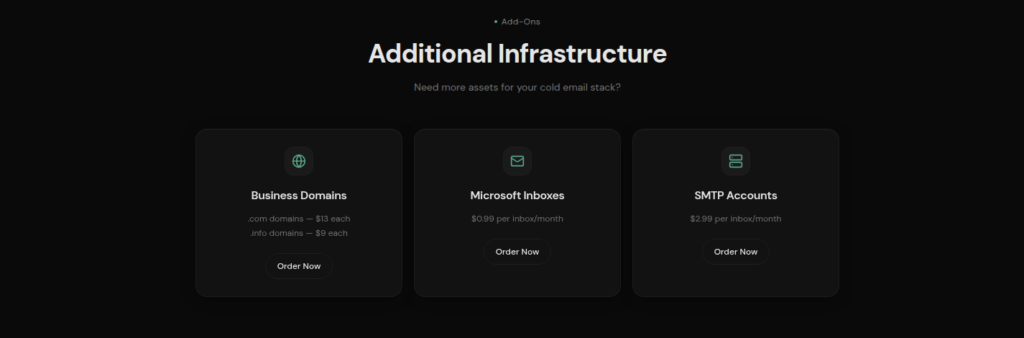
Diamond Mail is a cold email provider that primarily sells Google inboxes. Additionally, it offers Azure at $0.99/inbox/mo and dedicated infrastructure at $2.99/inbox/mo as add-ons.
They offer prewarmed Google inboxes for $4.99. DNS configuration is included. But the setup takes 24-72 hours, which is slightly longer than some providers.
They are not transparent about their IP infrastructure and warmup methodology.
How Diamond Mail Works

Diamond Mail Features
Pre-Warmed Google Inboxes
Diamond Mail offers pre-warmed Google inboxes for $4.99. It sets up SPF, DKIM, DMARC, and MX records for you. The credibility of warmup is not known, as warmup methodology is not disclosed.
Own or Buy Domains
You can use your own domains or buy them through Diamond Mail. Domain prices start at $13 for a .com and $9 for a .info.

Pros
Multiple Inbox Options
Diamond Mail mainly provides Google inboxes. It also offers Azure and dedicated infrastructure as add-ons. They are gated behind the form.
Pre-warmed Inboxes
Diamond Mail offers pre-warmed Google inboxes for $4.99/inbox/mo. However, they didn’t mention their warmup methodology anywhere.
Sequencer-Ready
They offer a done-for-you setup so you can easily connect them to your sequencer and start your campaigns from day one.
Cons
IP origin is not Disclosed
Diamond Mail claims on its website that it offers US Google Workspace accounts. But the low $4.50-$4.99 price raises questions about the account source. Therefore, the actual account origin and IP details cannot be verified, and the accounts are most likely of Indian Origin.
Slow Setup
The setup speed is usually slow, and your inboxes are ready within 24-72 hours.
Multi-inbox Model Gated Behind a Form
Diamond Mail primarily offers Google inboxes, but as an add-on, it offers Azure and dedicated infrastructure for cold outreach. The only way to access the multi-inbox model is to fill out a form and wait for the Diamond Mail team to reply.
No Deliverability Monitoring
Diamond Mail doesn’t offer burn detection, inbox placement tests, or blacklist monitoring. So, if something happens, you have to track domain and inbox health yourself.
No Warmup Methodology Defined
Diamond Mail provides prewarmed Google inboxes, but they didn’t define their warmup methodology.
Diamond Mail Pricing
| Plans | Inboxes | Price / Inbox |
|---|---|---|
| Basic | 30 to 99 | $4.99 |
| Premium | 100 to 299 | $4.49 |
| Enterprise | 300+ | Custom |
Note: Minimum inbox required – 30 inboxes. The plans are billed monthly. Add-ons such as Azure inboxes and dedicated infrastructure are available.
Aerosend: Best Diamond Mail Alternative
Diamond Mail offers pre-warmed Google inboxes, sets them up within 24-72 hours, and leaves the deliverability work to you.
It doesn’t offer ongoing warmup, so in the future, if your inboxes get burned, it is your responsibility to manage or replace them.
It also provides Azure and dedicated infrastructure for $0.99 and $2.99/inbox/mo, respectively.
On the other hand, Aerosend provides dedicated infrastructure, geo-matched aged IPs, and manages your deliverability. It also provides burn monitoring and ongoing warmup, so you don’t have to do it.
Here’s a brief comparison between the two cold outreach stacks –
| Compare | Diamond Mail | AerosendPrivate infrastructure |
|---|---|---|
| Inbox Available | GooglePre-warmedAzureDedicated infraMainly Google; Azure and dedicated infra are form-gated add-ons | Private infrastructureBuilt for cold email, so no Google or Outlook bans |
| Isolation | ~Paid add-on onlyDedicated infra add-on behind a form; no ratio disclosed | ✓DedicatedNew isolation every 10 domains / 30 inboxes, never shared |
| Warmup | ~Pre-warmed onlyPre-warmed at handoff, method undisclosed, no ongoing warmup | ✓Included, ongoingComplimentary premium warmup, matched to who you email |
| Monitoring | ✕Not offeredNo burn detection, placement tests or blacklist monitoring | ✓Six metricsEvery domain scored daily and surfaced to you |
| Deliverability | ✕Self-managedDeliverability work is left to you | ✓Our responsibilityBiweekly inbox placement tests, included |
| Domain Burn Alerts | ✕Not offeredYou track domain and inbox health yourself | ✓IncludedBurnt domains flagged within 5 minutes, replaced in one click |
| Pricing | From $4.99/inboxMinimum 30 inboxes; $4.49 at 100 to 299, billed monthly | $4 / inbox$2 per inbox past 150 · 30 inboxes = $120/mo |
| Ready To Test? | Visit Diamond Mail Website ↗ | Try Aerosend For Free |
Price/Mailbox Breakdown (~5,000 emails/day)
| Requirements | Diamond Mail | Aerosend |
|---|---|---|
| Mailboxes needed | ~250 | 200 |
| Send rate per mailbox | 15 to 25/day (safe Google limit) | 20 to 25/day |
| Plan | Premium, 100 to 299 at $4.49 | Starter to Growth banded |
| Per-mailbox rate | $4.49 | $3.50 (blended) |
| Monthly total | ~$1,122 | ~$700 |
| Service model | Self-managed | Managed |
Diamond Mail Support
Diamond Mail only offers support through a contact form. There is no live chat, phone support, or public email address.
There is no published response time or support hours.
The Verdict
Diamond Mail is only worth it if you want pre-warmed Google inboxes with Azure and dedicated infrastructure as add-ons. It helps you diversify your cold outreach campaigns.
However, you need to manage warmup, monitoring, and domain health yourself. Also, there is no burn monitoring or placement testing.
It is best for small teams that wants to send at small scale and already knows how to manage deliverability. But given the cost for sending at scale, it might not be the most cost effective tool.
If you want a better infrastructure designed around better deliverability and reply rate, Aerosend is a better option.
To know how you can improve your deliverability, schedule a call now with Namit, Smartlead Hall of Famer and Co-Founder at Aerosend.
