

The common problem with Gmail and Outlook inboxes hosted on a shared IP pool is that inbox placement will suffer. Even if you buy Gmail and Outlook inboxes from Google or resellers, nothing will help.
Like ColdSire, which hosts inboxes on a shared IP pool and gives full admin access per domain, that counts for nothing! You need monitoring and ongoing warmup to sustain good inbox placement.
This ColdSire review includes:
- Insight into cold email infrastructure
- Are they really worth $6/inbox?
- Can admin panel access stop domains from burning?
Key Takeaways
ColdSire offers Google and Microsoft inboxes for $6. It includes a shared IP pool + full admin access/domain. The setup is fast, with easy integration to sequencers, but there’s no warmup or burn monitoring.
- Inbox: Google and Microsoft
- USP: Admin Access Per Domain
- Deliverability: Mixed Reviews
- Risk: No warmup or monitoring
- Starting Plan: $6/inbox/mo
- Support: Email-only
About ColdSire
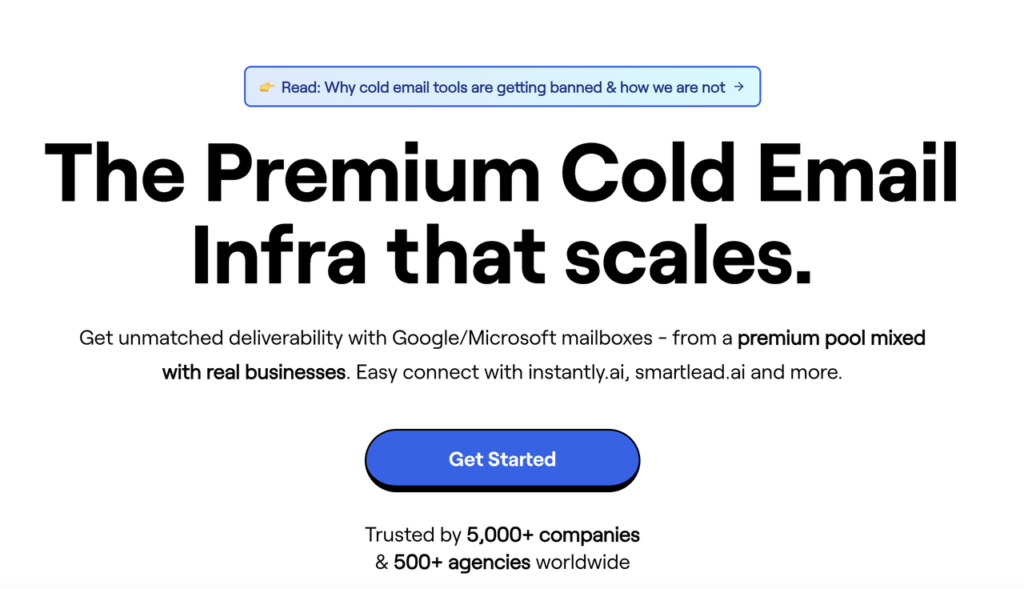
ColdSire is a cold email inbox provider that offers Google and Microsoft accounts for $6 each. They source inboxes from official Google and Microsoft resellers. The setup is fast, and you’ll get admin panel access with each domain.
But considering the $6/inbox price tag, it doesn’t include warmup, monitoring, or burn alerts. So, you’ve to manage warmup and deliverability on your own.
How ColdSire Works
ColdSire Features
Multi Inbox Provider
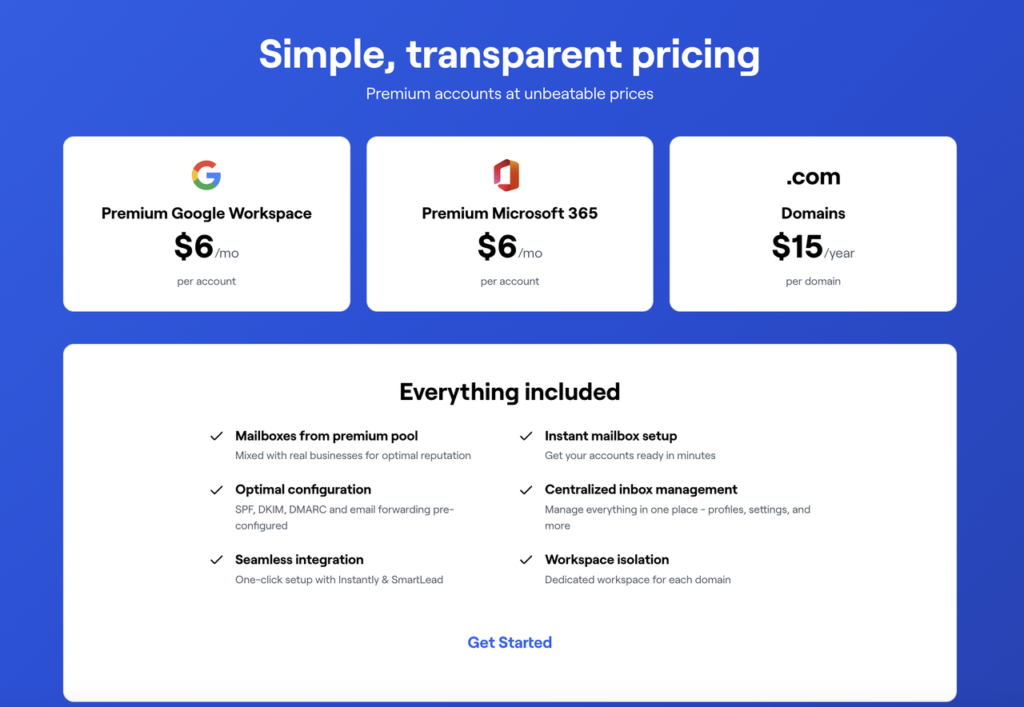
ColdSire offers Google and Microsoft accounts for $6/inbox/mo. The origin of the inboxes is unknown, as they source them from official Google and Microsoft resellers.
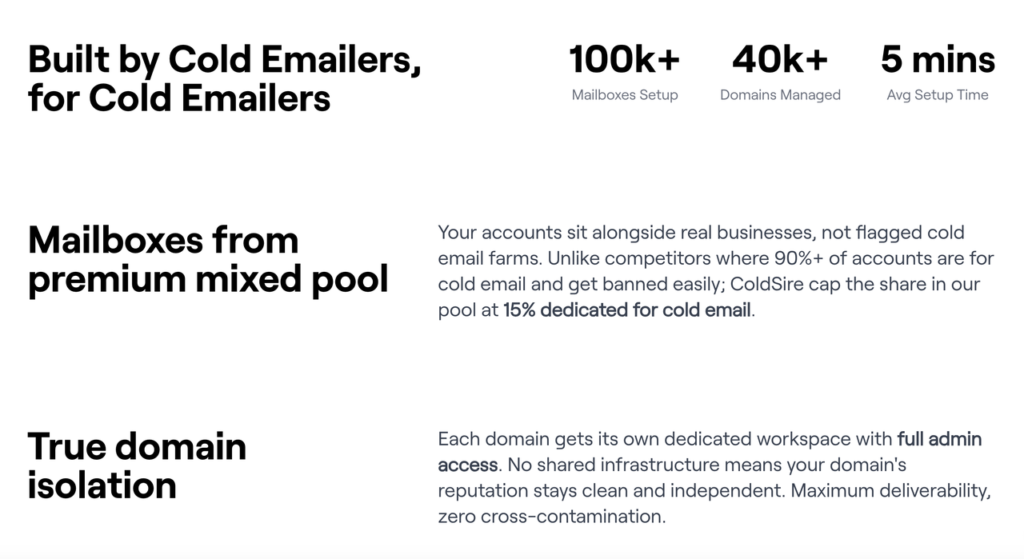
Domain-Level Isolation
You’ll get admin panel access for each domain. With this, you can check the origin of your inboxes + you can manage your campaigns without relying on your cold email service provider.
Five-Minute Setup
Normally, most of the cold emailers have to wait for 24-48 hours for inbox provisioning. But ColdSire offers a done-for-you setup and delivers the accounts in under 5 minutes.

Pros
Admin Panel Access Per Domain
Most of the ESPs don’t offer admin panel access. On the contrary, ColdSire gives you full control and offers admin panel access per domain. It is important to manage your campaigns.
Fast DFY Setup Handover
ColdSire offers DFY setup, and your inboxes are ready for cold outreach in 5 minutes.
Cons
No Warmup
For good deliverability, warmup is important, and ColdSire doesn’t offer warmup. You’ve to run your warmup through your sequencer.
No Monitoring
Keeping a close eye on your domain’s performance is crucial for good inbox placement. By proactively diagnosing the burning domain, you can pause the campaign and shift the workload to another domain.
No Inbox/Domain Ratio
There’s no inbox/domain ratio published on ColdSire website. Having an optimum number of inboxes per domain can help you manage your daily sending frequency + sustain a good inbox placement rate.
No Reviews
There are no reviews published on Trustpilot and G2. So the credibility of ColdSire as an email service provider is unknown.
No Domain Replacement
On ColdSire, the only way to know that your domains are burnt is when the reply rate dries up. And when that happens, there’s no way to replace the domain on ColdSire.
Price/Inbox is High
Other cold email service providers offer Google and Microsoft inboxes for anything between $2.5-$4/inbox. But ColdSire offers Google and Microsoft inboxes for $6/inbox, which is steep compared to others.
ColdSire Pricing
| Account Type | Price/Inbox/mo | Daily Sending Limit |
|---|---|---|
| $6.00 | ~20-25 emails/day | |
| Microsoft | $6.00 | ~20-25 emails/day |
Aerosend: Best ColdSire Alternative
ColdSire offers Google and Microsoft inboxes for $6/inbox/mo with done-for-you setup. It provides admin panel access per domain, which is important for managing the campaign. But it doesn’t include warmup and monitoring, so you have to manage it on your own.
On the other hand, Aerosend provides dedicated infrastructure, built for best inbox placement. It offers a dedicated IP and isolation for each domain, i.e., 3 inboxes/domain. Each inbox is billed monthly at $4 (cheaper at scale) and runs through premium warmup using Warmupinbox. Monitoring is included to proactively manage deliverability, and with domain burn alerts, you can easily identify and replace the burnt domains.
Here is the detailed comparison between ColdSire and Aerosend:
| Compare | ColdSire | AerosendPrivate infrastructure |
|---|---|---|
| Inbox Available | GoogleMicrosoftFrom official resellers; origin unknown | Private infrastructureBuilt for cold email, so no Google or Outlook bans |
| Isolation | ~Admin panel per domainShared IP pool; isolation ratio not published | ✓DedicatedNew isolation every 10 domains / 30 inboxes, never shared |
| Warmup | ✕Not offeredRun warmup through your sequencer | ✓Included, ongoingComplimentary premium warmup, matched to who you email |
| Monitoring | ✕Not offeredNo monitoring included at $6/inbox | ✓Six metricsEvery domain scored daily and surfaced to you |
| Deliverability | ✕Self-managedYou manage warmup and deliverability yourself | ✓Our responsibilityBiweekly inbox placement tests, included |
| Domain Burn Alerts | ✕Not offeredNo burn alerts and no domain replacement | ✓IncludedBurnt domains flagged within 5 minutes, replaced in one click |
| Pricing | $6/inboxGoogle and Microsoft, monthly; domains $15 | $4 / inbox$2 per inbox past 150 · 30 inboxes = $120/mo |
| Ready To Test? | Visit ColdSire Website ↗ | Try Aerosend For Free |
Price/Mailbox Breakdown (~5,000 emails/day)
| Requirements | ColdSire | Aerosend |
|---|---|---|
| Inboxes Required | 200 | 200 |
| Sending Limit/Inbox | ~25/day | 20-25/day |
| Plan | $6/inbox | Starter/Growth (banded) |
| Price/Inbox | $6.00 | $3.50 (blended) |
| Monthly Total | ~$1,200 | ~$700 |
ColdSire Support
Support is only accessible via in-app.
The Verdict
If you want inboxes without having to set them up, but you’ve to manage warmup and deliverability, then consider ColdSire. The setup is quick and connects instantly to your sequencer.
The main drawback is that at $6/inbox, it doesn’t provide warmup and monitoring or burn alerts. Also, the sticker price is higher than that of other cold email service providers.
But if you want managed deliverability + warmup, consider Aerosend. It includes:
- Dedicated Infrastructure
- Premium Warmup
- Domain Monitoring
- Price/inbox is cheap, i.e., $4/inbox (cheaper at scale)
- Burn Alerts
