


Zapmail was one of the first Google Workspace resellers built for cold email. Zapmail offers pre-warmed inboxes; their support is decent and the setup doesn’t take a lot of time. For a lot of teams, it was good enough to get started.
Then they saw “Reseller Club India” on the Google Admin Console billing page. The US-based accounts you were promised are Indian IPs resold at a markup. That moment sends most people searching for “Zapmail alternatives”.
For context, a reseller in India can legally buy Google Workspace accounts at Indian pricing ($1.80 per inbox). They then turn around and sell those accounts to cold email teams in the US for $2.50 to $3.50 per inbox. That’s a minimum margin of $0.70 per inbox, and they can do it at massive volume.
That’s exactly what Zapmail is doing.
The problem with this is:
First, the accounts are provisioned through Indian infrastructure, so the IPs are Indian. You bought what you thought was a US account and you’re actually sending from India.
Second, Zapmail is not being transparent about it and that’s hurting too many outreach systems.
In this guide, I compared 7 Zapmail alternatives on the warmup quality, deliverability ownership, infrastructure isolation, and pricing.
The Gaps in Zapmail That Push Teams to Switch
India IPs sold as US-based accounts
Zapmail selling India-based Workspace accounts after claiming US-based IPs is the most documented Zapmail complaint across every review platform. Prospeo.io independently documented this and called the Zapmail-to-competitor migration “one of the most active migrations in cold email right now.”
IP geolocation matters more than you realize. When you’re targeting US and EU recipients, sending from Indian IP ranges attracts spam-filter scrutiny.
No trial, no refund, no exit
The cheapest monthly plan costs $39 for 10 Google/Microsoft inboxes or 3 pre-warmed inboxes. There’s no free trial or refund policy in place.
The no-refund policy locks you in before you can validate whether the inboxes actually deliver. When you want to leave, migrating Google Workspace away from Zapmail to direct Google management is blocked. Support pushes upsells instead of helping you migrate.
Inbox disablement and OAuth disconnects mid-campaign
This is the operationally damaging one. Zapmail inboxes frequently experience full inbox disablement (not just spam placement) mid-campaign.
MS365 OAuth disconnects are another pattern: Microsoft accounts randomly lose their connection to Instantly, Smartlead, or Lemlist in the middle of a running campaign, without any warnings.
Your sequences just stop sending and inboxes become practically unusable.
Deliverability that doesn’t scale
Zapmail is built for small volumes and it shows up as you try to grow.
Zapmail inboxes operate on shared IP infrastructure, meaning your reputation depends on what every other sender in the same pool does. There’s no burn detection, no proactive monitoring, and no inbox placement testing beyond 10 free credits per month. You can only detect problems when you see your campaigns failing.
What I Looked for in Zapmail Alternatives
After managing 2,000+ cold email accounts and testing infrastructure from every provider in this space, here’s how I evaluate a Zapmail replacement.
Inbox warmup quality
Warmup is the foundation of deliverability. Zapmail claims “pre-warmed mailboxes” with “12+ weeks of preparation” but provides no documentation on what that warmup actually looks like. There’s no mention of any volume ramp details or their ESP-specific methodology.
ESP-tailored warmup means the ramp is built around how your specific sequencer actually behaves. Each sequencer interacts with mailbox reputation differently. Smartlead, Instantly, and Lemlist all need different warmup treatment. Different volume curves, different sending patterns, different email warmup tools for different graduation criteria. With Zapmail inboxes, you may be compromising on the deliverability from Day 0.
Deliverability ownership
You need to understand that there is a huge difference between “we set up your inboxes” and “we take responsibility for your email deliverability.”
A lot of cold email inbox providers provision accounts and configure DNS, and they walk away. However, little responsibility and ownership can go a long way in this space. It means ongoing monitoring, inbox placement testing, burn detection that catches problems before campaigns fail, and domain replacement when something does burn. If your email infrastructure provider is taking up this responsibility, it means that they are actually taking ownership of the outcome.
Infrastructure isolation
With Shared IPs, your reputation depends on the activity of the rest of the pool. One bad actor on a shared pool can tank everyone’s deliverability. Zapmail uses Google and Microsoft shared IP pools instead of dedicated cold email infrastructure.
If you run an agency, this is even more critical, as shared IPs can put multiple client campaigns at risk. If one client sends something that triggers a spam filter, it shouldn’t affect every other client on your account.
Infrastructure backend and quality
Google Workspace from a US data center performs differently from Google Workspace resold through India. The difference is because of the server, the IP and the history attached to that IP.
Spam filters have been watching every IP range for years. Before you send a single email, your inbox already has a starting reputation based on where it comes from. IP age and domain reputation affect deliverability from Day 1. Aged IPs on clean dedicated infrastructure start with years of trust.
Top 7 Zapmail Alternatives
| Provider | Type | Cost | Warmup | IPT | Burn Detection | Infrastructure | Best For |
|---|---|---|---|---|---|---|---|
| Aerosend | Managed | $120 | Managed, ESP-tailored | Biweekly | 5-metric | Dedicated per 10 domains | Deliverability-first |
| Maildoso | Reseller | $75 | BYO | Every 3 days | Self-healing | Shared IP pool | Budget volume |
| Wizemails | Managed | $579 | Managed (BYO tool) | None | SIE auto | Dedicated per client | SIE monitoring |
| Hypertide | Dedicated | $150 + setup | BYO | None | None | Dedicated Azure | Cheapest dedicated |
| Inframail | Flat | $129 | BYO | None | None | Single dedicated IP | Unlimited flat rate |
| Mailscale | Budget | $119 | BYO | None | None | Shared IPs | Free trial entry |
| Mailreef | Dedicated | $255 | BYO | None | None | Dedicated server + IP | Server ownership |
Aerosend: The Zapmail alternative built for deliverability
We built Aerosend to solve this recurring problem of declining deliverability. We don’t just sell inboxes. That’s never been our sales pitch. We manage cold email deliverability and guarantee minimum spam. We run biweekly inbox placement tests, ESP-tailored warmup, and a 5-metric burn detection system that catches domain problems before they reach your campaigns. We’ve had zero mass bans in history, even with 30,000 active inboxes.
What you get:
- Dedicated servers with aged IPs, isolated per 10 domains. If one group burns, the others stay clean.
- For every mailbox, we run biweekly inbox placement tests using real seed-list tests across Gmail, Outlook, and Yahoo, at no extra cost
- ESP-specific managed warmup tailored to your sequencer (Smartlead, Instantly, lemlist all get different treatment)
- 5-metric burn detection algorithm (warmup reputation, inbox placement, reply rate, bounce rate, bounce type)
- Proactive IP rotation before degradation
- Free domain replacement when a domain burns
- Monthly performance reports
- Deliverability guarantee that beats your current infrastructure
Pricing:
Starter: $120 per month for 1 dedicated server, 10 domains, 30 mailboxes
Per-mailbox cost: $4.00 (Starter), $3.50 (Growth), $3.10 (Scale)
Cost per email: $0.0080 at 15,000 emails per month
Everything included. There is no per-send fee and no add-on costs for deliverability services.
Domains: bring your own (purchased through any registrar)
Pros:
- True isolation per 10 domains.
- Zero mass bans across entire history
- Biweekly built-in inbox placement tests and monthly reports included for every client
- Managed warmup tailored per ESP, included at no extra cost
- 5-metric burn detection catches problems before campaigns fail
Cons:
- The mailboxes are slightly more expensive ($4) than some other budget shared-IP providers like Maildoso ($2.50) or Mailscale ($2.38)
- You bring your own domains and sequencer, not an all-in-one platform
- Not built for solo senders with fewer than 10 domains or 2,000 prospects
Best for: Agencies and B2B teams running 30 to 10,000+ inboxes who need infrastructure that actively protects deliverability.
We cost more per mailbox than budget providers, and we require a minimum of 10 domains to get started. If you’re a solo sender running 5 inboxes, the economics don’t work. Start with a simpler tool and upgrade to Aerosend when you’re ready to scale. But for teams sending more than 500 emails a day, the cost of unmonitored infrastructure (burned domains, tanked reply rates, wasted leads) usually exceeds the per-inbox premium.
Maildoso: The volume play on shared rails
G2 Rating: 4.6/5 (163 reviews)
Maildoso is a well-known name in cold email infrastructure. It has a direct integrations with every major sequencer.
The core offering is inboxes with shared IP rotation and self-healing (auto-pause burned mailboxes for 14 days). The cheapest entry point here is 30 inboxes at $75 a month. This would work well if you prioritize low per-inbox cost and can manage your own deliverability.
Pricing:
30 inboxes: $75 per month ($2.50 per inbox)
Cost per email: $0.0050 (base only)
Since Warmup is not included. Bring-your-own warmup tool adds roughly $30 to $50 per month
All-in estimate comes to $81 to $131 per month
Pros:
- Lowest base price at $75 per month for 30 inboxes
- Built-in Inbox Placement Tests with health scores is a genuine competitive feature most budget providers lack
- Strongest G2 presence in cold email infrastructure (163 reviews, 4.6/5)
- Self-healing auto-pauses burned accounts for 14 days, reactive but better than nothing
Cons:
- Inbox burnout within 1 to 2 weeks is the most consistent complaint across Reddit. Multiple users report domains going cold before campaigns even get going
- Some plans lock you into quarterly billing with zero refunds. You find that out after you’ve already paid
- Astroturfing suspicion is real enough to notice. Reddit users have called out Maildoso threads. It’s hard to know what’s genuine feedback and what isn’t.
- Google Workspace simply outperforms Maildoso inboxes on placement at 92-95% vs 85-90%. Not a big deal until you’re sending 15,000 emails a month and realize hundreds of them are landing in spam by default. You’re paying less and getting measurably worse results.
Best for: High-volume teams who want the lowest per-inbox cost and can absorb occasional domain burns on shared infrastructure.
With Maildoso inboxes, your deliverability depends on what other senders on the shared pool are doing. For a deeper breakdown, see our Maildoso alternatives guide. IP rotation rotates away from damage after it happens. Several reviews report domains burning within the first 1 to 2 weeks as well. The self-healing mechanism treats the symptom (pauses burned inboxes) but doesn’t address the root cause (shared infrastructure).
Wizemails: The premium managed service with zero track record
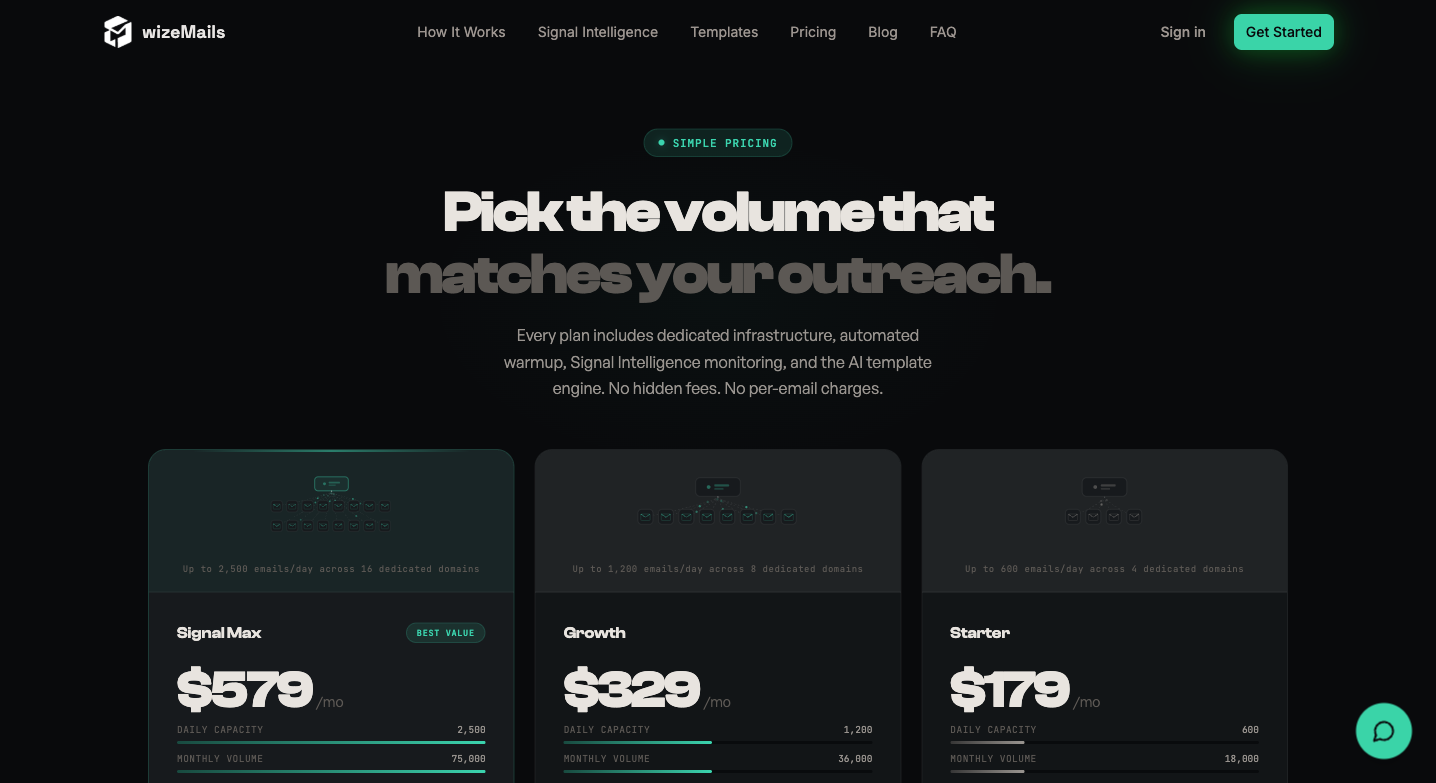
This Zapmail competitor I’m quite excited about. This is the first time I’m mentioning this tool because I recently discovered it. Wizemails positions itself as a managed deliverability service with a Signal Intelligence Engine (SIE) that scans every 15 minutes and responds autonomously to threats. They have a dedicated server and a dedicated IP per client.
The reason Wizemails piqued my interest is that it’s the closest competitor to Aerosend. It takes responsibility for managing deliverability and takes ownership beyond provisioning the inboxes. It even has its own intelligence engine to manage deliverability. On paper, everything sounds near perfect.
However, Wizemails launched last month (February of 2026) and has about 7 followers on LinkedIn with zero independent reviews.
Pricing:
Signal Max (the only plan covering 30 inboxes): $579 per month for 16 domains, 32 mailboxes
Cost per email: $0.0386
BYO warmup tool adds $30 to $50 per month
All-in estimate: $579 to $629 per month
That’s 4.8x Aerosend’s price for a comparable managed service model
Pros:
- Wizemails built its own intelligence engine called ‘Signal Intelligence’ which monitors autonomous threats every 15 minutes.
- With true dedicated server and IP per client, there is zero cross-contamination risk
- Managed warmup scheduling (they control the ramp, limits, graduation)
Cons:
- ZERO independent user reviews. We found nothing on Reddit, Trustpilot, G2, YouTube, or Twitter from actual users. Even with such limited visibility, Wizemail managed to bag homepage testimonials: 3 quotes with no names, no companies. This raises suspicion about their credibility. Additionally, Wizemails may be too new to fully replace Zapmails.
- BYO warmup tool despite “managed warmup” positioning. You pay $579 per month and still need to buy a separate warm-up tool
- 4.8x the cost of Aerosend ($120 for 30 mailboxes) with comparable managed features
Best for: If you want to experiment with a new, dedicated managed service and are willing to pay a premium for the SIE concept, go for it.
Wizemails is a ghost online. Every competitor in cold email infrastructure, even ones with known problems, has more online presence than Wizemails. For a product charging $579 per month, the complete absence of independent user feedback is the most significant trust barrier. The SIE concept looks promising on paper but promising concepts from a company with 7 LinkedIn followers and 2 months of existence require serious faith.
Hypertide: Cheapest dedicated infra (if you can stomach the setup fee)
Trustpilot: 3.2/5 (1 review) | G2: 0 reviews
Hypertide automates Azure/Entra tenant setup for cold email. Every Hypertide order gets its own dedicated tenant with unique domains, IPs, users and isolated DNS. At $50 per month per order for 100 inboxes, it’s the cheapest dedicated infrastructure available.
The catch: a $1,500 to $4,500 one-time implementation fee that’s not disclosed on the website. You find out on the demo call.
Pricing:
$50 per month per order (100 inboxes, 5,000 emails per month per order)
For 30 inboxes / 15K emails per month: need 3 orders = $150 per month
One-time implementation fee: $1,500 to $4,500 (not publicly listed)
Amortized over 12 months: setup adds roughly $125 to $375 per month in year 1
Pros:
- Cheapest dedicated infrastructure at $0.50 per inbox per month at 100 inboxes per order
- Every order gets its own Azure tenant with unique IPs
- Automated setup replaces manual VA work
- Auto-linked to SmartLead, Instantly, Bison out of the box
Cons:
- Hypertide charges a hefty one-time implementation fee that starts from $1,500 per customer. This setup fee is paid once, then you can add as many $50/mo orders as you need.
- The recurring charge of $50 per order can only provision you with 5,000 emails. In order to scale to 15K emails, you will need to place 3 orders and for 50K emails, 10 orders. The setup fee is a one-time barrier, but the per-order email caps mean costs scale linearly with volume.
- Hypertide inboxes are built on Azure/Microsoft, which is actively restricting cold email. Additionally, MOERA domain restrictions are anticipated to be rolling out through June 2026
- There is zero deliverability monitoring, no Inbox Placement tests and no burn detection.
Best for: Agencies running 200+ inboxes who want dedicated Microsoft infrastructure, can absorb the setup fee and already have their own monitoring strategy. The setup fee is the real barrier to evaluate.
Microsoft is progressively restricting cold email on its platform. Your entire infrastructure runs on a platform that treats your use case as a policy concern. Hypertide’s tenant isolation protects against shared-reputation risk from other users but it doesn’t protect against Microsoft enforcing their policy more broadly.
Inframail: Unlimited inboxes, single IP
Inframail offers flat-rate, unlimited Microsoft email inboxes for $129 per month. It has the simplest pricing model in this comparison. It was founded by Kidous Mahteme, who has an active YouTube presence and personally handles support.
For once, an email provider claiming something ‘unlimited’ genuinely means it. The fine print here is 1 dedicated US IP at the base tier and roughly 50 emails per day per inbox. All your inboxes share one IP, and if that IP gets flagged, they all go down.
Pricing:
Unlimited: $129 per month (1 IP, unlimited inboxes)
Agency Pack: $327 per month (3 IPs, 300K emails per month)
Cost per email: $0.0086
Warmup: NOT included. BYO adds $30 to $50 per month
All-in estimate: $129 to $179 per month
Pros:
- Simplest pricing: flat $129 per month, regardless of inbox count
- Dedicated US-based IP (not shared pool) at $129 per month, uncommon at this price point
- Active, accessible founder on YouTube and support
- 80K emails per month capacity at base tier
Cons:
- 30 out of 31 Trustpilot reviews are 5-star. That distribution alone raises eyebrows. And funnily enough, the one person who left a 1-star review reported that Inframail asked for their Instantly login credentials. That’s a significant security concern buried inside a suspiciously clean review profile.
- A single IP at the base tier means all inboxes share a single IP. One issue can affect everything.
Best for: Teams who want unlimited inboxes at a flat rate, can manage their own warmup and monitoring. You also need to accept the 10-15% deliverability gap vs. Google/Outlook.
The “unlimited” model works when you don’t need to push any individual inbox hard. At 3 inboxes per domain and roughly 50 emails per day per inbox, you will need more domains to scale.
Mailscale: Budget entry point with a free trial
Trustpilot: 4.2/5 (87 reviews) | ColdEmailKit: 4.5/5 (143 reviews)

Mailscale automates bulk inbox creation on its own servers. Its setup speed is so fast that you can go from zero to 200 inboxes in under 3 minutes with DNS, SPF, DKIM, and DMARC handled automatically. There is no manual configuration or technical knowledge required to get started.
It’s a reliable email infrastructure, but it stops there. You’ll still need separate tools for outreach, follow-ups, and managing replies. Most importantly, the onus of maintaining deliverability is on you. If you already have a sequencer and just need inboxes fast, Mailscale is a decent pick.
The standout is the 7-day free trial. Every other provider in this comparison asks for money before you can test anything. Mailscale does not and that alone makes it worth considering as a starting point.
Pricing:
Solopreneur tier starts at $79 per month for 15 inboxes ($5.26 per inbox). Business plan is $119 per month for 50 inboxes ($2.38 per inbox). Enterprise plan is $249 per month for 200 inboxes
There’s an unlimited plan for $1,000+ per month which is the only tier that includes dedicated IPs and a deliverability specialist.
Cost per email is $0.0079 at 15,000 emails per month
Warmup is not included on any standard plan. Budget an additional $30 to $50 per month for a BYO warmup tool.
All-in estimate is $126 to $176 per month at the Business tier
Pros:
- 7-day free trial.
- Decent social proof that you can actually verify.
- Fast setup with fully automated DNS. Bulk inboxes can be provisioned within minutes.
- Support is a genuine standout. Baris is mentioned by name across multiple Trustpilot reviews for hands-on help with Loom walkthroughs, spintax advice, and copy tips. That level of support is rare at this price point.
Cons:
- Deliverability drops below 50% by week 2 to 4, multiple Trustpilot reviews confirm this pattern.
- Random account disconnections from Instantly/Smartlead due to “server issues.”
- No refunds, zero exceptions. Combined with the 14-day-only deliverability guarantee, you eat the loss if deliverability tanks after warmup
Best for: Solo operators and small teams testing cold email infrastructure for the first time. The free trial makes it low-risk to try.
The $249 to $1,000+ jump from Enterprise to Unlimited is worth pausing on. Dedicated IPs and a real deliverability specialist only exist at the top tier. Everything below that is shared infrastructure with no monitoring and a guarantee that will expire even before most deliverability problems come up.
Mailreef: Full server ownership at a premium
G2: 0 reviews | Trustpilot: 0 reviews
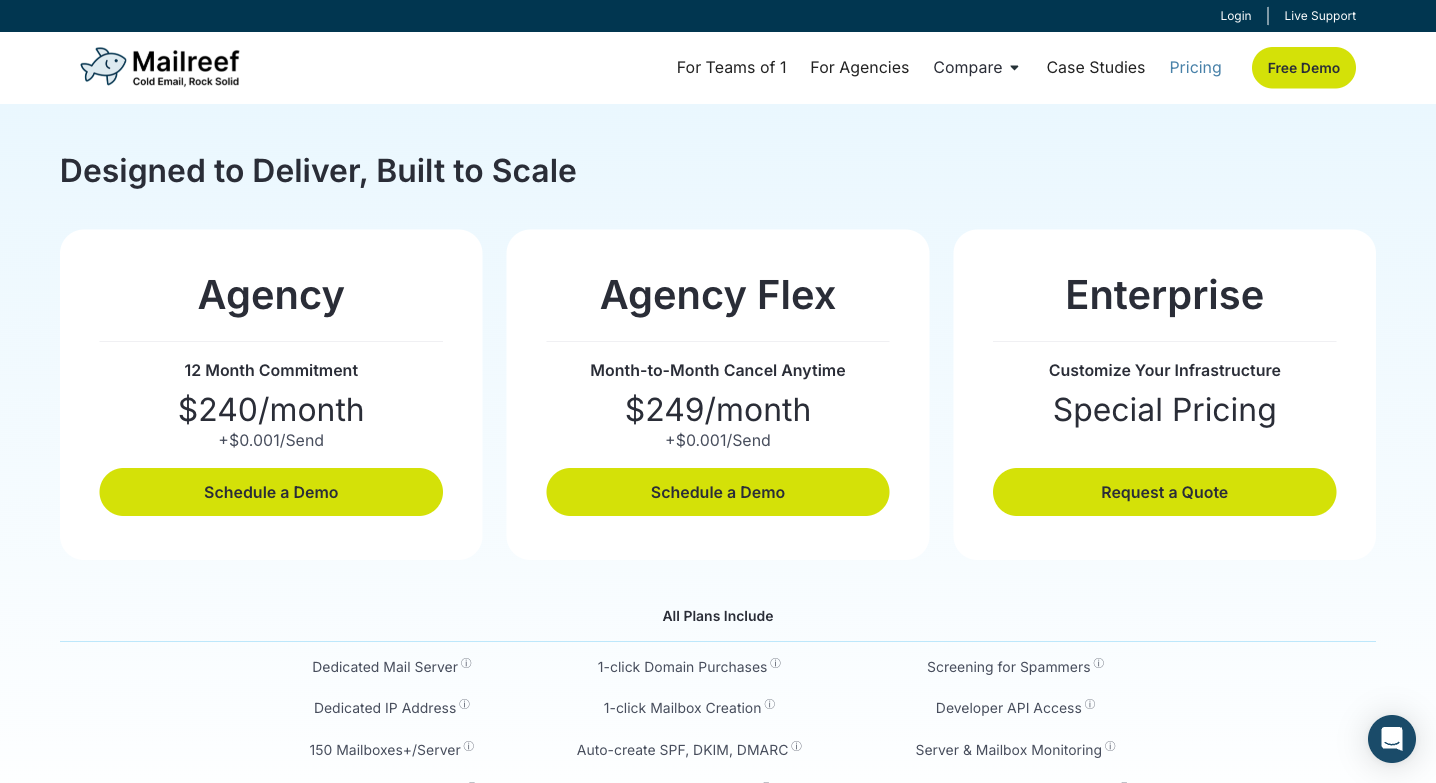
Mailreef gives you a dedicated server and a dedicated IP. It offers unlimited mailboxes (capped at 150 to 200 mailboxes per server) with pre-warmed setup. Mailreef’s spammer screening keeps bad actors off the platform.
Pricing:
Agency plan starts at $240 per month (12-month commitment). Agency Flex is $249 per month (month-to-month).
There is a per-send fee: $0.001 per email on top of base
At 15K emails per month: $240 + $15 = $255 per month (Agency) or $264 per month (Flex)
The cost per email comes around $0.0170.
Warmup is not included (BYO)
All-in estimate: $262 to $312 per month
Pros:
- Fully dedicated server and dedicated IP, no shared resources
- Unlimited mailboxes within server cap (150+), generous for single-server deployments
- Spammer screening actively filters bad actors from the platform
Cons:
- There are zero verified reviews on G2, Capterra, or Trustpilot.
- The “unlimited” label is doing a lot of work here. In practice you’re capped at 50 domains, 200 mailboxes, and 100,000 emails per server. Once you hit that ceiling, the only option is buying another server. Unlimited means unlimited until it doesn’t, and the limit arrives faster than the name suggests.
- Application-only access with 2 to 3 day approval wait. Can’t just sign up
- OVH/UpCloud IP infrastructure has lower starting ESP trust than Google or Microsoft backends
Best for: Expert cold emailers sending 20K+ emails per month who want full dedicated server ownership and can validate the product themselves (given the absence of third-party reviews).
You’re looking at a product that costs $240 per month, with a 12-month commitment option on the table. That’s $2,880 per year and there is no independent way to validate whether any of the Mailreef marketing claims are true before you wire that money.
The OVH/UpCloud backend adds another layer to think about. Those servers are cheaper to run, which is part of how Mailreef prices the way it does. However, cheaper hosting means IPs that start with lower trust from Gmail and Outlook than you’d get on Google or Microsoft infrastructure.
Both of those things together, zero external validation and a lower-trust IP backend, are a lot to accept on faith at $2,880 a year. For a more detailed analysis, read our Mailreef alternatives comparison.
How to Choose the Right Zapmail Alternative
Quick budget guide:
- Under $100 per month: Maildoso (shared) or Mailscale (shared, free trial)
- $100 to $150 per month: Aerosend (managed) or Inframail (unlimited, flat) or Hypertide (dedicated, setup fee)
- $200+ per month: Mailreef (dedicated, unvalidated) or Wizemails (managed, unvalidated)
DIY senders who can manage their own warmup and monitoring will save money with Maildoso or Inframail. Teams who want hands-off deliverability management should look at Aerosend.
Not sure which fits your stack? Schedule a call with Namit →
The Verdict: Best Zapmail Alternative for 2026
What you choose to replace Zapmail with can depend on what you’re lacking in your current system.
Aerosend should be your pick if you want the deliverability part handled by a team of experts who know what they’re doing. You essentially get the best deliverability stack at infrastructure pricing ($120) with biweekly inbox placement tests, ESP-tailored warmup, 5-metric burn detection, and domain replacement. There are no per-send fees and no add-on charges.
Maildoso is a strong, positively reviewed budget alternative with built-in IPTs. If you can manage your own deliverability and absorb the shared IP risk, it works.
Wizemails and Mailreef both have zero independent reviews. Hypertide has just one. Even though all these tools seem brilliant on paper, the lack of social proof creates a trust gap here.
The great thing about cold outreach systems is that diversifying your stack can mitigate many risks. If you’re not ready to shift completely, you can always start with a small volume of 10 inboxes with a new inbox provider and see how it goes from there. If you’re new to cold outreach, our free cold email course covers the fundamentals.