

Cheapinboxes is a cold email inbox provider offering Google and Microsoft inboxes. Their setup is simple – You can get fully set up domains in a single day (as per their homepage). They offer an isolated workspace per domain and configure DNS.
They commit to unbeatable email deliverability on their official website. But in this Cheapinboxes review, every claim/number/information traces to a named, credible source.
Key Takeaways
If you want a proper setup of Google and Microsoft inboxes, you can opt for Cheapinboxes. However, these inboxes are sourced from resellers, specifically from India. Their deliverability success is lower than US-origin Google inboxes. The inboxes are billed at $3.5/inbox/mo. If you want to run a cold email campaign from day one, you can opt for pre-warmed inboxes. The DNS is configured, and one isolated workspace per domain.
- Inbox: Google and Microsoft Inboxes (Indian Origin)
- USP: 24*7 Support on WhatsApp
- Deliverability: Thin
- Risk: No burn alerts, placement testing, and blacklist monitoring
- Starting Plan: $3.50/inbox per month
- Support: Best
About Cheapinboxes
Cheapinboxes is a cold email inbox service provider that resells official per-seat Google and Microsoft inboxes. The inboxes are of Indian origin. You can also get pre-warmed inboxes to launch cold email campaigns from day one. However, at Cheapinboxes you’ll get an isolated workspace for each domain. Your inboxes are configured and ready for export to a sequencer in a single day.
How Cheapinboxes Works
- Place an order in two ways – through the website or via a single API call.
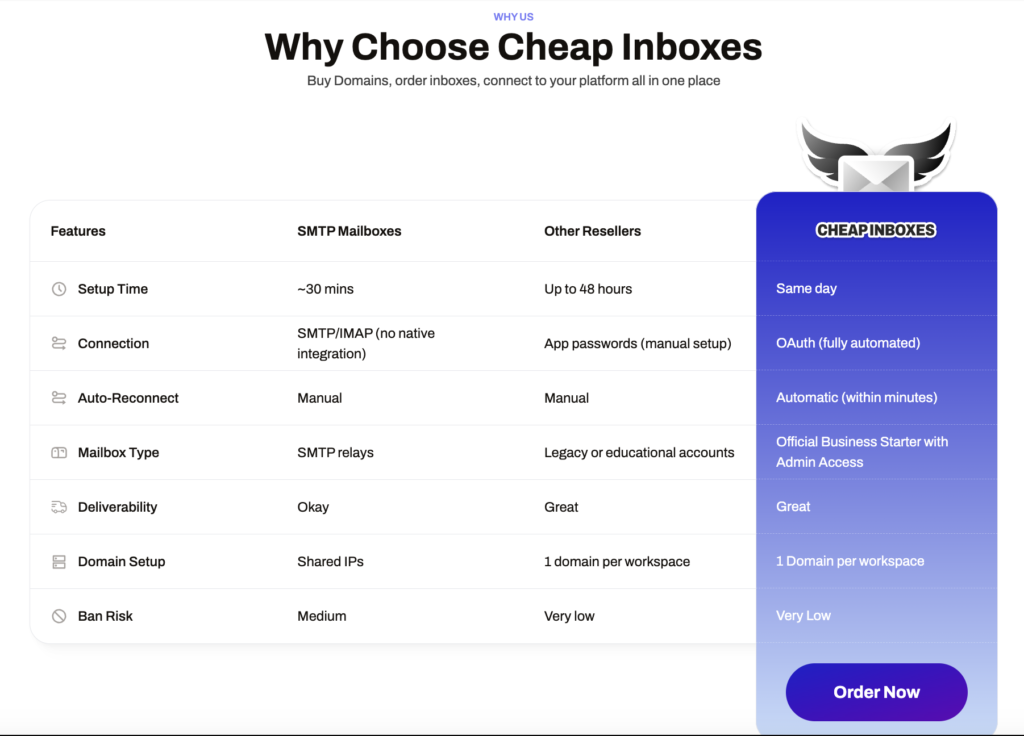
- One workspace per domain – each domain gets its own dedicated Google Workspace.
- Auto-configured at provisioning – DNS and authentication are set up automatically when the domain is provisioned.
- Inboxes come ready – each is assigned names and personas.
- Export over OAuth – integrate inboxes straight into your sequencer via OAuth.
- No IP isolation – one thing this setup does not provide is dedicated IPs for anyone on Google Workspace.
Cheapinboxes Features
Multi-Inbox Provider
You can get official Google and Microsoft inboxes with full admin access.
One Isolated Workspace Per Domain
The default assumption for a Google reseller is many domains stuffed into one admin console. Cheapinboxes do the opposite. They offer: “One workspace, one domain, period.”
Automated DNS and Domain Registration
DNS is where most cold email setups break. Cheapinboxes configures your DNS authentication and domains from $2.50 a year with WHOIS privacy included. They’ll import the domains you already own for free, and configure SPF, DKIM, and DMARC at provisioning.
OAuth Connection and Auto-Reconnect
Cheapinboxes uses OAuth, reconnects automatically within minutes, and exports to any supported sequencer from inside the platform.
Developer API and MCP Server
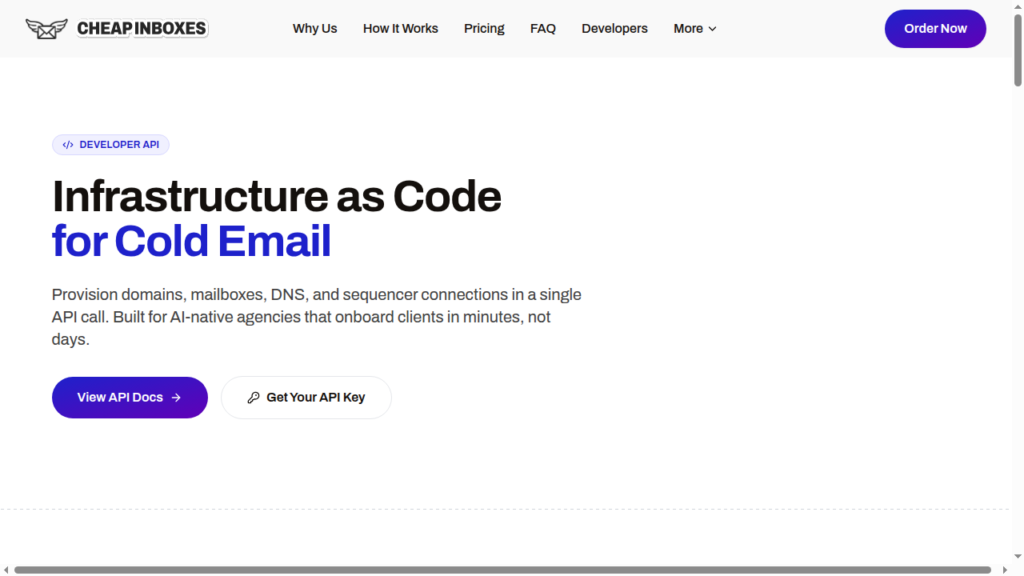
You can provision domains, inboxes, personas, DNS, and the sequencer connection in a single call. There is also an MCP server, so an agent can buy infrastructure with no person in the loop.
Deliverability Monitoring and Burn Alerts
There are no burn alerts, inbox-placement testing, blacklist monitoring, etc.
Pros
Support That Answers
Cheapinboxes support is top-notch. They consistently replied within 1 to 2 minutes. Moreover, you can connect with support over WhatsApp.
Hands down best customer service in any business category I have experienced. Ben’s team responds literally within 5 seconds to any message. I place my order, and my inboxes are warming up within 24 hours.
Mike Meisner, Trustpilot
Full Admin Access
You can get official Google reseller inbox with full admin access. You can check the billing on a mailbox you already paid for.
Built for People Who Automate
One API call for domains, mailboxes, DNS, and the sequencer connection. Signed webhooks with retries. An MCP server so an agent can do the buying.
Pricing With Nothing Attached
No setup fee, no minimum order, no contract. Tier discounts apply automatically by volume. You can buy domains from $2.50 a year, or bring your own.
Cons
Indian Origin Google Reseller Inboxes
The inboxes are sourced from Indian origin resellers. Compared to US-based Google inboxes, these inboxes have low deliverability success.
No Monitoring or Burn Alerts
However, at Cheapinboxes, you’ll get an isolated workspace for each domain. But there are no domain burn alerts or inbox placement tests. You’ll only know that your domain is burned after it is burned.
Independent Head-to-Head Comparison
One independent operator, as part of an experiment, ran a cold email campaign using four inbox providers. Same copy, same market, same timing, all four on Google Workspace. Cheapinboxes finished last on reply rate.
So I tested 4 inbox providers because I wanted to know if there was a huge difference in deliverability. All inbox providers were used with google workspace & all sent the same copy to the same market at the same time.
u/Oxilary, r/Coldemailing
Three Different Setup Times on Website
They have mentioned same-day setup on the homepage, ten minutes in the homepage FAQ, and about 48 hours on the fulfillment page. Four independent publishers mentioned the usual setup time is near 48 hours.
Suspensions Are Carved Out of Refunds
The terms say it in one sentence: Cheapinboxes does not control Google suspensions of inboxes or domains, and refunds will not be issued for them. Suspension is usually caused by cold email on resold Workspace seats.
Cheapinboxes Pricing
| Category | Mailboxes | Price/Month | Price/Inbox |
|---|---|---|---|
| Google/Microsoft | 1 to 99 | $3.50/mailbox/mo | $3.50 |
| Google/Microsoft | 100 to 249 | $3.25/mailbox/mo | $3.25 |
| Google/Microsoft | 250 to 999 | $3.00/mailbox/mo | $3.00 |
| Google/Microsoft | 1,000+ | $2.80/mailbox/mo | $2.80 |
The “Bundle Deals” on domains offer cheap domain registrations sold together to save money. The Cheapest Suite bundles .shop + .live + .info for $10/yr. Standalone deals include .info at $2.99/yr and a limited-offer .shop at $2.49/yr.
Aerosend: Best Cheapinboxes Alternative
Cheapinboxes sell you seats. Aerosend sells the outcome those seats are supposed to produce, and that is the whole difference.
A genuine Google seat delivers, but Cheapinboxes sources inboxes from Google resellers originating from India. A reseller cannot take responsibility for what happens to your domains, because it does not control the deliverability like Aerosend does for you.
Aerosend owns its infrastructure, which is designed to provide high deliverability success. It runs domain burn alerts and inbox-placement tests to track the performance of your cold email campaign. If an inbox goes red, you can simply replace the inbox. Also, the warmup runs on WarmupInbox at no extra charge. New isolation every 10 domains and 30 inboxes, never shared.
| Dimension | Cheapinboxes | Aerosend |
|---|---|---|
| Infrastructure model | Resold per-seat Google Workspace and Microsoft | Dedicated infrastructure, owned and operated |
| Isolation | One workspace per domain, ratio not published | New isolation every 10 domains and 30 inboxes, never shared |
| Warmup after delivery | Not offered | Included |
| Inbox placement testing | Not offered | Every two weeks, included |
| Domain burn alerts | Not offered | Included |
| Metrics tracked | None published | Six, including reply rate, placement and bounce type |
| Blacklist presence | Not monitored for you | Zero, monitored against Spamhaus, Barracuda and SURBL |
| Setup time | About 48 hours per the binding policy | Standard managed onboarding |
| Per-mailbox price | $3.50, down to $2.80 at 1,000 | $4 first 150 inboxes, $2 after 150 |
| Support | WhatsApp, 24/7, measured at 1 to 2 minutes | WhatsApp, Slack, Direct Founder Access |
| Service model | Self-managed | Managed |
Price/Mailbox Breakdown (~5,000 emails/day)
| Requirements | Cheapinboxes | Aerosend |
|---|---|---|
| Mailboxes needed | ~250 | 200 |
| Send rate per mailbox | 15 to 20/day (vendor default 15, “Moderate risk”) | 20-25/day |
| Plan | $3.00 tier, 250 to 999 mailboxes | Starter |
| Per-mailbox rate | $3.00 | $3.50 blended |
| Monthly total | ~$750 in seats plus ~$17.50 in domains | ~$700 all-in |
| Service model | Self-managed | Managed |
Cheapinboxes Support
The support is exceptionally good. You can connect with Cheapinboxes support over WhatsApp, email, and book a Calendly call.
There is no in-app ticketing, no phone line, no help center.
Hands down the most responsive, accomodating, and fast CS team of any GTM vendor we’ve worked with.
Josh K, Trustpilot
The Verdict
If you run your own monitoring, warmup, and placement tests, and need Google inboxes, Cheapinboxes is the right fit. With an API and MCP server, you can easily integrate inboxes to Sequencer with a single click.
But if you expect the inbox provider to offer the complete infrastructure, which consists of domain burning and running warm-up continuously, then you need a different setup. Aerosend is a complete infrastructure built around deliverability. It manages everything for you. How? Let’s book a call, and I’ll show you how you can manage good deliverability and reply rate.
