

Most inbox providers only deliver you the inboxes. But InboxImpacts offers a complete cold-emailing infrastructure. It can set up your inboxes, connect them to a sequencer, find the leads, write copy, etc.
This InboxImpacts review features a breakdown of the complete cold email infrastructure, the latest pricing plans, support quality, and more.
Key Takeaways
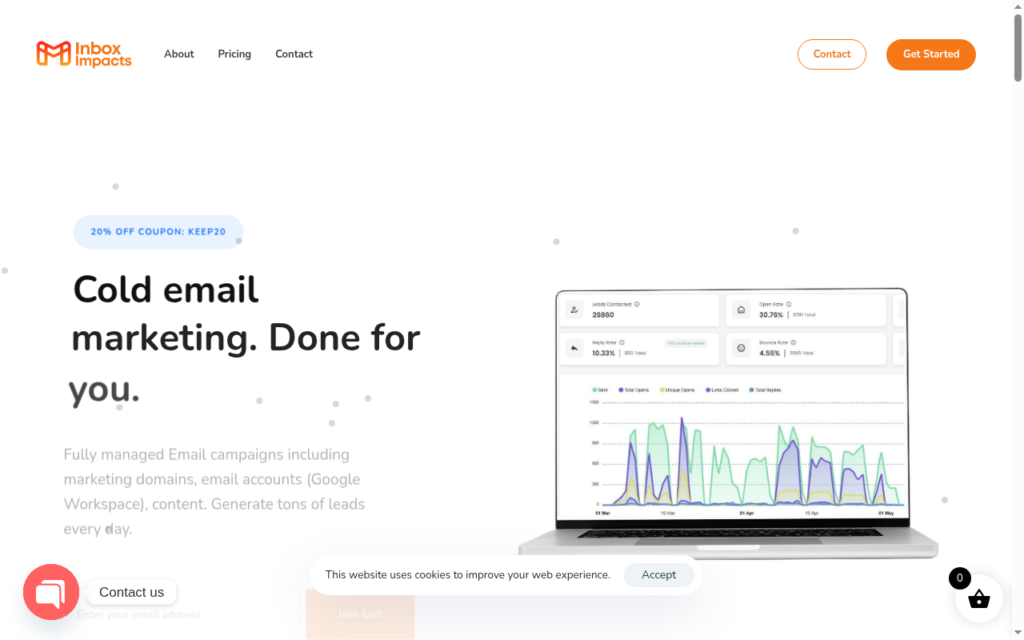
InboxImpacts handles end-to-end cold email marketing operations. You can outsource your campaign. They will set up and run everything for you — domains purchase, Google inboxes set up and authentication, sequencer integration, writing high-converting email content, and a free email database.
- Inbox: Google
- USP: Complete Setup
- Deliverability: No public proof
- Risk: No mention of deliverability monitoring or burn detection
- Starting Plan: Basic Plan at £299/month (5 inboxes, 1 domain)
- Support: Dedicated Account Manager, phone, email, Telegram, and chat
About InboxImpacts
InboxImpacts is not like any other cold email inbox provider. It offers a complete cold email marketing solution.
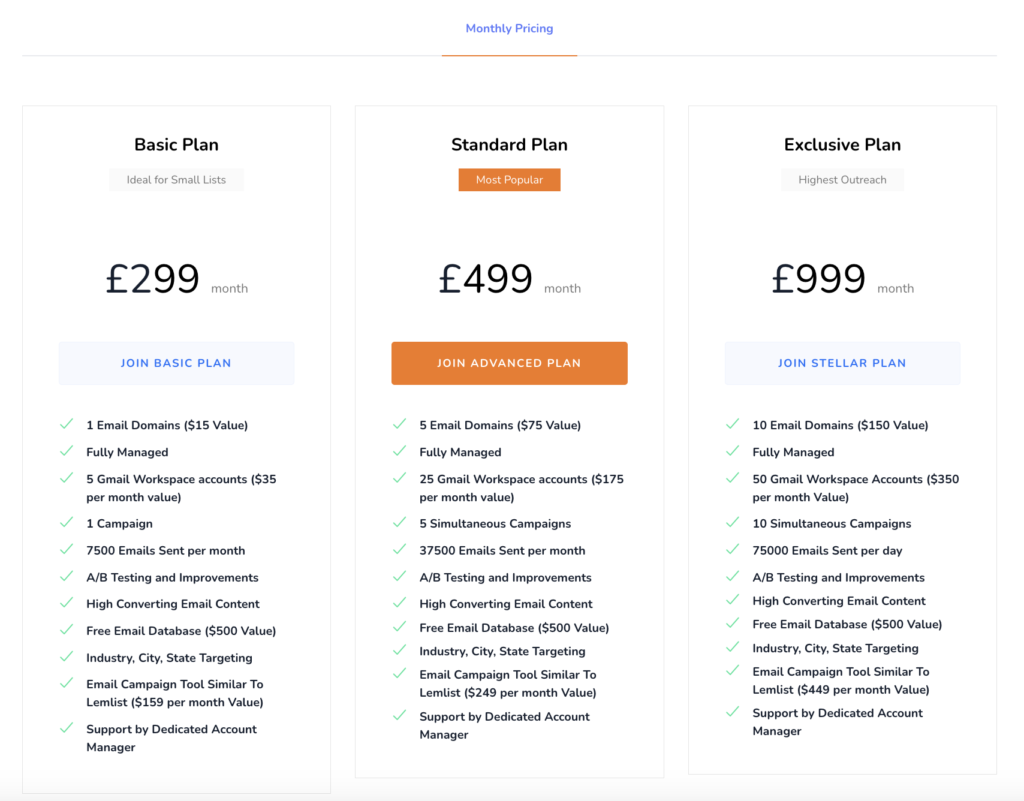
InboxImpacts basic plan is priced at £299/month. It consists of –
- 1 Domain ($15 Value)
- 5 Gmail inbox accounts of Indian IPs ($35/month value)
- Campaign setup
- Free email database ($500 Value)
- A/B testing and improvements – campaign, copy, etc.
- Sequencer integration similar to Lemlist ($159 per month Value)
- Support by Dedicated Account Manager
How InboxImpacts Works
InboxImpacts Features
Complete Setup
InboxImpacts not only sells you inboxes but also runs the entire campaign. From purchasing a domain and setting up Google inboxes to writing email copy, A/B testing, building lead lists, and integrating with Sequencer, it covers all of these in its plans.
Domain Purchase
InboxImpacts purchases domains on your behalf. Each domain can include up to 5 Google inboxes, and the sending limit is 7,500 emails/month.
In-built Warmup
InboxImpacts runs warmup for you. But the warmup methodology is not defined.
Pre-Written Email Content
No inbox provider offers email content writing service. InboxImpacts writes email copies for you. You’ve 4 follow-ups per campaign, where you can A/B test with Spintax variation.
Pros
Fully Functional Setup
InboxImpacts sets up everything for you – inboxes, domains, copy, follow-ups, the lead list, and sending.
Transparent, Cancellable Billing
Plans are billed monthly with no annual lock-in period. However, if you decide to keep the domains and inboxes after a refund, you’ll have to pay extra for those.
Bundled Lead Data and Copy
Each InboxImpacts plan includes written email content and a large USA B2B lead database. That reduces the dependency on external tools/parties to generate email copy and lead list.
Cons
No Deliverability Monitoring or Burn Detection
There’s no domain-burn monitoring, inbox-placement test, or burn-detection system. This means that if your domain gets flagged, it will reduce the reply rate, ultimately affecting the outcome.
India-Origin Google Inboxes
InboxImpacts offers Google inboxes originating from India. Historically, Indian-origin Google inboxes have lower deliverability success than US-origin Google inboxes.
Unsafe Daily Sending Volume
The daily sending limit mentioned in the basic plan is 7,500 emails/month across 5 inboxes. This is 50 emails per day per inbox. This number is way above the commonly cited safe Google band of 15 to 25 emails per inbox per day.
Higher sending volume can burn the domains faster. And if not monitored, it compounds and impacts the domain.
No Warmup Methodology
Warmup is run for you as part of the service, but no pool, method, or metric is published. So there’s no way to tell the credibility of the warmup. Without a warm-up, sending 50 emails per inbox daily is risky. The chances of your emails hitting the spam folder or increasing bounce rates increase with pre-warmed-up inboxes.
No Control Access
You can’t gain control of your Google inboxes or campaign on InboxImpacts. Their managed model restricts client interaction. You can’t change the email frequency or pause sending from a burnt inbox.
InboxImpacts Pricing
InboxImpacts offers three plans, billed monthly.
| Plans | Google Inboxes | Price | Domains |
|---|---|---|---|
| Basic | 5 | £299 | 1 |
| Advanced | 25 | £499 | 5 |
| Stellar | 50 | £999 | 10 |
Each plan includes –
- Domains ($15 Value)
- Google Inboxes
- Campaign Management
- A/B Testing and Improvements on Email Content, Campaign, etc.
- Free Email Database ($500 Value)
- Sequencer Similar To Lemlist
- Dedicated Account Manager
Aerosend: Best Alternative for InboxImpacts
InboxImpacts offers an end-to-end cold-emailing solution. However, the breakdown is not explained. For example, there’s no deliverability monitoring, inbox placement test, or domain burn alerts. Moreover, the warmup methodology is not defined. Without the proper integration, the success of your email campaign is highly doubtful.
Aerosend offers dedicated, isolated infrastructure which is designed to improve your reply rates. It offers complete monitoring, diagnosis, and run warmup using a premium warmup service.
Here’s the difference between InboxImpacts and Aerosend:
| Capability | InboxImpacts | Aerosend |
|---|---|---|
| Infrastructure Type | Google inbox reseller (5 inboxes/domain) | Dedicated, isolated infrastructure |
| Isolation | Not addressed | New isolation every 10 domains / 30 inboxes |
| Warmup | Provider-run but opaque (no pool/method/metrics) | Warmup Inbox included free (~$40/inbox value) |
| Monitoring and Burn Detection | Not disclosed | Domain burn alerts: 6-metric system + biweekly inbox-placement tests |
| Daily Send Volume | ~50/inbox/day (~250/domain/day), above the safe band | ~60 to 75/domain/day (healthy band) |
| Platform Control | Hostage to Google takedowns and rule changes | Owns its infrastructure; not subject to a platform’s cold-email policy |
| BYO Domains | Not supported | Brings your domains or adds new ones |
| API / self-serve | No product API or dashboard | API available |
| Pricing Model | £299/£499/£999 every 30 days, month-to-month | $4/mailbox first 150, $2/mailbox after; month-to-month |
| Service model | Done-for-you + Managed campaign (copy + leads + sending) | Managed deliverability infrastructure (you run sequencing) |
Price/Mailbox Breakdown (~5,000 emails/day)
| Requirements | InboxImpacts | Aerosend |
|---|---|---|
| Mailboxes needed | 100 | 200 |
| Send rate per mailbox | 50/day | 20-25/day |
| Plan | Stellar (50 inboxes) x2 ~ £1,998/mo | Starter band ($4/mailbox) |
| Per-mailbox rate | ~£20 (all-in managed) | $3.50 (blended) |
| Monthly total | ~£1,998 (~$2,530) | ~$700 |
| Service model | Managed campaign (unsafe volume) | Managed |
InboxImpacts Support
You’ll get a dedicated Account Manager with each plan. Also, you can reach support through –
- Toll-free phone = +1 814 300-8897
- Email = hello {at} inboximpacts {dot} com for general queries, sales {at} inboximpacts {dot} com for refunds and policy
- Telegram = (t.me/digimarketusa)
- Live-chat widget on the platform
The Verdict
For a non-technical user who finds it hard to set up DNS configuration, sequencer, InboxImpacts is the right tool for you. You’ll get a complete cold email infrastructure to launch your campaign. You don’t have to worry about building a stack yourself or hiring someone to run it.
However, without any control over the campaign, success or failure depends entirely on your service provider.
But if you want a system designed to improve your deliverability and reply rates, you can check out Aerosend.
It takes full responsibility for your deliverability. With a dedicated server, geo-matched IPs, proper warmup, biweekly inbox placement test, etc. Aerosend is designed to land your emails straight to the inbox.
